App Creator Without Coding: No‑Code vs. Custom Dev – Which Path Should You Actually Take?


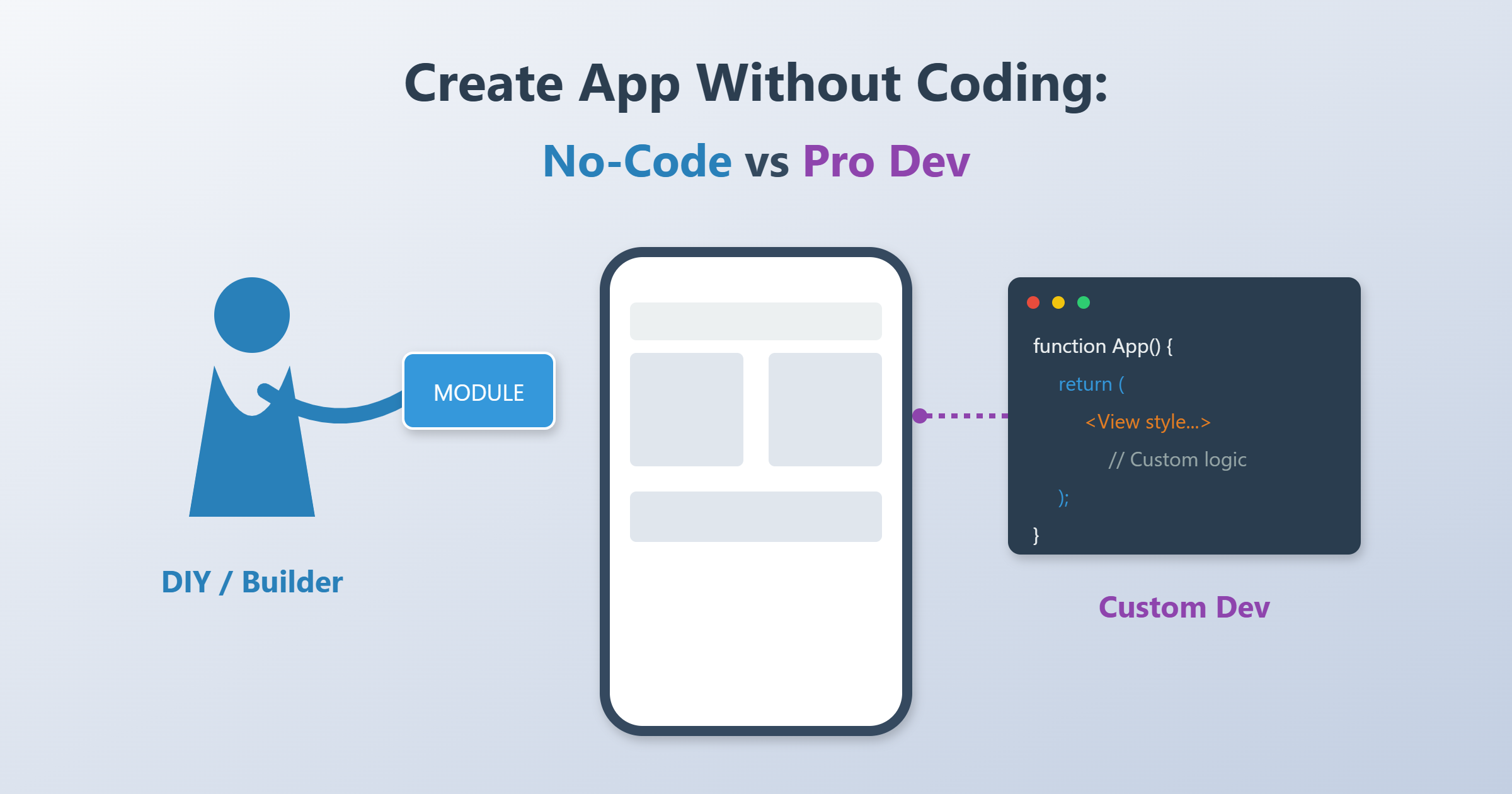
Look, let’s be real for a second. Everyone and their grandma has an "app idea" these days. It’s like the modern version of writing a screenplay in a coffee shop. But then you get a quote from an agency and see a price tag that looks like a phone number. That excitement tends to disappear pretty fast.
So the question keeps coming up. Do we really need to spend $50k on an agency? Or can we just wing it with an app creator without coding?
It is not a simple yes or no answer. It never is, right? Thanks to these modern builders, the barrier to entry is lower than it’s ever been, basically on the floor. But is No-Code really this magic "fix-all" button everyone claims it is?
Consider this guide your pit crew. We’re going to break down the actual differences between the DIY route and professional dev, look at the hidden risks (the actually nasty ones) and give you a roadmap that works.
What Does "Create App Without Coding" Actually Mean?
Before we look at the pros and cons, let's clear up the confusing terms. Think of building software like buying a car. You have a few different ways to get on the road.
No‑Code vs. Low‑Code vs. Custom Dev
%20en.png)
- No-Code (The Lego Set): This is where you use a no code app builder. You’re dragging and dropping buttons, lists, images onto a canvas. It feels a bit like playing The Sims. The logic is all visual. You just tell the system to go to the next page when a button is clicked. You do not write a single line of code. It is like driving an arcade racer. It is easy to pick up and fun, but you cannot exactly pop the hood to tune the engine yourself.
- Low-Code (The Tuner Car): This is for the people who know enough to be dangerous. It’s mostly visual, using a low code app builder interface, but if you need a specific feature (like some weird financial calculation) you can inject a little bit of code (usually JavaScript) to bridge the gap.
- Custom Development (The F1 Car): Professional engineers writing everything from scratch. Swift, Kotlin, React Native. This is the bespoke suit. It gives you maximum freedom and performance, sure, but it costs a fortune and you need a whole team of engineers just to keep the lights on.
What Are We Building Here?
Also, not every tool builds every app. You gotta know what you're aiming for. Are you looking for a mobile app builder for Native Apps (the real deal from the App Store with camera access)? Or are you okay with PWAs (Progressive Web Apps), which are basically websites playing dress-up as apps?
No‑Code: The Good Stuff (Why Everyone is Hype)
So why is this trend to create app without coding exploding? (Gartner says something crazy like 70% of apps will use this tech by 2026, so it's definitely not just a fad).
Fast MVP & Time-to-Market
The biggest win is speed. Hands down. Classic development is a slow grind, often taking 3 to 6 months if you're lucky. With no coding tools, you can hack together an MVP (Minimum Viable Product) in 2 to 4 weeks. You can actually validate your idea before you burn through your life savings.
The Cost Model: Subscription vs. Mortgage
Classic projects need huge upfront cash (Capex). We're talking $40,000 just to start the conversation. No-Code operates as SaaS. You pay a monthly fee, maybe $50 to $100. It includes hosting, maintenance, all that boring stuff. Your CFO (or your wallet) will love this.
Iteration Speed
Want to change a text field? In a visual editor, it takes 30 seconds. In custom dev, you file a ticket, the dev codes it, QA tests it, and they deploy it next Tuesday. For internal tools that change constantly, this agility is absolute gold.
The Dark Side: Limits, Risks, and "Gotchas"
If No-Code was perfect, software agencies would be extinct. They aren't. Here is why you might regret the DIY route.
The Design Corset: Builders work with templates. Want a revolutionary new gesture control or a design that defies physics? Good luck. You are stuck in the "corset" of the platform. Once you hit the wall, you hit it hard.
Performance & Scalability: For 1,000 users? Works great. But for 100,000 concurrent users hitting your database? Things might get... crunchy. You are in a "shared environment," so you can't optimize the database indexes like you would on your own server.
Vendor Lock-In (The Bad Marriage): This is the big one. When you build on Platform X, the "code" usually doesn't belong to you. You can't just export it and host it elsewhere. If the platform jacks up the price or goes bust, you are (technically speaking) screwed. You’d have to rebuild from scratch.
When Pro Development is the Only Way
Collaborating with a professional team pays off when:
- The Product IS the Tech: If you are a Fintech startup, you need to own your IP and security. Don't mess around here.
- High Complexity: You need weird hardware integration (Bluetooth, IoT) or complex algorithms.
- Long-Term Costs: Believe it or not, paying $500/month for enterprise tiers adds up. Eventually, owning the code becomes cheaper than renting it.
The Cheat Sheet (Decision Matrix)
Quick Decision Guide:
- Need to validate an idea quickly? → No-Code.
- Need an internal vacation request tool? → No-Code.
- Is this app your entire billion-dollar core business? → Custom Dev.
- Do you need strict data sovereignty? → Custom Dev.
Step‑by‑Step: How to Actually Do It (The Real Plan)
Decided to go the DIY route? Here is how not to mess it up.
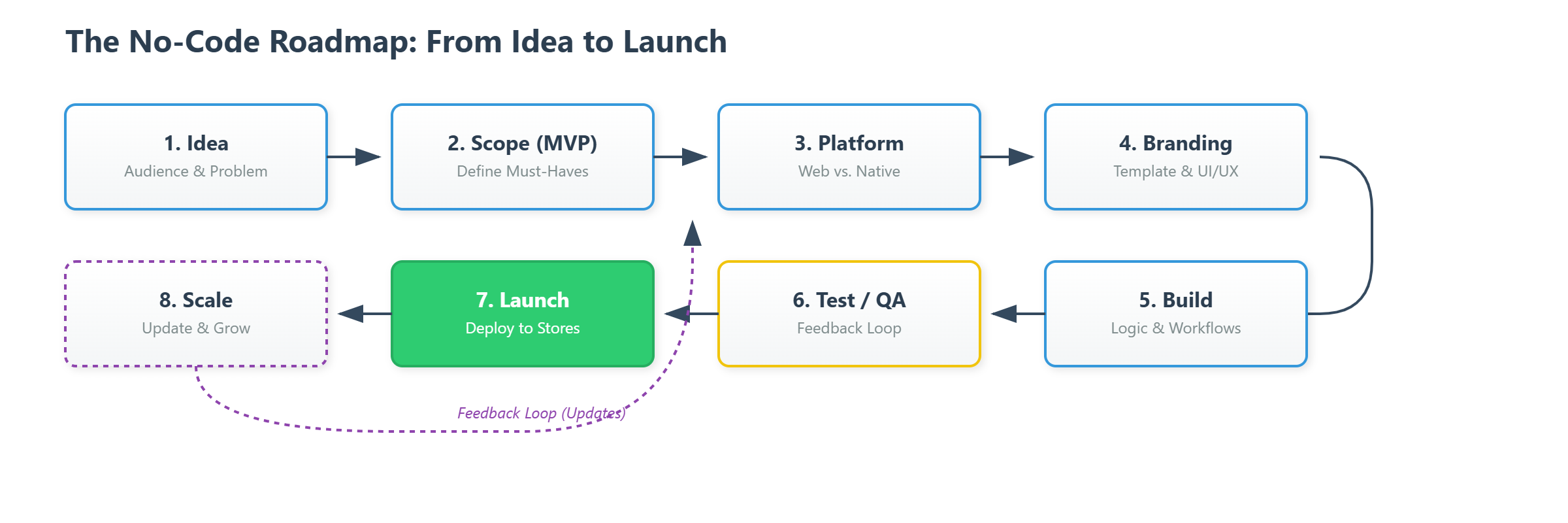
Step 1: The Concept (Napkin Phase)
Don't touch the computer yet. Seriously. Who is this for? What is the one problem it solves? Define the "Must-haves" and ruthlessly cut the "Nice-to-haves" for Version 1.
Step 2: Pick Your Weapon
The market is flooded (Bubble, FlutterFlow, Softr, Glide). Choose based on requirements: Web or Mobile? Where does the data live?
Step 3: Steal (Respectfully)
Pick a template. Don't start from a blank page. Find a template that does 80% of what you need (whether it's a CRM or a "Tinder for Dogs") and start there.
Step 4: Branding
Upload your logo, fix the colors, change the fonts. Make it look like yours.
Step 5: Logic & Workflow
This is where the magic happens. You define the path: "If user clicks Submit -> Send Email -> Update Database."
Step 6: Test It (The "Mom Test")
Give the app to someone who isn't tech-savvy. If they can use it without you standing over their shoulder explaining it, you're good.
Step 7: Push the Button
Publishing to the web is one click. Publishing to the App Store? That’s a whole other beast involving Apple Developer accounts ($99/year) and a lot of patience.
Conclusion
The ability to use an app creator without coding has basically democratized software. It’s the fastest way to get your car on the track. But (and it’s a big but) if you are planning a complex, scalable core product, be careful about building your house on rented land.
Our Advice: Start small. Use No-Code for the prototype. Once you're making money, then invest in the custom rebuild.
Got your checklist ready? Start filling it out.
Frequently Asked Questions
Can I really build a professional app without coding?
Yes! For many use cases, modern no-code apps are nearly indistinguishable from custom-coded ones. Limitations only become apparent with highly specialized features or under very heavy user load.
How much does it cost to build an app without coding?
Development costs often drop to €1,000–€10,000 (covering your own time or hiring a freelancer), compared to €50,000+ for custom development. But be aware: ongoing platform subscription fees (typically €30–€500 per month) continue indefinitely.
When does no-code hit its limits?
Mainly when dealing with large databases under high load, complex animations (such as in games), or integration with legacy enterprise systems that lack modern APIs.
Can I export my no-code project later?
Usually, no—you’re locked into the platform. If you later decide to switch to custom development, you’ll likely need to rebuild the entire app from scratch (a so-called “rewrite”).