AI Automation: How Companies Can Benefit from AI for Business
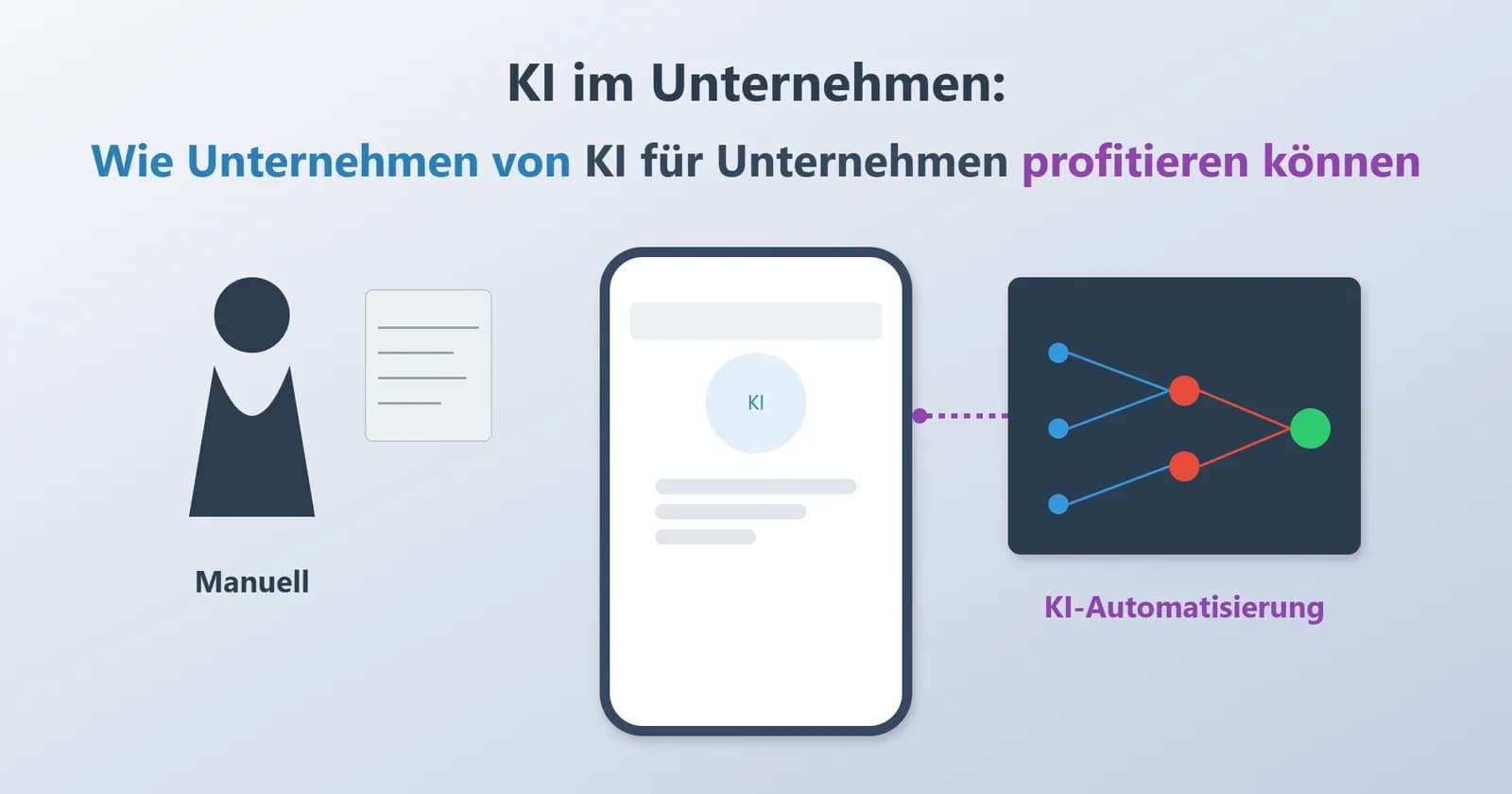

Many small and medium-sized companies know the same problem: the workload grows, but the team stays the same size. Some tasks keep ending up on the "do it later" pile, and simple routines suddenly take much longer than they used to. When this happens more often, many start looking for tools that can take over part of this daily burden. That is why interest in AI automation has been growing significantly for some time now.
In Germany and other European countries, more and more companies are trying out small, practical solutions based on artificial intelligence. The reason is rarely "great innovation," but usually something quite everyday: fewer typos, faster responses to customers, or a system that sorts documents without someone having to open five programs at once. Such steps often seem unspectacular, but they bring noticeable relief in everyday work, especially when limited time and many tasks come together.
In this case, the concept of AI for businesses becomes much easier to imagine: it is not about replacing people, but about freeing them from paperwork. The following sections describe how intelligent automation is used in common business scenarios and how it differs from the older rule-based systems. The focus is on real-world scenarios that teams know from their own experience, and shows where AI in business can offer visible improvements without causing unnecessary complexity.
What is AI automation and how does it differ from traditional automation?
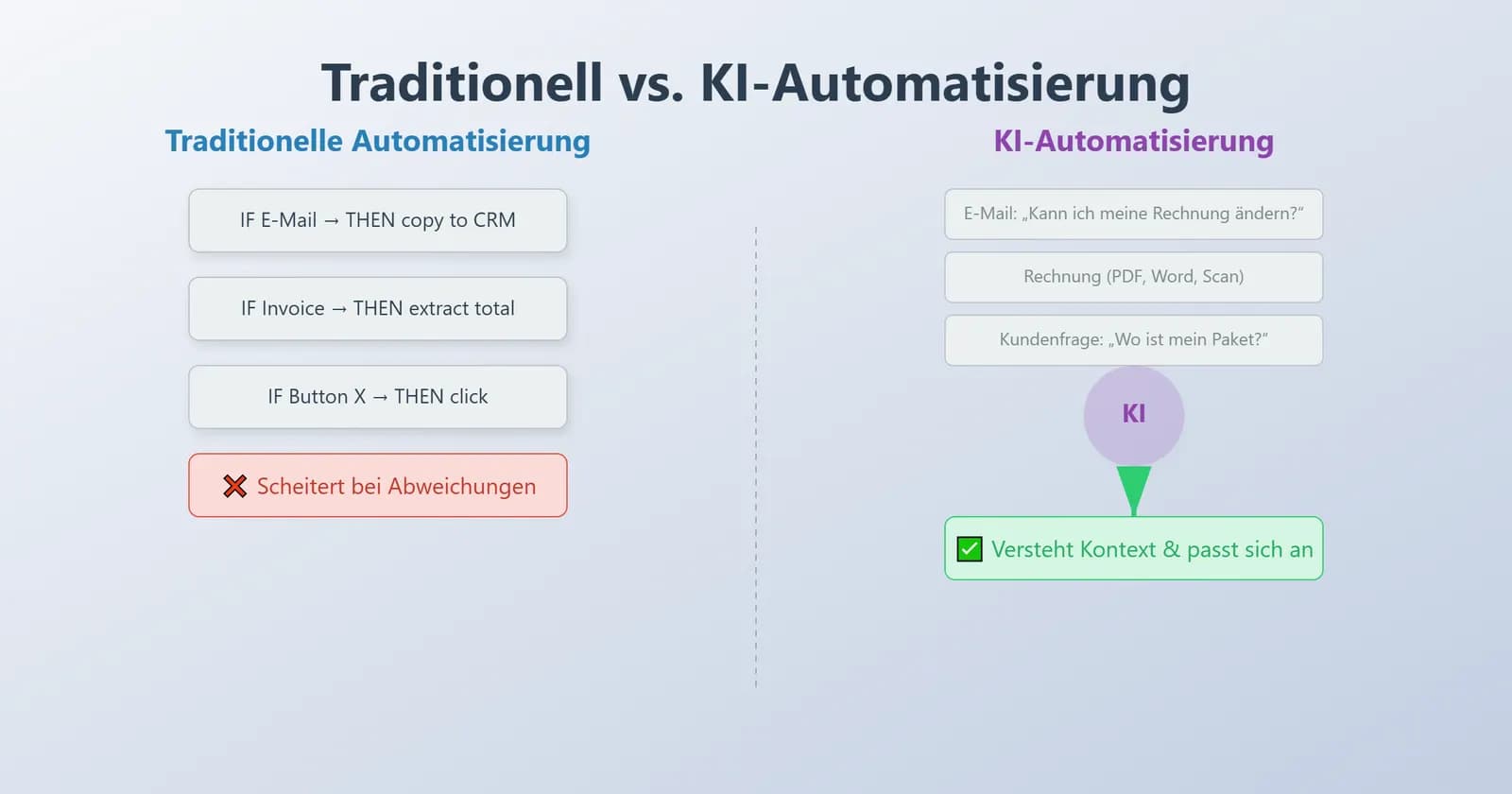
Many companies still rely on older tools that follow strict rules: "If this happens, then do that." These tools only work when all situations look almost the same. But real-world work is rarely that tidy. Emails arrive in different forms, invoices vary depending on the template, and customers write their questions in dozens of different ways. When routines become unpredictable, classic automation quickly reaches its limits. This is where AI automation comes into play, because it handles tasks that change from day to day.
Instead of copying fixed steps, intelligent systems first look at the information and then decide what makes sense based on their previous experience. This approach works well for teams that constantly have to adapt to new inputs, unclear requests, or document formats that never fully match. In practice, it feels more like having a digital assistant that understands context than a script that fails in unusual situations.
Defining AI automation
Put simply, AI automation is automation that learns. A model reviews examples, recognizes patterns, and uses them to make sensible decisions. It can read short messages, extract values from documents, or flag unusual entries in financial data. Everything depends on the experience it gathers from training.
This type of automation reduces the need to write hundreds of rules. Over time, the system improves, so routine checks become less labor-intensive. Some companies use it to support intelligent automation in areas where information arrives in many different shapes and formats. Others apply it to tasks that normally take a lot of time because they require judgment and not just the press of a button.
The difference from RPA and traditional automation
Older tools like RPA behave like a robot that repeats the same movements every day.
If one detail changes – perhaps a button moves or a word looks different – the process is often interrupted. These tools follow instructions but don't understand what the data actually means.
Intelligent systems behave differently. They look at the content, compare it with previous examples, and adjust their actions. This makes them better suited for processes that involve text, mixed formats, or unpredictable inputs. The difference becomes clear in situations where layouts change or customers phrase their questions in unexpected ways.
| Criterion | Traditional automation (RPA) | AI Automation |
|---|---|---|
| Logic | Fixed rules | Learns from data |
| Tasks | Repetitive, stable | Variable or unclear |
| Adaptability | Low | High |
| Example | Copying values into CRM | Grouping customer feedback |
Because of this adaptability, many teams use AI for businesses when older tools constantly need to be repaired. Intelligent systems offer more room for business process optimization, especially when daily work involves variations rather than repetition.
Core technologies of AI automation
Several technologies support this learning-based approach, even if they work quietly in the background. Machine learning helps a model understand previous examples and predict what should happen next. Natural language processing (NLP) allows a system to understand written text, so that emails can be sorted or short responses generated. Computer vision makes it possible to recognize objects in images or to detect small defects in products.
These capabilities are based on techniques such as deep learning, which gradually improve results as more data becomes available. They also depend on stable data quality, so that the system does not draw incorrect conclusions. With these foundations, many companies achieve smoother workflow handling and more reliable processing, even when formats or workloads change unexpectedly.
The key benefits of AI for businesses
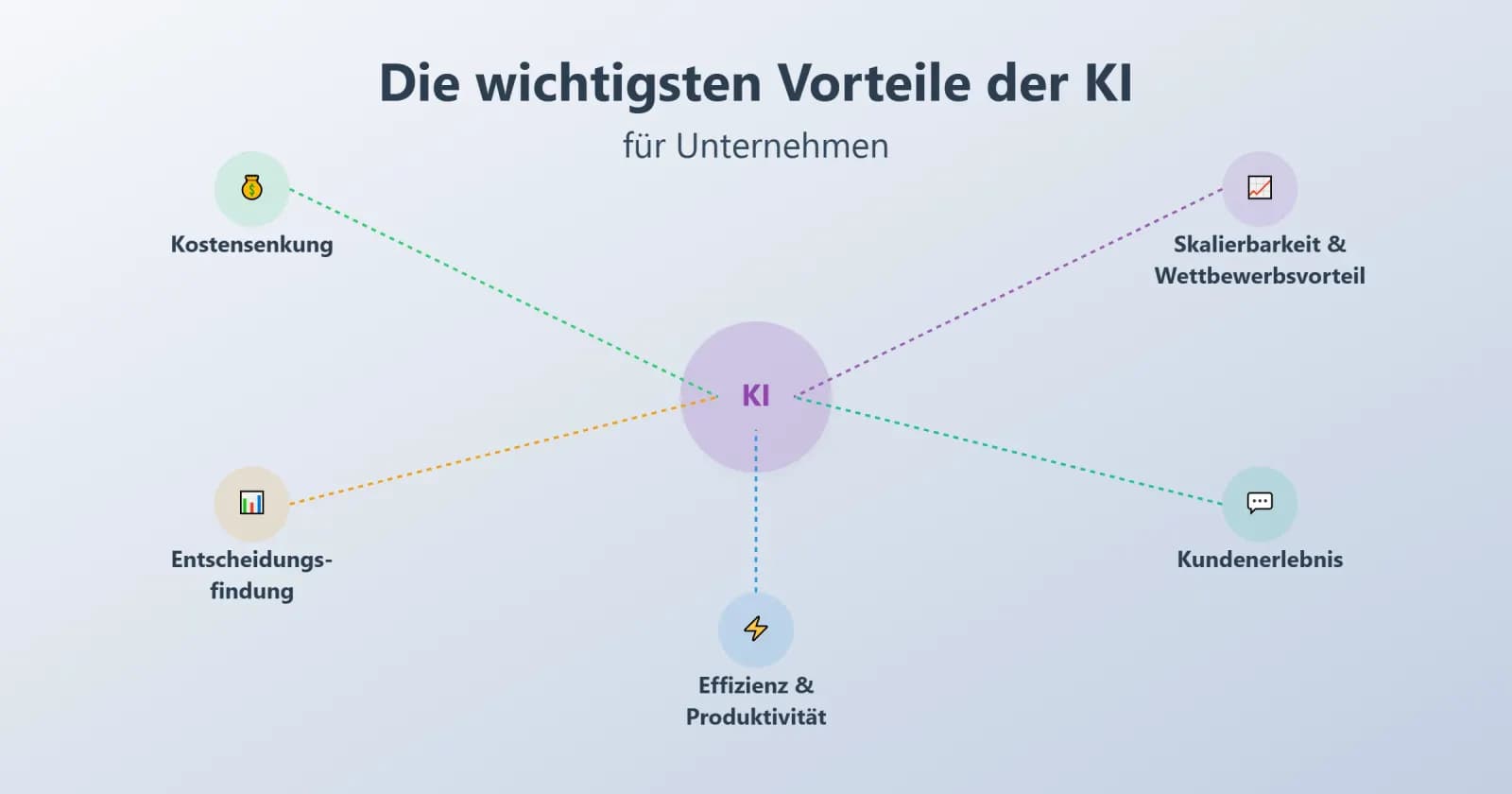
Many companies start engaging with intelligent tools not because they are following a trend, but because daily work slowly becomes too heavy. Teams spend hours reviewing documents, answering similar questions, or fixing mistakes caused by stress and lack of time. When this happens regularly, owners look for practical ways to reduce the workload. This is where AI in business shows clear added value. The benefits appear gradually, but they are noticeable not only in reports but also in everyday work. Below are the benefits that most companies recognize once they adopt learning-based tools instead of classic rule-based ones.
Increased efficiency and productivity
One of the most visible changes comes from reducing routine work. Many tasks that each take several minutes – reading messages, extracting numbers, sorting files – add up to hours by the end of the week. Intelligent software can take over much of this repetition, leaving more time for tasks that require personal attention.
For instance, invoice processing often becomes faster when a system automatically extracts values. Email handling improves when short questions are answered immediately and other requests are forwarded to the right colleague. This shift creates room for more focused work and helps teams maintain a steadier rhythm. Some companies describe this as a quiet but steady rise in operational efficiency, since the improvement comes from dozens of small tasks being completed faster.
Cost Reduction
Costs usually drop when fewer errors need to be fixed. Manual work often leads to typos, misplaced files, or overlooked steps. With learning-based tools, these problems occur less frequently. Over time, this reduces rework, lowers administrative effort, and helps avoid unnecessary corrections.
Another source of savings comes from detecting unusual activity early. A model can flag entries that appear out of the ordinary, giving teams enough time to respond before a small issue turns into a larger one. This supports steady cost savings without changing the core structure of the business. The effect is especially noticeable in areas such as finance, customer service, or procurement, where small inaccuracies add up quickly.
Improved Decision-Making
Every company collects more data than it realizes—emails, orders, support messages, sales patterns. When this information is reviewed manually, important signals can easily be missed. Smart systems use predictive analytics to identify trends, uncover potential problems, and spot opportunities earlier.
A practical example is pricing. Instead of relying solely on intuition, teams can see how demand shifts over the course of the week or how customers respond to small adjustments. This makes planning more informed and reduces guesswork. Similar improvements appear in inventory management, marketing, and risk assessment. Over time, this supports more informed decisions and creates a clearer picture of market behavior.
Enhanced Customer Experience
Customers expect fast and accurate responses. When teams are busy, response times grow and satisfaction declines. Smart tools can help by answering simple questions instantly. Chat-based systems handle order-related queries, explain basic steps, or inform customers about delivery status. More complex messages are forwarded to human agents, accompanied by helpful notes.
Personalization also becomes easier. A system can recommend relevant products or highlight what a customer might need next. These small adjustments contribute to higher customer satisfaction and create smoother interactions across digital channels. For many companies, this is a practical way to maintain service quality even during peak times.
Scalability and Competitive Advantages
As companies grow, manual processes often become too slow. Smart systems help handle larger workloads without increasing team size. They process more messages, more documents, and more transactions while keeping the pace consistent.
This flexibility strengthens long-term stability and supports competitive advantage, especially in markets where fast responses matter. Companies that adopt AI for business early often notice a more resilient structure: processes break down less often, data transfers more smoothly, and expansion becomes easier to manage. This contributes to better business continuity and reduces pressure during seasonal peaks or sudden spikes in demand.
What Can Be Automated with AI? Real-World Use Cases
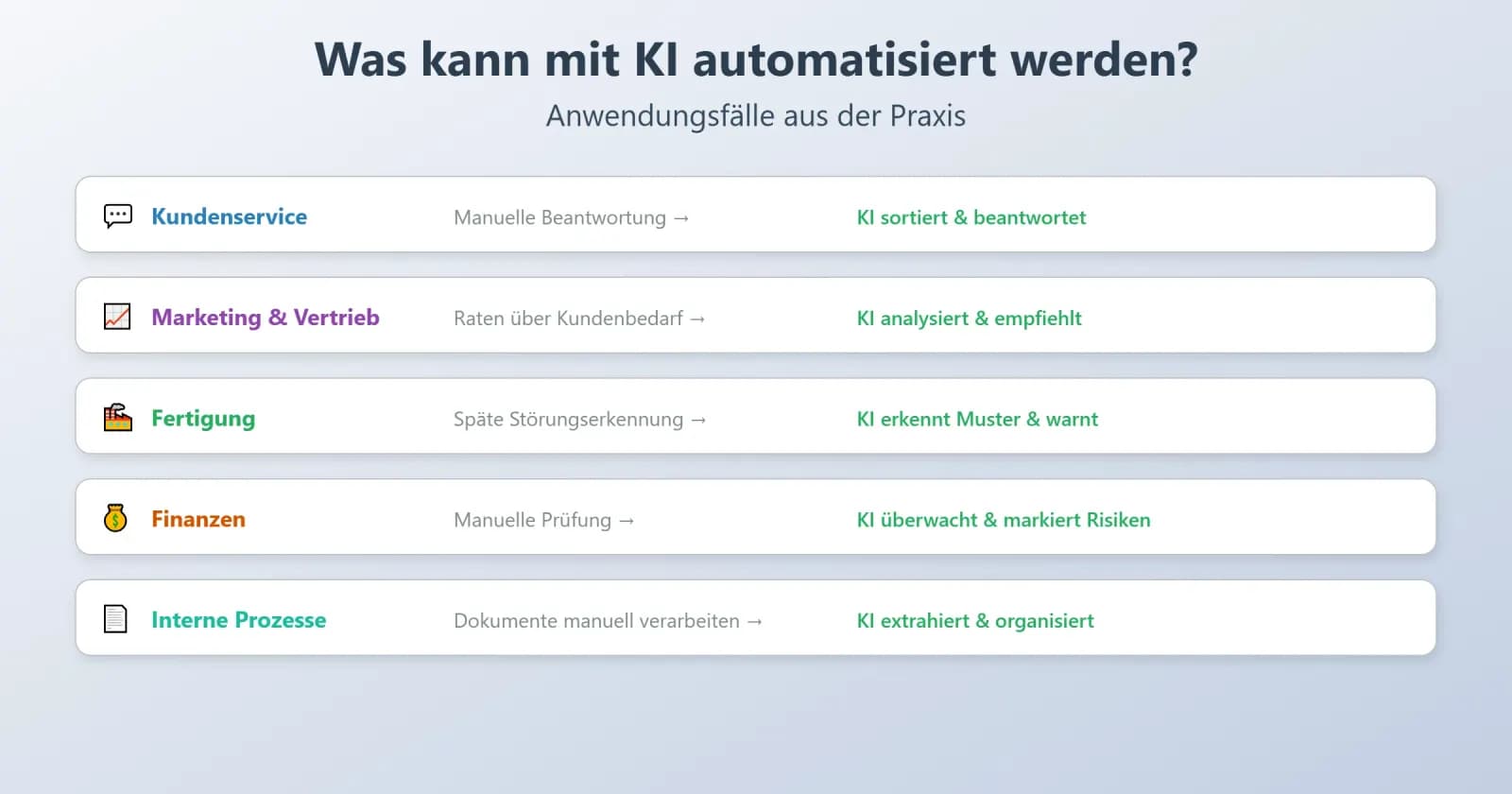
Companies typically recognize the value of intelligent tools when a process starts slowing down the entire team. Sometimes it's customer service, sometimes it's internal paperwork. The triggers vary, but the pattern is the same: routine tasks grow faster than the team can handle them. In this case, AI automation is a practical way to keep daily operations stable without increasing headcount.
Below you'll find a few real-world areas where learning-based tools make the biggest difference.
Customer Service
Support teams often have to juggle everything at once: urgent cases, simple questions, and unexpected issues. When the inbox fills up, response times lengthen and customers grow impatient. Intelligent tools help by handling the simple requests and organizing the complex ones more clearly.
Typical tasks that can benefit from process optimization through AI include:
- Answering simple questions about orders or account access
- Sorting incoming messages by topic and urgency
- Creating brief summaries for staff before they respond
- Detecting frustrated messages early through sentiment analysis
These changes reduce the pressure on the team and help keep communication running more smoothly even when request volumes spike.
Marketing and Sales
Sales and marketing staff spend a lot of time figuring out what customers might want next. Intelligent tools deliver clearer signals by reviewing behavioral patterns, past purchases, and small indicators of interest.
Common examples include:
- Suggesting relevant products based on browsing history
- Identifying leads that show a stronger intent to buy
- Organizing contacts into usable groups with the help of data analysis
- Adjusting campaign timing as trends shift
While these steps don't replace strategic planning, they reduce guesswork and free teams from manual sorting.
Manufacturing Industry
Production environments rely on machines that have to run reliably. When a component behaves differently, problems escalate quickly. Intelligent systems detect these changes earlier.
They help by:
- spotting unusual sensor readings that may indicate wear
- highlighting areas where a malfunction is likely
- supporting visual inspections through computer vision
- detecting small defects that are easy to overlook
This early detection stabilizes schedules and helps reduce unplanned downtime.
Financial Sector
Financial operations involve a high volume of data. Reviewing all of it manually is time-consuming and increases the likelihood that important details will be overlooked. Intelligent tools strengthen oversight by monitoring entries continuously.
They are especially useful for:
- identifying irregular transactions within seconds
- supporting risk assessment with learning-based estimates
- flagging accounts that require closer examination
- maintaining consistent digitization across all financial workflows
Since decisions depend on accuracy, even small improvements have a noticeable impact.
Internal Processes
Internal processes often hide the largest share of repetitive work. Employees switch between systems, copy numbers, or sort documents for hours every week. Intelligent systems can take over a significant portion of these tasks.
Examples include:
- Extracting values from invoices and inserting them into the correct fields
- Naming and organizing documents using intelligent document processing
- Automatically generating weekly or monthly reports
- Creating quick overviews to support planning
These steps reduce manual effort and make it easier to manage daily work. Over time, they contribute to more stable workflow automation and reduce the mental burden of routine tasks.
Challenges in Implementing AI
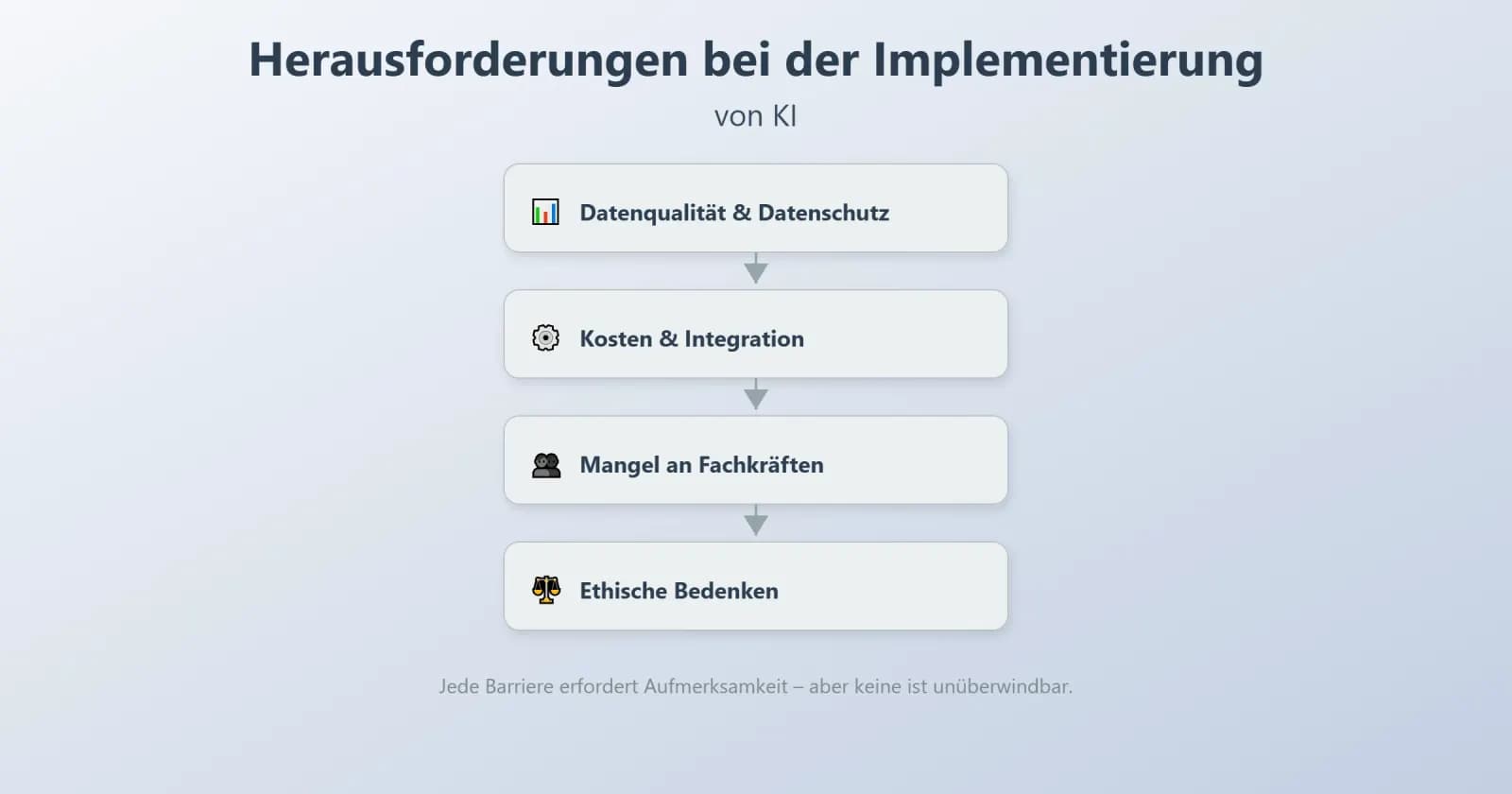
Although smart technologies have the potential to simplify everyday work, several challenges can be expected when implementing them in companies. The problems are not directly related to the technology itself. Most of the time, they are the result of how data is stored, how it was built up in the past, or how the team handles change. The main obstacles companies face are listed below.
Data quality and data protection
Smart systems are based on examples, so the quality of these examples matters. Most companies find that their data is incomplete, duplicated, or stored in different formats. In this case, the results are not as reliable and the model takes longer to adapt.
Typical problems include:
- inconsistent values across different tools
- outdated datasets that confuse learning-based systems
- scattered storage locations that slow down access
To make matters worse, companies must comply with strict regulations on the protection of personal data. Requirements such as GDPR compliance affect how data can be collected, stored, and used during training.
Costs and complexity of integration
Introducing smart tools is not just about purchasing software. The current systems should be compatible with each other, which does not always run smoothly with older systems.
Common cost drivers include:
- preparing clean data before rollout
- adapting existing tools for stable system integration
- maintaining the model so that it stays accurate over a longer period of time
These steps can be a challenge for smaller teams, especially if they do not have specialized technical staff. When custom AI solutions are needed, understanding the software development cost is a critical first step.
Shortage of skilled professionals
Many companies would like to introduce new tools but do not have employees who understand how learning-based systems work. Qualified specialists in this field are scarce, and smaller companies often struggle to compete for them. As a result, internal projects progress slowly or are heavily dependent on external partners.
This shortage of skilled professionals affects planning, monitoring, and day-to-day maintenance. It also makes it harder to benefit from digital transformation at a steady pace.
Ethical concerns and algorithmic bias
Smart systems reflect the information they were trained on. If the data contains imbalances, the model can repeat them. This raises concerns about the fairness of decisions such as assessments, recommendations, or prioritizations.
Another challenge is transparency. Some methods work like a "black box," making it harder to explain why a model arrived at a particular conclusion. To build trust, companies often introduce regular checks, clearer documentation, and simple explanations for employees and customers.
Conclusion: Is your company ready for AI automation?
Many companies only start thinking about smart tools when daily routines slow everything down. A small test project is often enough to understand whether the organization is ready for change. Before deciding on a solution, teams usually check a few simple points: the state of their data, the stability of existing systems, and the willingness to attempt a controlled pilot project.
A short readiness check could include questions such as the following:
- Are the most important documents stored in clear, consistent formats?
- Can different tools exchange information without much manual effort?
- Is there a baseline budget for setup and later small adjustments?
- Are there already rules for handling sensitive data?
When most of the answers are positive, even a small pilot project can show noticeable improvements. Some companies refer to this as a form of intelligent process automation, since progress is usually achieved through many small changes rather than one major overhaul. Companies that test artificial intelligence process optimization in small steps often gain clarity about what works well and where additional support is needed.
These early insights help reduce uncertainty and provide a realistic view of the long-term benefits. When the conditions are right, intelligent tools gradually become an integral part of planning, reporting, and customer-focused AI process optimization.
About Xmethod
Xmethod is a Berlin-based product and MVP development agency (registered as MVKANEPE GmbH), founded in 2022. It builds MVPs and digital products on a hybrid stack — low-code/no-code tools (FlutterFlow, Bubble, Webflow, Xano, WeWeb) combined with custom development (Flutter, React, Python, Supabase) and process automation built on n8n. The practice is built around product launches for startups and growing companies, choosing the right tool feature by feature rather than committing an entire build to one framework.
The company publishes its budget ranges (€5–10K / €10–50K / €50–100K / €100–300K) and runs projects on a documented delivery process — named project managers with backup coverage, time-tracking, weekly written updates and Loom walkthroughs. It holds a 4.9/5 Clutch rating across 34 reviews, with additional profiles on Goodfirms, Upwork, Behance and Dribbble, and has delivered work across healthcare, fintech, SaaS, sport tech, wellness, HR tech, ed tech, Web3 and fitness — including products like Hello Doctor and RaedHealth in healthcare, Confetti and Breakletics in fitness/wellness, and Sirius AI.
More from the blog
AI Automation: How Businesses Can Benefit from AI for Companies
Discover how AI automation can transform your business. Learn more about the benefits, challenges, and concrete use cases of AI across various industries.
 AI
AIHow Anthropic Solves the Problem of Technical Debt from AI-Assisted Coding
Anthropic's Erik Schluntz explains how his team ships 22,000 lines of AI-generated code safely: leaf nodes, product-manager scoping, and stress tests.
 AI
AIBest Website Design Companies in 2026: Top 10 Agencies Compared
Looking for the best website design companies? Explore 10 agencies ranked by service range, tech flexibility, speed, PM quality, and pricing.
Let’s discuss your project
Free and non-binding — book a slot straight away or drop us a message.
Dennis Polevik
CEO
Let's discuss your project
- Reply within 1 business dayWe review your project and get back to you within 1 business day, no sales reps in between
- Short call on your goalsWe hop on a short call to align on scope and goals
- Clear proposal, no obligationYou get a clear proposal — no obligation, no pressure