AI Workflow Automation: The Complete Guide to Streamlining Business Processes
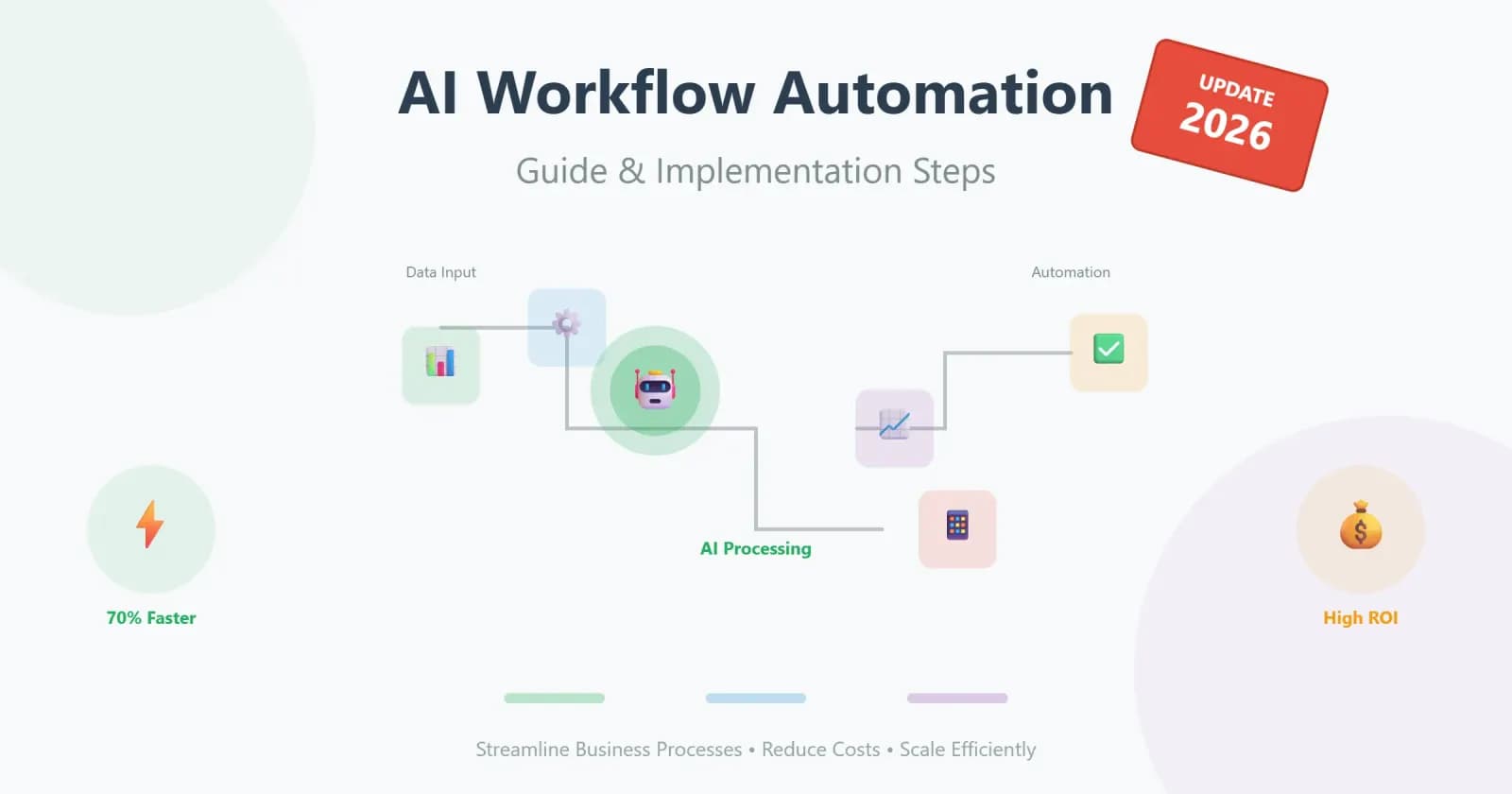

Did you know that teams actually waste about 40% of their time on repetitive manual tasks? For most companies, these fragmented workflows and the complexity of processes that have been determined by history are a dead end, where traditional approaches to improvement have already exhausted their potential. Just in this area, AI workflow automation opens up new possibilities to overcome the bottleneck. This is not only a loud trend, but an intelligent layer of data, machine learning, and automation that turns the chaos of operations into a measurable outcome. In this guide, we will break down in detail what this actually means and show you how to start a transformation process based on a pragmatic 30/60/90-day plan.
What is AI Workflow Automation?
To answer the question of what is AI workflow automation, first, it is a process that, at its most basic level, is comprised of systems that utilize machine learning and natural language processing in order to automate, optimize, and adapt business workflows. Many people have the wrong idea about this and believe that this is some sort of "black box" technology; in truth, it is a process that has a very logical and straightforward process: data input, analysis, and then automated action.
The key point of departure from traditional rule-based solution tools or conventional robotic process automation (RPA) is the adaptability aspect. If conventional automation is strictly bound by static scripts, the system performs better than the curve. AI automation workflow optimization enables the system to process unstructured data, foretell possible problems, and learn from them. The algorithms are able to process a massive amount of data in real-time and find correlations that a human mind might overlook.
Expert Tip: Do not try to implement the most complex smart algorithm idea right away. Start with a clearly measurable area, focusing on high-volume repetitive tasks like document approvals or intelligent ticket routing.
Traditional Automation vs. AI Workflow Automation
The traditional automation tools, like simple scripts or robotic process automation (RPA), have been developed for years based on very simple "if-then" logic. In this case, Zapier-type tools are perfect for working with predictable inputs, but they are based on very rigid settings that are easily broken or outdated in a dynamic business environment with exceptions.
However, the use of AI for workflow automation is not a straightforward implementation of rules; it unlocks the possibilities to an entirely different dimension. Artificial intelligence brings flexibility to the table where there was a rigid threshold before, processing unstructured data sets that are simply not amenable to processing by straightforward scripts. While the conventional method comes to a halt as soon as it encounters an unexpected variable, machine learning algorithms uncover hidden patterns and make predictive analytics possible to solve bottlenecks before they become issues.
| Criteria | Traditional automation (Rule-based/RPA) | AI workflow automation |
|---|---|---|
| Adaptability | Static rules; fail when exceptions occur | Adaptive and dynamic; learns from exceptions |
| Data types | Structured data only (spreadsheets, forms) | Handles unstructured data (emails, PDFs, text) |
| Scalability | Requires manual script updates to scale | High scalability, self-adjusts to new data patterns |
| Cost | Low initial setup cost, but high maintenance | Higher initial investment, strong long-term ROI on automation |
| Results | Linear efficiency gains and basic task execution | Exponential cost reduction and real-time decision-making |
This is exactly why the result of technology implementation is different; instead of linear growth, businesses can now scale without needing to add more staff. The change from reactive rule-making to intelligent automation changes the culture of the business itself, where the speed of adaptation and efficiency gains is the differentiator.
Key Benefits
Why is this issue suddenly becoming an important concern in today’s world? The entry barrier has been lowered significantly because of the availability of cheap computing power and the maturity of algorithms. In this scenario, using AI for workflow automation is no longer a technology decision but the key to success.
Technological investments are fruitful only when they address a practical business challenge, and process optimization with AI happens on multiple fronts simultaneously. The key to transformation is the enormous efficiency gains, which are achieved not by simplistic staff cuts but by the strategic allocation of workload. Routine tasks are handled by algorithms, and there is a drastic reduction in turnaround times where business workflows were bottlenecked because of the human element.
However, speed is not the only benefit. The deployment of intelligent systems also has a direct impact on the company’s most important KPIs:
- Time savings: Through the automation of repetitive manual work, teams can expect a 70% reduction in time spent on mundane tasks, thus accelerating the execution process;
- Cost reduction: With fewer human errors and optimized resource allocation, the company’s operating costs will go down, and this effect is most pronounced when scaling the business without increasing the workforce;
- Scalability & insights: With the use of sophisticated algorithms, proactive predictions, and real-time decision-making, assured, ensuring that your business grows without failing;
- Better decisions: Predictive analytics help the algorithm to identify bottlenecks before they result in a disruption of the workflow, thus allowing management to shift from being reactive to being proactive.
In this way, management is offered a platform that helps them make decisions based on facts rather than gut feelings. This ensures a constant level of operations and maintains a high level despite the volatile nature of the market environment, thus ultimately maximizing the ROI on automation.
Top Use Cases for AI Business Process Automation
The introduction of artificial intelligence is no longer an experiment, but a practical standard of those who desire to scale. The presence of big data and repetitive situations is the most obvious form of real business process automation AI, which allows algorithms to expose the latent pools of productivity in a variety of business processes.
Sales: Lead Scoring & Pipeline Automation
In the sales organization, technology is being utilized well beyond the simple input of CRM information. Smart systems are attempting to analyze prospect activity in real-time, ensuring a seamless transition into predictive lead scoring. This enables sales teams to focus on high-value leads, optimizing their efforts while still maintaining strong pipeline control.
Example: One of the sales organizations in the middle of the market employed AI process optimization in the form of lead qualification, and conversion rates increased by 25 percent with sales teams only working with qualified leads.
Marketing: Content Personalization & Campaign Optimization
Marketing requires surgical precision, and here, AI automation workflow optimization plays a decisive role in managing audience engagement. Algorithms build accurate marketing automation sequences, taking into account user behavior and external factors, which directly affect campaign optimization — delivering exactly the right message at the right time. Additionally, dynamic content personalization helps increase overall engagement.
Example: A B2B company was able to synchronize its email outreach with real user behavior using neural networks. This optimized their campaign performance and significantly reduced the cost per acquisition.
Operations & Finance: Invoice Processing & Approvals
The operational back office often becomes a bottleneck due to the abundance of routine, but it is precisely here that a huge potential for acceleration is hidden. Intelligent invoice processing and automated approvals relieve the burden on employees. Systems recognize text using natural language processing, classify documents, and launch the appropriate financial approvals without human intervention.
Example: The finance department of a growing agency automated the entry of incoming invoices. The system read the data itself and routed it for approval, leaving employees only to resolve disputed cases, which significantly accelerated the payment cycle.
HR & Customer Support: Onboarding & Ticket Routing
In HR and support, not only empathy but also reaction speed is vital. Intelligent routing for customer support tickets instantly directs a request to the appropriate specialist, while the system handles the primary processing of standard questions and routine HR onboarding steps. This allows for prioritizing tasks so that people can focus on truly complex cases requiring a human touch.
Example: An automated ticket classification and onboarding system was introduced by a tech startup company. This ensured that critical requests from clients and employee onboarding tasks were achieved instantly without having to go through the sorting process, thereby improving client and employee satisfaction.
Step-by-Step Guide to Implementing
However, moving from the theory of AI business process automation to practice calls for discipline. Unstrategized automation is simply chaos on a larger scale. Thus, implementation calls for a structured roadmap. This is not merely about coding; it is about changing the way value is created. Here is our five-step checklist to ensure quick results with minimal risks:
Step 1: Audit Workflows
The successful optimization of AI with the help of the audit requires a clear vision. Map processes to identify the bottlenecks, whereby the employees use their time on manual data entry or system changeover. Record current performance (at the base level), transaction, and error rate. Without these measures, you will not be able to show the following efficiency improvement.
Step 2: Select Pilots
Don't try to boil the ocean. The perfect pilot is one whose repetitive tasks are very high and records a clean history of actions. Prioritize low-hanging fruit. Use an impact-feasibility matrix to identify the processes that have high business value and low technical barriers. In case the data is not ordered, machine learning algorithms will be left without anything to learn.
Step 3: Build Data Foundation & AI Models
Clean your data and bring it into a unified format. Next, test compact models. The goal is to confirm hypotheses with quick wins, not building a perfect system on day one. Even an initial model can immediately start assisting employees.
Step 4: Integrate & Automate
The technology should be fully integrated through workflow orchestration and not be a secondary dashboard feature. The results should be integrated into the daily workflow, such as automatic ticket assignment. It should be easy to use so that employees view the intelligent automation system as a benefit and not a roadblock.
Step 5: Measure, Iterate, Scale
You should compare the results with your original set of KPIs. If your pilot project has successfully reduced costs or increased speed, you should document the results. Finally, you should apply the solution to other business units or more complex processes, retraining the models as new data patterns emerge.
Challenges, Risks & Common Pitfalls
Any project is doomed if viewed merely as a software install. Success rests heavily on data quality; feeding algorithms "dirty" or siloed data merely automates chaos. Furthermore, integration hurdles arise when legacy systems lack the APIs for real-time exchange, turning setups into budget-draining construction sites. Most importantly, change resistance is the greatest risk — without active change management, fear and misunderstanding ensure that even the best process optimization remains idle.
Common Pitfalls
- Technology first, process second: Buying an expensive license before an audit was conducted. Automating an inefficient process only accelerates the generation of losses;
- Over-automation ("AI everywhere"): Attempting to implement it everywhere at once instead of focusing on specific, high-margin use cases. This scatters resources;
- Ignoring people: A top-down implementation that excludes end-users is a guarantee that there will be resistance on the ground;
- Lack of clear KPIs: Starting a pilot project without advance success criteria. This makes it impossible to determine whether the intelligent automation brought real cost reduction or only expenses;
- The illusion of "dirty data": Believing a smart algorithm will magically clean up the Excel mess without prior data cleaning.
In any case, it is necessary to find a balance between technical readiness and organizational culture to turn these potential risks into a strong base for long-term excellence and a solid ROI on automation.
30/60/90 Day Plan to Get Started
To ensure that all does not turn into an endless research project, we recommend strict timeboxing. This plan allows you to go from an idea to the first proven results in just a quarter.
| Phase | Objective | Key steps |
|---|---|---|
| Phase 1 (Days 1–30): Audit & Data Check | The foundation. Your task is to audit 2–3 workflows and understand where AI is actually needed. | Selection: Identify 2–3 business workflows where routine consumes the most time. As-is analysis: Document workflows in reality, not just on paper. Data audit: Gather data and check its quality and history. Alignment: "Sell" the idea to key stakeholders. |
| Phase 2 (Days 31–60): Pilot AI | Time to act. Choose one "winner" from the candidates and pilot one automation. | Pilot definition: Formulate the task narrowly (e.g., "automated invoice routing"). Data connection: Set up the data flow into the model. First prototype: Launch the simplest model to show potential. |
| Phase 3 (Days 61–90): Review & Expand | The home stretch. Here, decisions regarding scaling and expansion are made. | Measuring results: Compare the technology performance with baselines to measure efficiency gains. Business case: Recalculate costs. Does the AI process optimization cover implementation? Decision: If successful, plan the rollout. If not, analyze errors and pick the next process. |
Conclusion: Ready to Automate Your Workflows?
Engaging in technology for the sake of technology means going nowhere. Applying AI workflow automation as a goal in itself is not the point; it is a means to an end to accomplish definitive business objectives like maximizing efficiency, maximizing cost cutbacks, and sustaining quality.
The main takeaway is simple: you cannot automate chaos. First, you must deeply understand your business workflows and build a high-quality data foundation for business process automation AI. Only then should you introduce machine learning. Algorithms will not fix fundamental management errors; they will only scale their consequences. Therefore, achieving sustainable operations requires that order must always come before the implementation of neural networks.
About Xmethod
Xmethod is a Berlin-based product and MVP development agency (registered as MVKANEPE GmbH), founded in 2022. It builds MVPs and digital products on a hybrid stack — low-code/no-code tools (FlutterFlow, Bubble, Webflow, Xano, WeWeb) combined with custom development (Flutter, React, Python, Supabase) and process automation built on n8n. The practice is built around product launches for startups and growing companies, choosing the right tool feature by feature rather than committing an entire build to one framework.
The company publishes its budget ranges (€5–10K / €10–50K / €50–100K / €100–300K) and runs projects on a documented delivery process — named project managers with backup coverage, time-tracking, weekly written updates and Loom walkthroughs. It holds a 4.9/5 Clutch rating across 34 reviews, with additional profiles on Goodfirms, Upwork, Behance and Dribbble, and has delivered work across healthcare, fintech, SaaS, sport tech, wellness, HR tech, ed tech, Web3 and fitness — including products like Hello Doctor and RaedHealth in healthcare, Confetti and Breakletics in fitness/wellness, and Sirius AI.
Frequently Asked Questions
More from the blog
AI Automation: How Businesses Can Benefit from AI for Companies
Discover how AI automation can transform your business. Learn more about the benefits, challenges, and concrete use cases of AI across various industries.
 AI
AIBest Website Design Companies in 2026: Top 10 Agencies Compared
Looking for the best website design companies? Explore 10 agencies ranked by service range, tech flexibility, speed, PM quality, and pricing.
 Automation
Top TMS Software Providers: The Best Solutions for Logistics, Trucking, and Transport
Compare the best TMS software providers for logistics, trucking, and transport. Learn when a custom TMS is more flexible than SaaS.
Let’s discuss your project
Free and non-binding — book a slot straight away or drop us a message.
Dennis Polevik
CEO
Free intro call with Xmethod
- Free, no obligationNo obligation and no cost
- Straight with the teamStraight with the team, no sales reps in between
- A concrete next stepYou leave with a concrete next step
Dennis Polevik
CEO
Let's discuss your project
What happens next?
- Reply within 1 business dayWe review your project and get back to you within 1 business day
- Short call on your goalsWe hop on a short call to align on scope and goals
- Clear proposal, no obligationYou get a clear proposal — no obligation, no pressure