Build an app without coding: No-Code vs. professional development – which suits your idea?


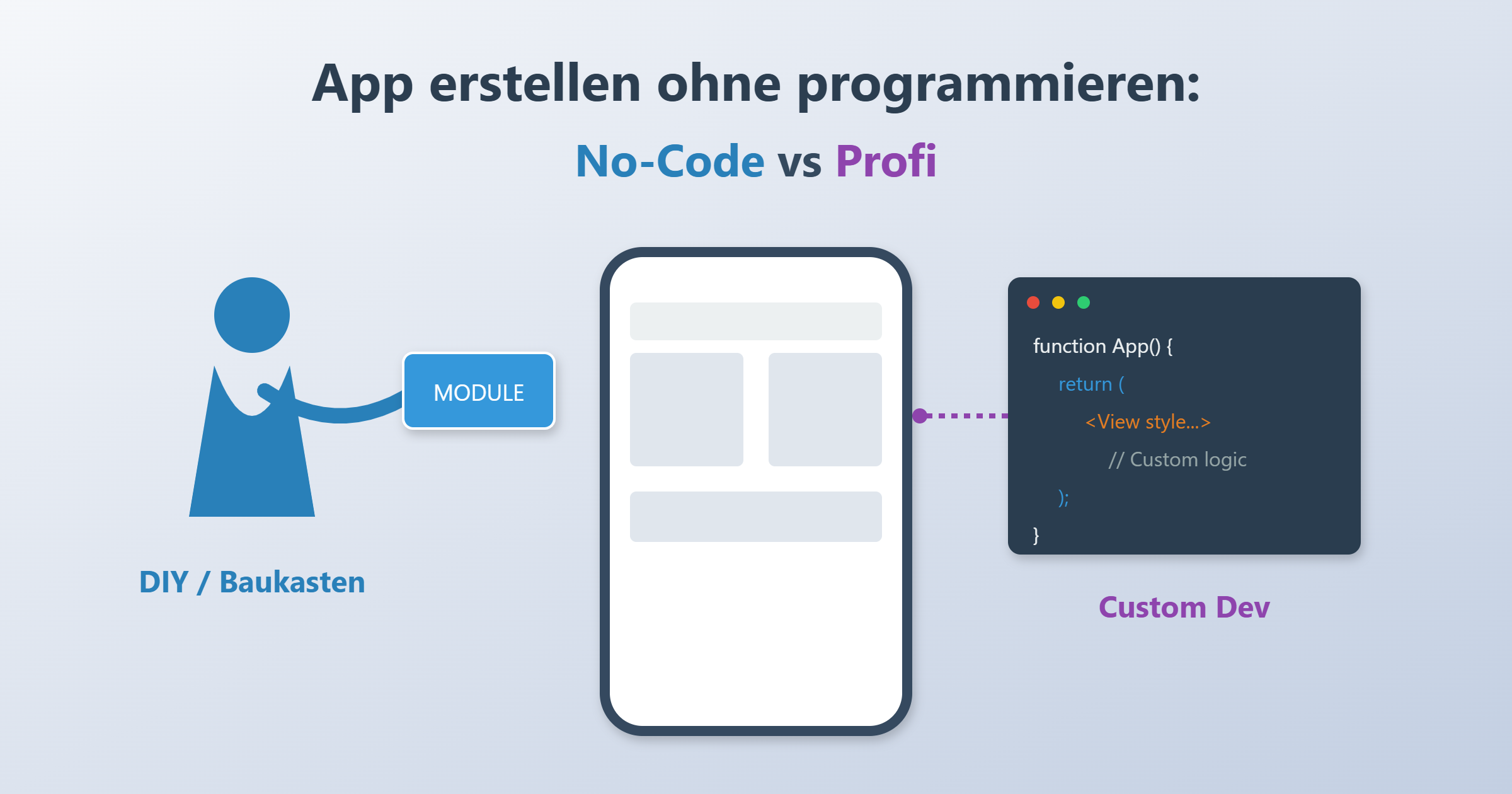
Demand for digital solutions is exploding, yet developer resources are scarce and expensive. For many founders and companies, the question therefore arises: do we really need to invest tens of thousands of euros in an agency, or can we build our app without programming?
The answer is no longer black and white. Thanks to modern building-block systems and visual editors, the barrier to market entry has dropped drastically. But is no-code really the cure-all for every scenario?
This guide helps you make an informed decision. We analyze the differences between DIY methods (Do It Yourself) and classic software development, shed light on hidden risks, and give you a concrete roadmap.
What does “building an app without programming” mean?
Before we dive deep into the pros and cons, we need to clarify the terms. Today the market roughly distinguishes three ways to realize a mobile application or web solution.
No‑Code vs. Low‑Code vs. classic development
.png)
- No-Code (the building block): Here you use visual editors. Via drag-and-drop you pull elements such as buttons, lists, or images onto a workspace. The logic ("if button clicked, then open page X") is also defined visually. You don't write a single line of code. This is the approach for building an app without programming.
- Low-Code (the hybrid): These platforms are often aimed at advanced users or developers who want to save time. Most of it happens visually, but for special adjustments or complex interfaces, programming knowledge (e.g., JavaScript) is required.
- Custom Development (the bespoke suit): Professional software engineers write the source code from scratch (e.g., in Swift for iOS, Kotlin for Android, or React Native). This offers maximum freedom but requires budget and expertise.
What types of apps are there?
Not every tool can build every kind of application. Distinguish early on:
- Native apps: Users download these from the Apple App Store or Google Play Store. They have access to all device functions (camera, GPS, push notifications) and offer the best performance.
- PWA (Progressive Web Apps): Essentially websites that feel like apps. They run in the browser but can be saved to the home screen. Many no-code tools primarily output PWAs.
- Web apps: Pure browser applications, often used for internal dashboards.
Unsure which path is right for your project?
Book a free 30-minute consultation now – we'll help you find the best strategy for your app.
Schedule an appointment →No‑Code: advantages (and why it's so popular)
Why is everyone talking about building an app without programming? The entry barriers are dropping massively, which is especially attractive for start-ups and SMEs.
Faster MVP & time‑to‑market
The biggest advantage is speed. While classic development often takes 3 to 6 months until the first version is ready, an MVP (Minimum Viable Product) can often be realized with no-code in 2 to 4 weeks. You can validate your idea in the market before releasing the big budget.
Cost model: subscription instead of investment
Classic projects often require high upfront investments (Capex). No-code platforms usually function as SaaS (Software as a Service). You pay a monthly fee (Opex), which already includes hosting, backend infrastructure, and maintenance of the platform. This protects your liquidity at the start.
Easier updates and iterations
Want to change some text or add a field to the form? In a no-code editor, this is done in minutes and goes live. In classic development, you would have to create a ticket, the developer codes it, it gets tested and redeployed. For internal processes that change frequently, this agility is worth its weight in gold.
No‑Code: limits, risks, and hidden costs
Let's be honest: if no-code were perfect, there would be no more software companies. Anyone planning to develop an app without programming knowledge must be aware of the limitations.
Customization limit: the design corset
Building blocks work with templates and pre-made components. Do you want a revolutionary new gesture control or a design that has never existed before? That becomes difficult. You move within the boundaries defined by the platform provider. As soon as you want to break through those boundaries, you end up in a dead end.
Scalability & performance
For the first 1,000 or even 10,000 users, many platforms work well. But what happens with 100,000 simultaneous accesses? No-code platforms are often "shared environments." The performance of databases and loading times is not as optimizable as with your own server cluster. Complex computing operations can slow down the system.
Security, compliance, and GDPR
A critical topic for German companies. Where is the data located? Many US providers host on AWS servers in the USA. Although many now offer EU hosting, data sovereignty is not 100% with you. In addition, rights management (who is allowed to see what) is often less granularly configurable than with a custom solution.
Vendor lock‑in
This is perhaps the biggest risk. When you build your app without programming knowledge on platform X, the "code" often doesn't belong to you. You can't simply export the project and host it on your own server. If the provider goes bankrupt or drastically raises prices, you're trapped or have to rebuild everything.
Professional development: when this is the better path
There are scenarios in which reaching for the building block would be negligent. Working with a professional team pays off when:
- The core product is the technology: If your app is your main business (e.g., a fintech startup), you need full control over code, security, and IP (Intellectual Property).
- High complexity: You need deep integrations into outdated legacy systems, special hardware connections (e.g., Bluetooth devices), or complex algorithms.
- Long-term TCO (Total Cost of Ownership): The monthly subscription fees of enterprise no-code platforms can explode with many users. At a certain point, your own development is cheaper in the long run than renting.
Typically, such a project runs in a structured way: discovery phase (what do we need?), UX/UI design, agile development in sprints, extensive QA (testing), and finally the release including a maintenance contract.
Decision aid: No‑Code vs Low‑Code vs professional
To make your choice easier, we have compared the most important criteria.
| Criterion | No-Code (building block) | Low-Code (hybrid) | Professional development (custom) |
|---|---|---|---|
| Target audience | Founders, departments (HR, marketing) | IT departments, tech founders | Startups (funded), corporations, mid-sized companies |
| Time-to-market | Very fast (days/weeks) | Fast (weeks/months) | Medium to long (months) |
| Initial costs | Low (€) | Medium (€€) | High (€€€€) |
| Ongoing costs | Medium to high (user licenses, subscriptions) | High (licenses + devs) | Low to medium (server + maintenance) |
| Flexibility (UI/UX) | Low (templates) | Medium | Unlimited |
| Vendor lock-in | High (platform-dependent) | High | Low (code belongs to you) |
| Scalability | Limited | Good | Excellent |
| Tech knowledge | Not needed | Helpful / needed | Not needed (since delegated) |
The decision matrix
Which path suits you?
- Do you need to validate an idea?
- Yes, budget is small → No-Code.
- Do you need an internal solution (e.g., vacation requests) quickly?
- Yes, IT has no time → No-Code / Low-Code.
- Is the app the heart of your company (core business)?
- Yes, investors are on board → professional development.
- Do you need the highest security standards and data sovereignty?
- Yes → professional development.
Step‑by‑step: developing an app without programming knowledge
Have you decided on the no-code path? Here is a proven roadmap to implement your project in a structured way.
.png)
Step 1: Define the concept and target audience
Don't start with the tool, but with paper. Who is the target audience? What problem does the application solve? Define the scope for the MVP (Minimum Viable Product): What are the absolute "must-haves"? Cut everything else ("nice-to-haves") for version 1.
Step 2: Choose the right platform
The selection is huge (Bubble, Adalo, Glide, Softr, etc.). Choose based on your requirements:
- Do you need a web app or a native mobile app?
- Where does the data need to be located (GDPR)?
- Which interfaces (API) do you need to other tools?
Step 3: Pick a template
Almost all providers have marketplaces for templates. Whether delivery service, CRM, or social network – look for a template that matches your idea by 80%. This saves weeks of design work.
Step 4: Branding and customizing
Now you make the template your own. Upload your logo, adjust the colors to your corporate identity, and change the fonts. Make sure the user interface (UI) stays clear.
Step 5: Add content and logic
Replace the placeholder texts ("Lorem Ipsum") with your content. Then comes the most important part: the workflows. Define what happens when a user submits a form. Where does the data go? Who gets a notification?
Step 6: Testing and the feedback loop
Before you build and publish an app without programming, test it on various devices (iPhone, Android, desktop). Give the app to friends or colleagues. Does the navigation work intuitively?
Step 7: Publishing
For a web app, this is usually just a click on "Publish." If you want to go into the Apple App Store or Google Play Store, the process is more complex. You need developer accounts with Apple (approx. €99/year) and Google (approx. $25 one-time). Many no-code platforms support you with the submission process, but you still have to comply with Apple's strict review guidelines.
Typical use cases for no-code
Not every idea is suitable, but these scenarios are predestined for the development-free building blocks:
- Internal dashboards: Visualization of sales figures or marketing KPIs.
- Data collection: Apps for field staff to document maintenance logs or customer visits.
- Prototypes: To show investors a working idea on the phone instead of just slides.
- Community apps: Simple forums or member areas for clubs.
- Marketplaces: Niche platforms to bring supply and demand together (e.g., "Airbnb for X").
Unsure which path is right for your project?
Book a free 30-minute consultation now – we'll help you find the best strategy for your app.
Schedule an appointment →Conclusion
The ability to build an app without programming has democratized the software industry. For founders and specialist departments, it's the fastest way to get ideas off the ground. However, anyone planning a complex, scalable core product should carefully weigh the risks of vendor lock-in and performance.
Our recommendation: start small. Use no-code for the prototype or the MVP to test your hypotheses. As soon as the business model is validated and user numbers grow, you can invest the profits in professional, scalable further development.
Have you already defined your requirements? Start filling out your checklist now.
Frequently Asked Questions
Was kostet es, eine App ohne Programmieren zu erstellen?
Die Entwicklungskosten sinken oft auf 1.000 € bis 10.000 € (für die eigene Zeit oder Freelancer), statt 50.000 €+. Aber Vorsicht: Die laufenden Abo-Gebühren der Plattformen (z. B. 30 € bis 500 € monatlich) fallen dauerhaft an.
Wann stößt No-Code an seine Grenzen?
Vor allem bei der Performance mit großen Datenbanken, bei komplexen Animationen (Gaming) und bei der Integration in sehr alte Firmen-Software ohne moderne APIs.