
FESCOMobile app for truck drivers in container transport
Drivers follow their trips from terminal to depot and enter container and seal data on the road. Carriers and customers work with the same data in a web portal.
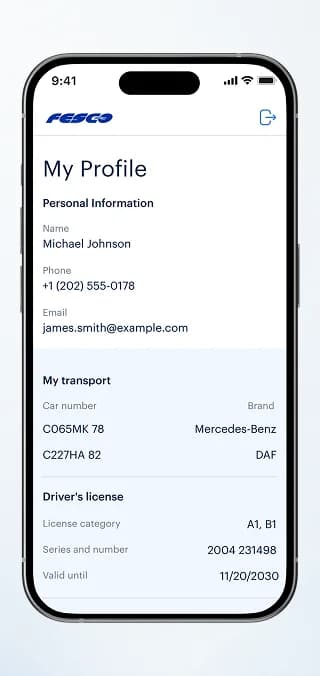
FESCO is a mobile app for truck drivers in container transport. Drivers see their trips with terminal, unloading and depot status, capture container and seal data directly in the app and keep vehicles and licence details in their profile. A web portal gives carriers and customers the same requests and trips.
What we did
Tasks
- 1Trip list with terminal, unloading and depot status
- 2Container and seal data entry with photo upload
- 3Driver profile with vehicles, licence and passport
- 4Request and trip management for carriers and customers
- 5Step-by-step carrier registration
The project at a glance
Challenge
Container trips involve a driver, a carrier, a customer and a dispatcher. Container numbers, seals and timestamps have to be correct at every checkpoint, not reconstructed afterwards.
Solution
A driver app for trips, container and seal data, plus a web portal for requests, trip approval and carrier onboarding, both working on the same records.
Result
Container and seal data enter the system where they originate: at the truck. The portal flags what the driver added so the office can confirm it.
2
products: driver app and web portal
3
checkpoints per trip: terminal, cargo operation, depot
4
roles on screen: driver, carrier, customer, dispatcher
5
steps of carrier registration, from company data to contract
The product
An app for the people behind the wheel
In container transport, the truck driver is the one who actually sees the container, the seal and the terminal gate. FESCO puts the driver's part of the process into a mobile app and connects it to a web portal where carriers and customers handle requests and trips.
The challenge
Many parties, one container
Every trip passes several checkpoints and several hands. The data has to be consistent for all of them, and the driver needs a tool that works in the cab, not at a desk.
Data from the road
Container and seal numbers are known at the truck, but needed in the office.
Status at every stop
Terminal, cargo operation and depot each need a clear status and time.
Several roles
Drivers, carriers, customers and dispatchers look at the same trip from different sides.
Mobile app
The app for the driver
A light interface with large type and one clear action per screen.
Trips from terminal to depot
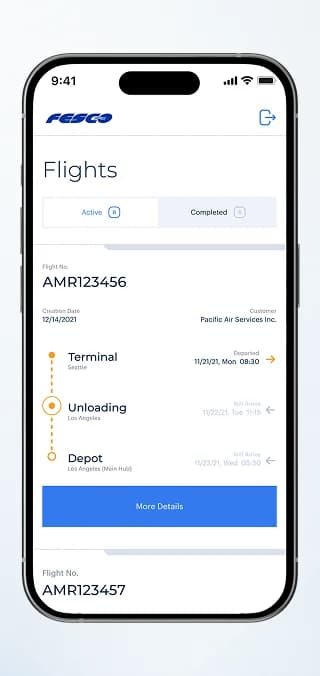
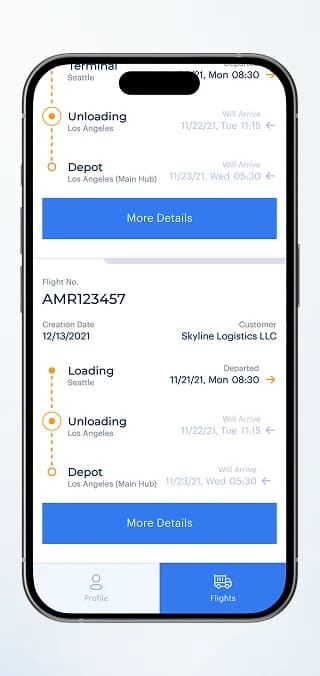
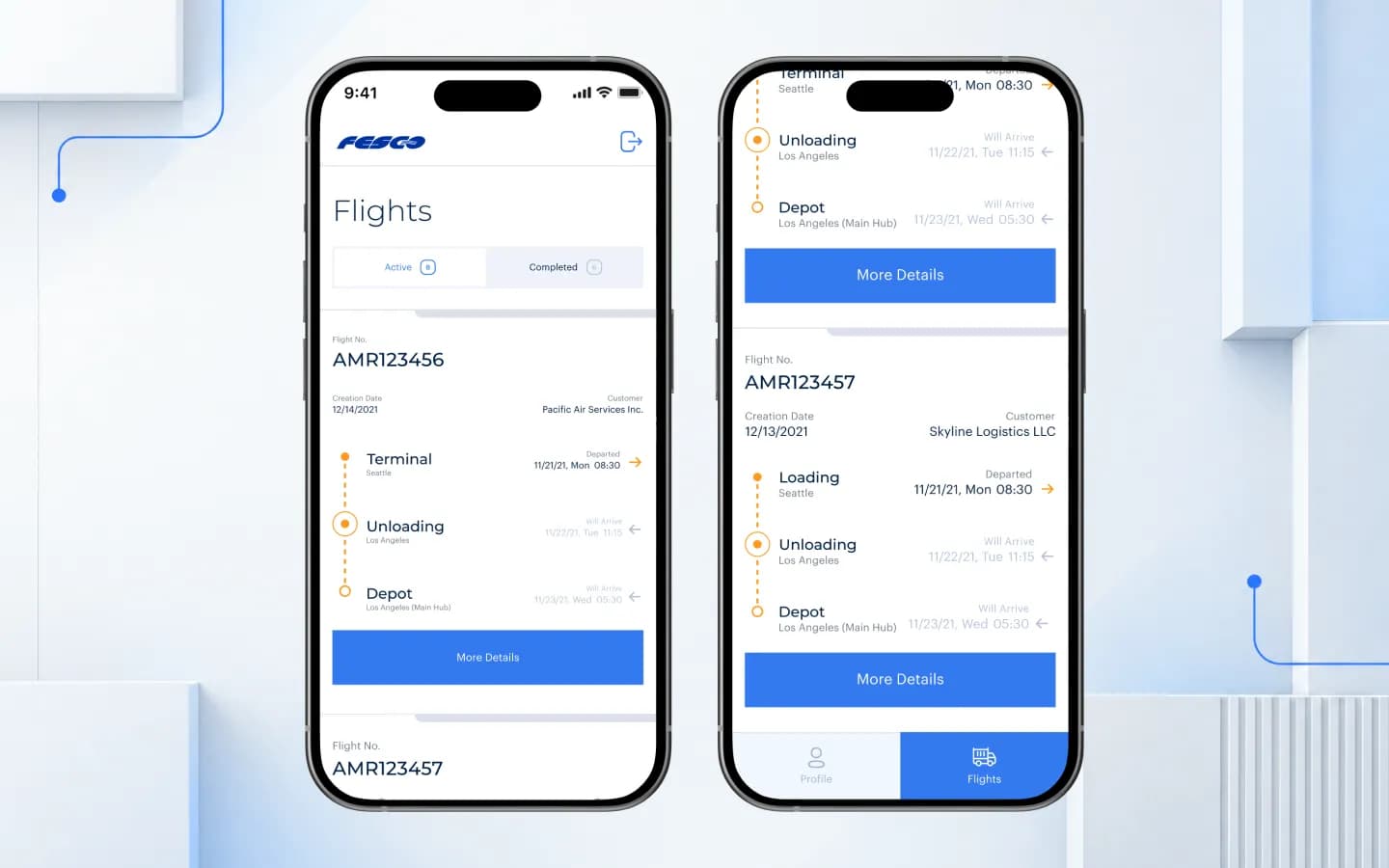
Active and completed trips in two tabs. Each card shows the flight number, customer and a timeline of the stops (terminal, unloading or loading, depot) with departure and expected arrival times. The current stop is highlighted, and “More Details” opens the trip.
Container and seal data on the spot
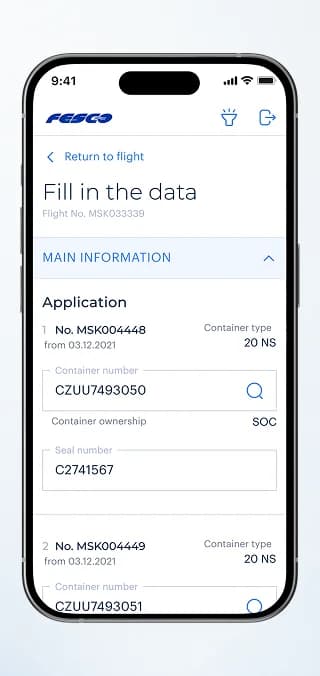
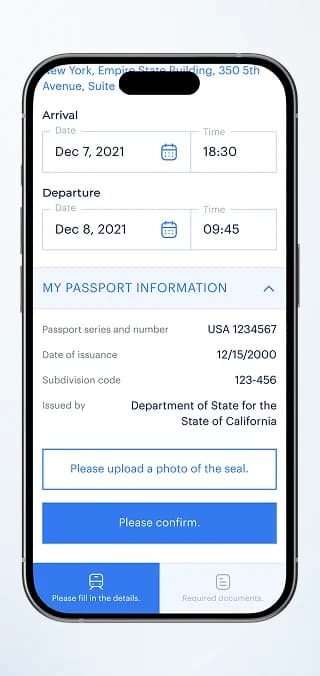
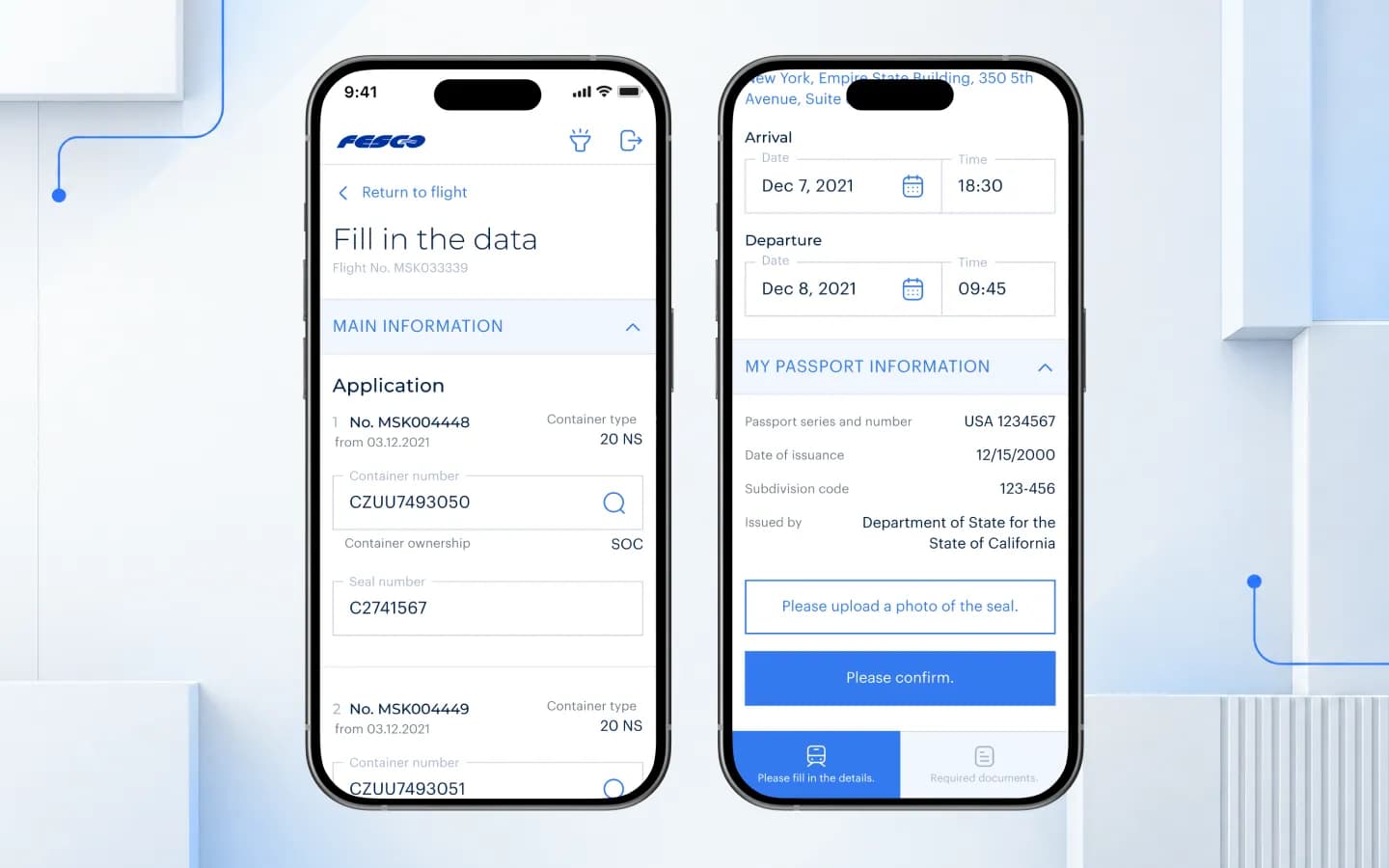
For each application in the trip, the driver enters or searches the container number and types the seal number; container type and ownership are shown next to it. Arrival and departure times, passport details and a photo of the seal complete the record before the driver confirms.
Profile with vehicles and documents
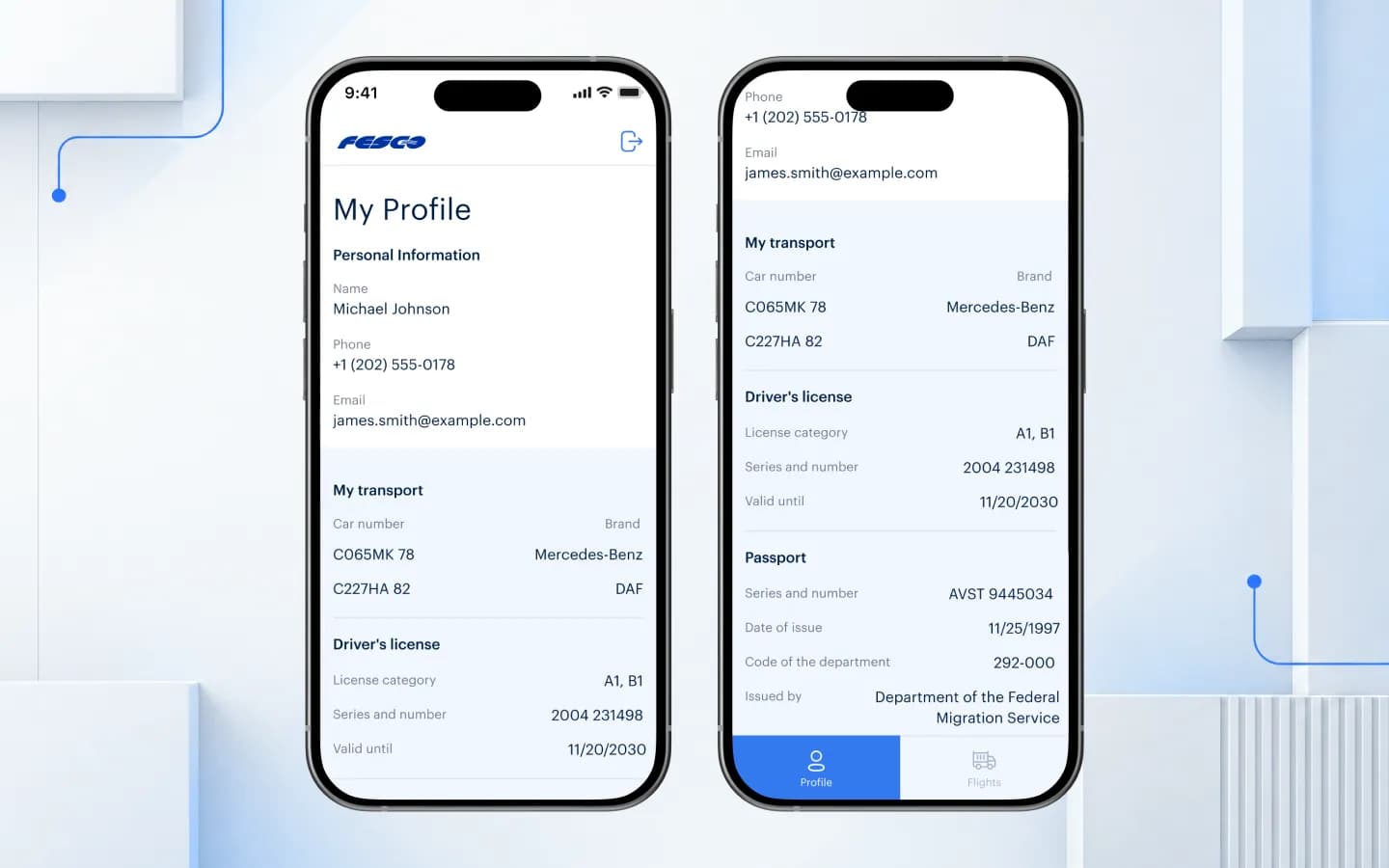
Contact details, the driver's vehicles with plate numbers and brands, the driver's licence with category and validity, and passport data live in one profile. Nothing has to be re-entered for each trip.
Web portal
The portal for carriers and customers
The office side works with the same trips in the browser: dense tables and detailed forms for long working sessions.
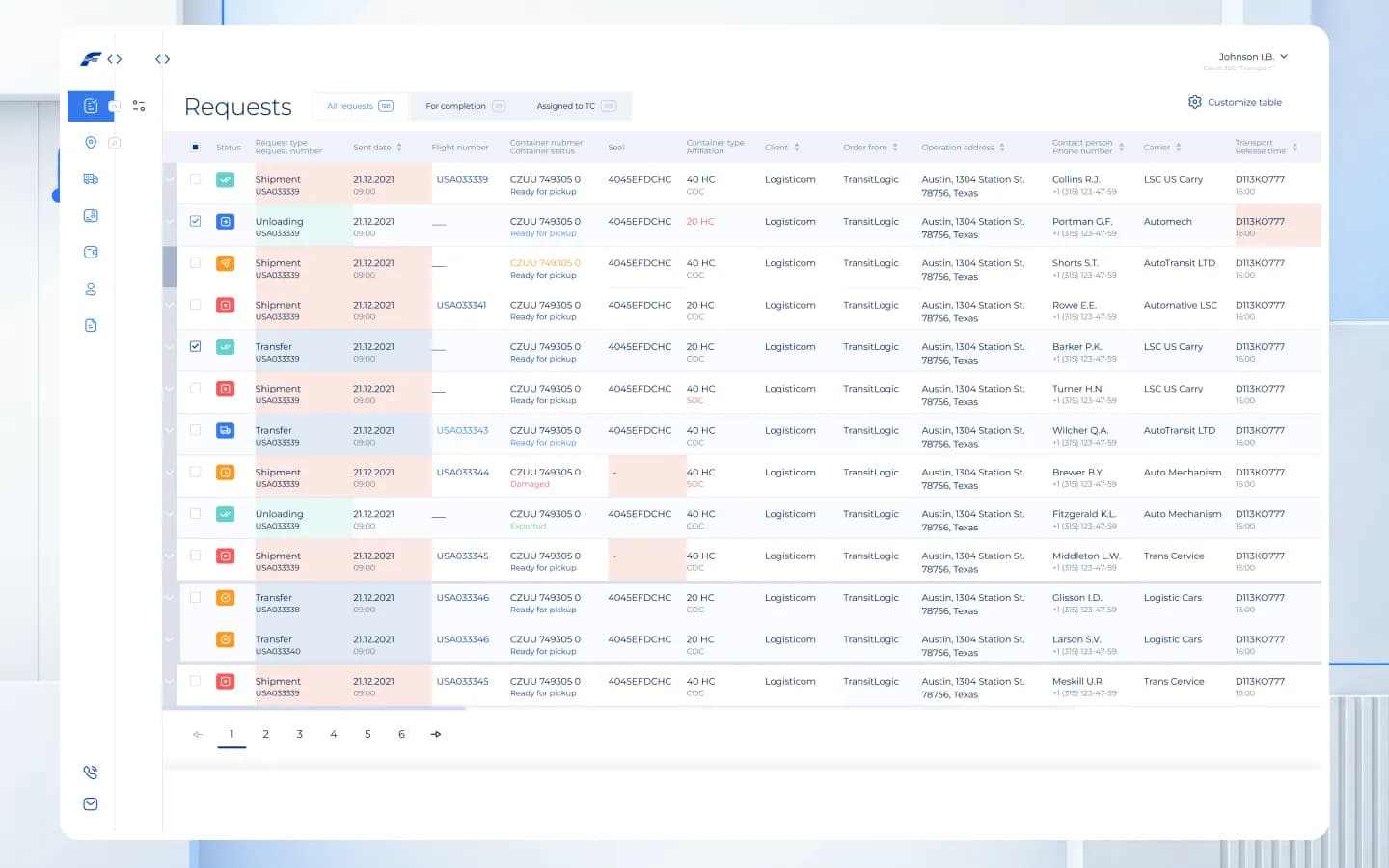
All requests in one table
Shipment, unloading and transfer requests with status, container number and state, seal, container type, client, carrier, operation address and contact person. Tabs separate all requests from those for completion or assigned to a transport company, and the table columns can be customised.
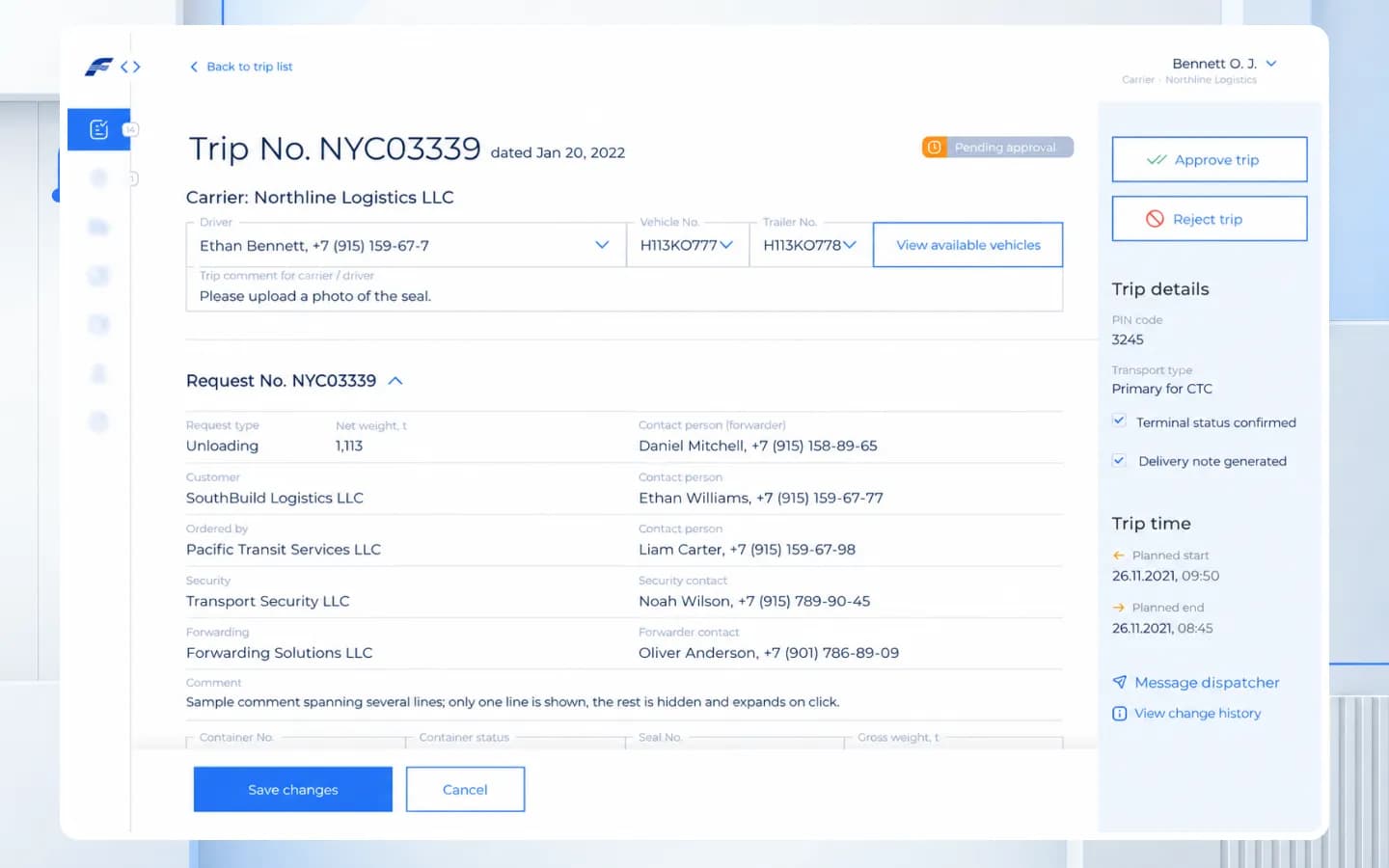
Trip approval for the carrier
The carrier assigns a driver, vehicle and trailer, leaves a comment for the driver and approves or rejects the trip. The side panel shows the PIN code, transport type, terminal status, delivery note and planned times, plus a link to message the dispatcher and the change history.
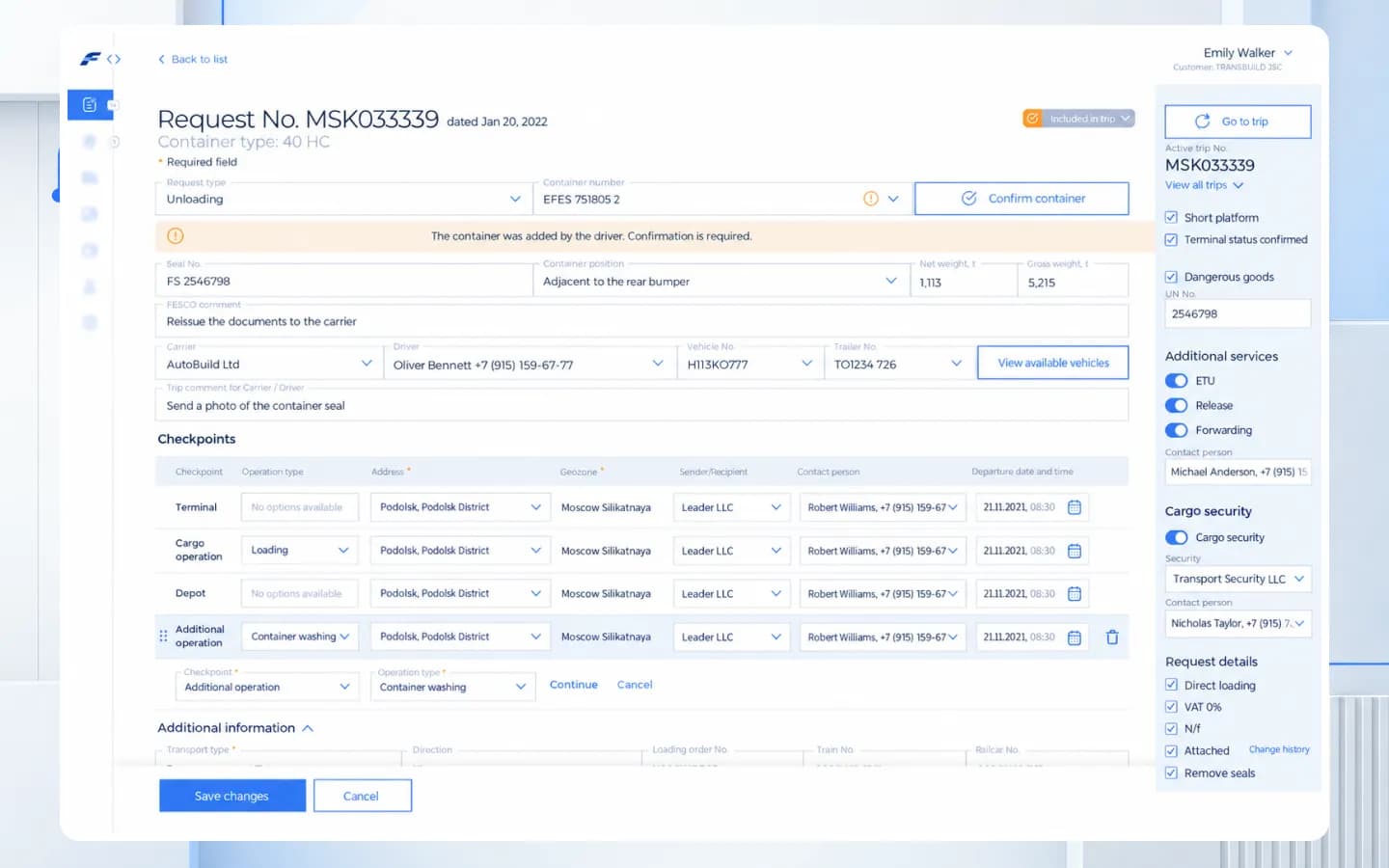
Request details with checkpoints
A request holds container, seal and weights, the carrier and driver, and a list of checkpoints with address, geozone, contact and date. When the driver adds a container in the app, the portal flags it for confirmation. Dangerous goods, additional services and cargo security are set in the side panel.
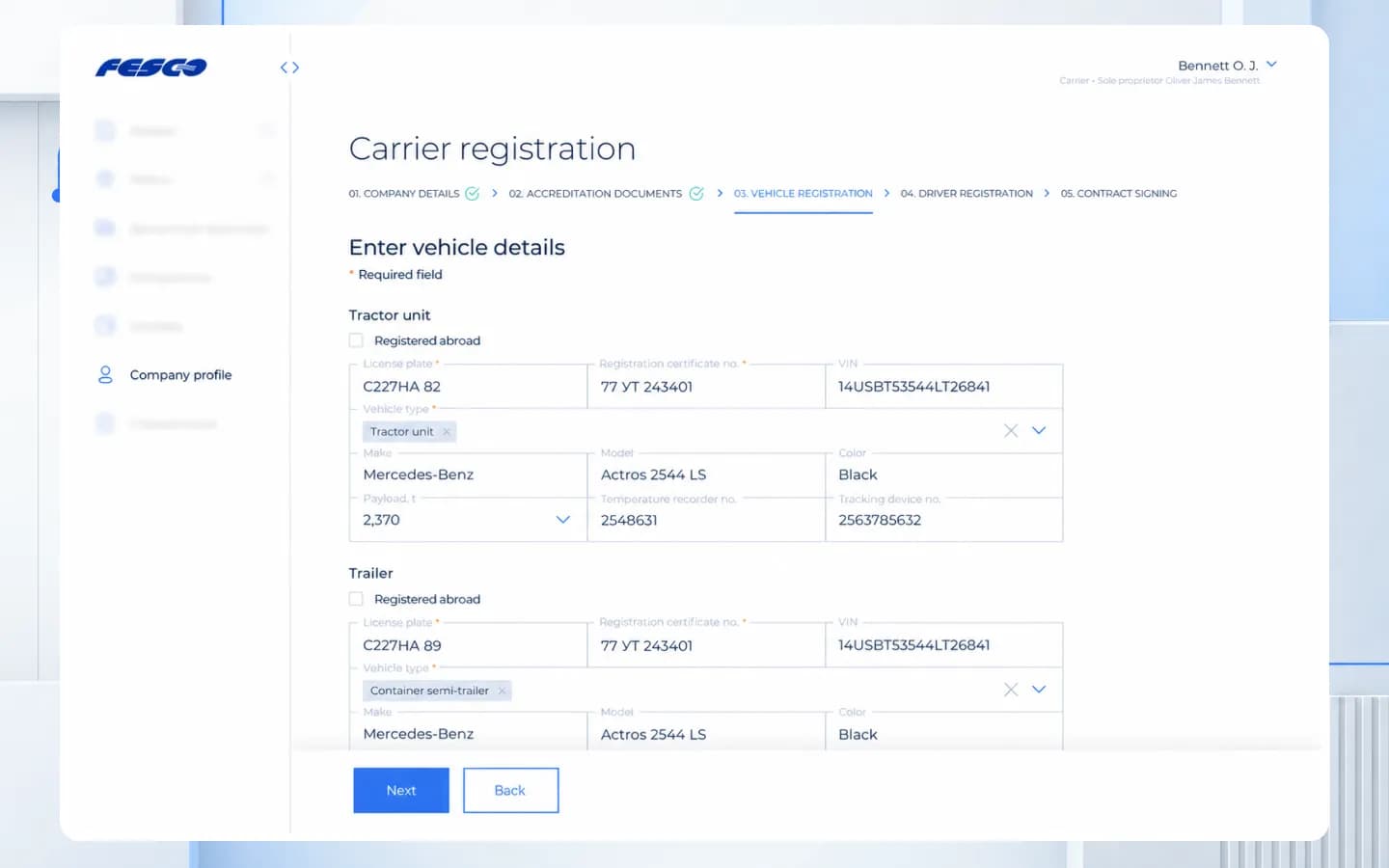
Carrier registration in five steps
New carriers onboard themselves: company details, accreditation documents, vehicle registration, driver registration and contract signing. Tractor units and trailers are entered with plate, registration certificate, VIN, make, model, payload and tracking device number.
Platforms
Two products, one data model
The driver app and the web portal share the same requests, trips, containers and vehicles. What the driver enters on the road appears in the portal for confirmation.
Mobile app
Trips, container and seal data, seal photos and the driver profile.
Web portal
Requests, trip approval, checkpoints and carrier registration.
Results
Container data captured where it originates
Container and seal numbers are entered in the app at the truck, confirmed in the portal and stay attached to the trip for everyone involved, from the driver to the customer.
- Trips with terminal, unloading and depot status in the driver's app.
- Container and seal data, including a seal photo, captured directly in the app.
- Vehicles, driver's licence and passport stored once in the profile.
- Carriers approve trips and onboard vehicles and drivers in the web portal.
More projects
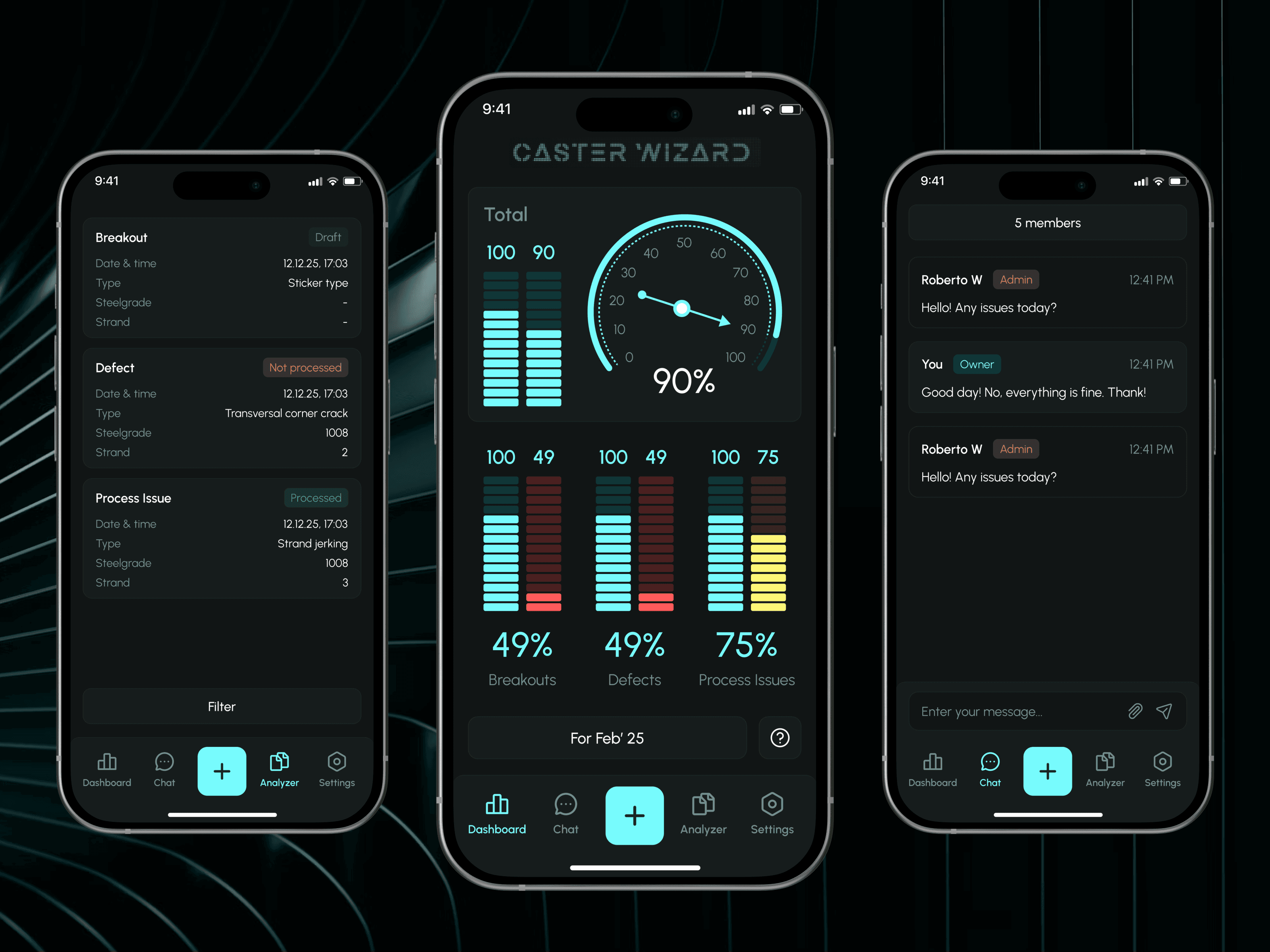
 Industry
Caster Wizard
Monitoring and control system for steel plants: incident reports and expert feedback through an admin panel.
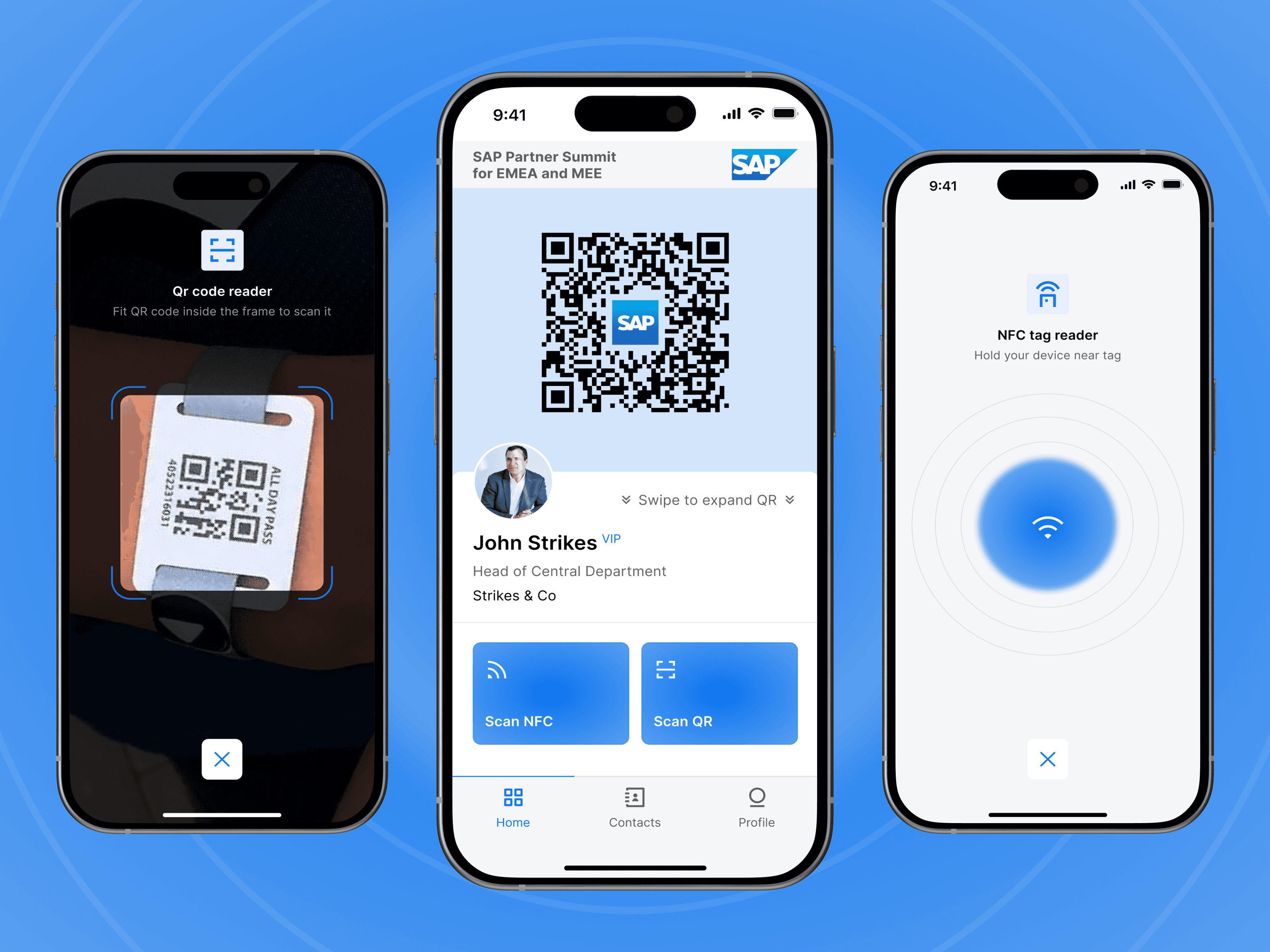
 SaaS
SaaSSAP Partner Summit
Event networking app with NFC and QR scanning for fast contact exchange at SAP events.
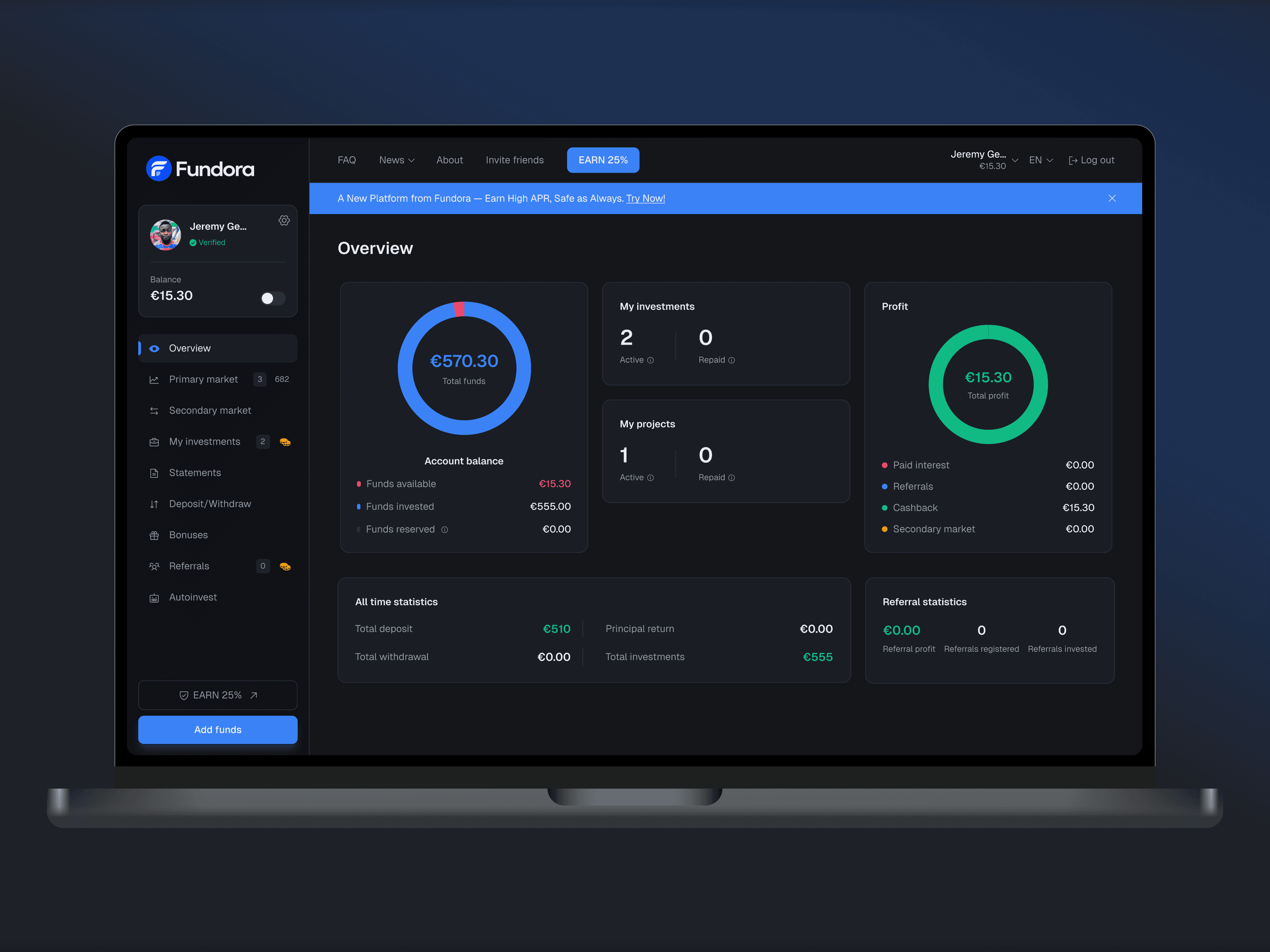 FinTech
Fundora
Web investment platform: balance, investments and returns in one dashboard, plus a primary and secondary market, deposits and withdrawals.
Let’s discuss your project
Free and non-binding — book a slot straight away or drop us a message.

Dennis Polevik
CEO
Free intro call with Xmethod
- Free, no obligationNo obligation and no cost
- Straight with the teamStraight with the team, no sales reps in between
- A concrete next stepYou leave with a concrete next step
Dennis Polevik
CEO
Let's discuss your project
What happens next?
- Reply within 1 business dayWe review your project and get back to you within 1 business day
- Short call on your goalsWe hop on a short call to align on scope and goals
- Clear proposal, no obligationYou get a clear proposal — no obligation, no pressure