
Grow BankMobile banking and crypto wallet app
Accounts, cards, invoices and a crypto portfolio in one mobile app, plus a clear view of the user's own partner network.
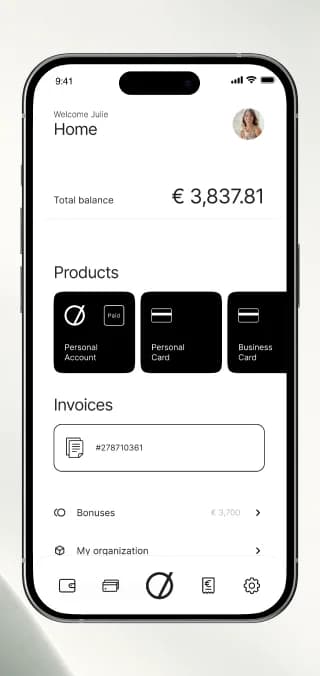
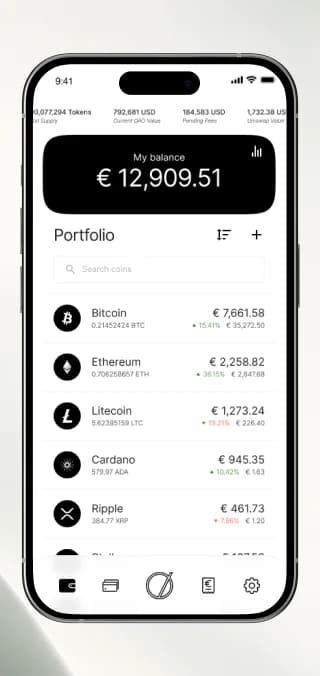
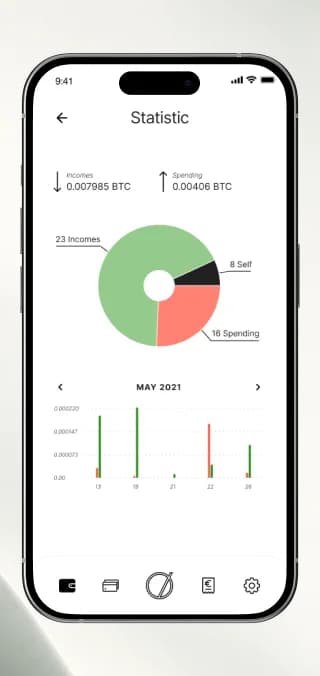
Grow Bank is a mobile finance app from Switzerland. It combines everyday banking (accounts, cards, payments and invoices) with a crypto portfolio and statistics, and shows every user their own partner network with referral bonuses. We shaped all three parts into one calm, monochrome interface.
What we did
Tasks
- 1Bring accounts, cards, payments and invoices onto one home screen
- 2Design a crypto portfolio with statistics and transaction history
- 3Guide wallet creation and recovery step by step
- 4Visualise the binary partner structure and referral bonuses
- 5Expose advanced wallet settings: servers, keys and units
The project at a glance
Challenge
Fit a bank account, payment cards, crypto wallets and a partner programme into one app without it turning into a trading terminal or a spreadsheet.
Solution
A mobile app with a five-item navigation: home with products and invoices, cards and payments, a crypto portfolio with statistics, invoices payable from a crypto wallet and detailed settings.
Result
Banking, crypto and the partner network share one navigation and one visual language, so users switch between them without switching apps.
3
products on the home screen: personal account, personal and business card
5
items in the bottom navigation
4
exchange rate sources: Huobi, OKEx, Bitfinex, Binance
4
Bitcoin display units: BTC, mBTC, bits, satoshi
The product
A Swiss finance app with three jobs
Grow Bank is built for the Swiss market and covers three things that usually live in separate apps: everyday banking with accounts, cards, payments and invoices; a crypto portfolio with wallets and statistics; and a partner network where users see their structure, rank and referral bonuses.
The challenge
Three products, one interface
Each part follows its own logic. Banking needs speed and clarity, crypto needs technical depth, and a partner programme needs transparency about who brought whom. The app had to serve all three without overwhelming anyone.
Fiat and crypto side by side
Accounts and wallets follow different rules, yet users expect one clear view of their money.
Technical depth
Addresses, hashes and node servers matter to experienced users but must not scare newcomers.
Opaque partner structures
Without a visual tree, partners can't see their position, volume or earned bonuses.
Mobile app · Banking
Everyday banking
A monochrome interface: black blocks for products and balances, white space for lists, green and red only where money moves.
Home, profile and referral bonus
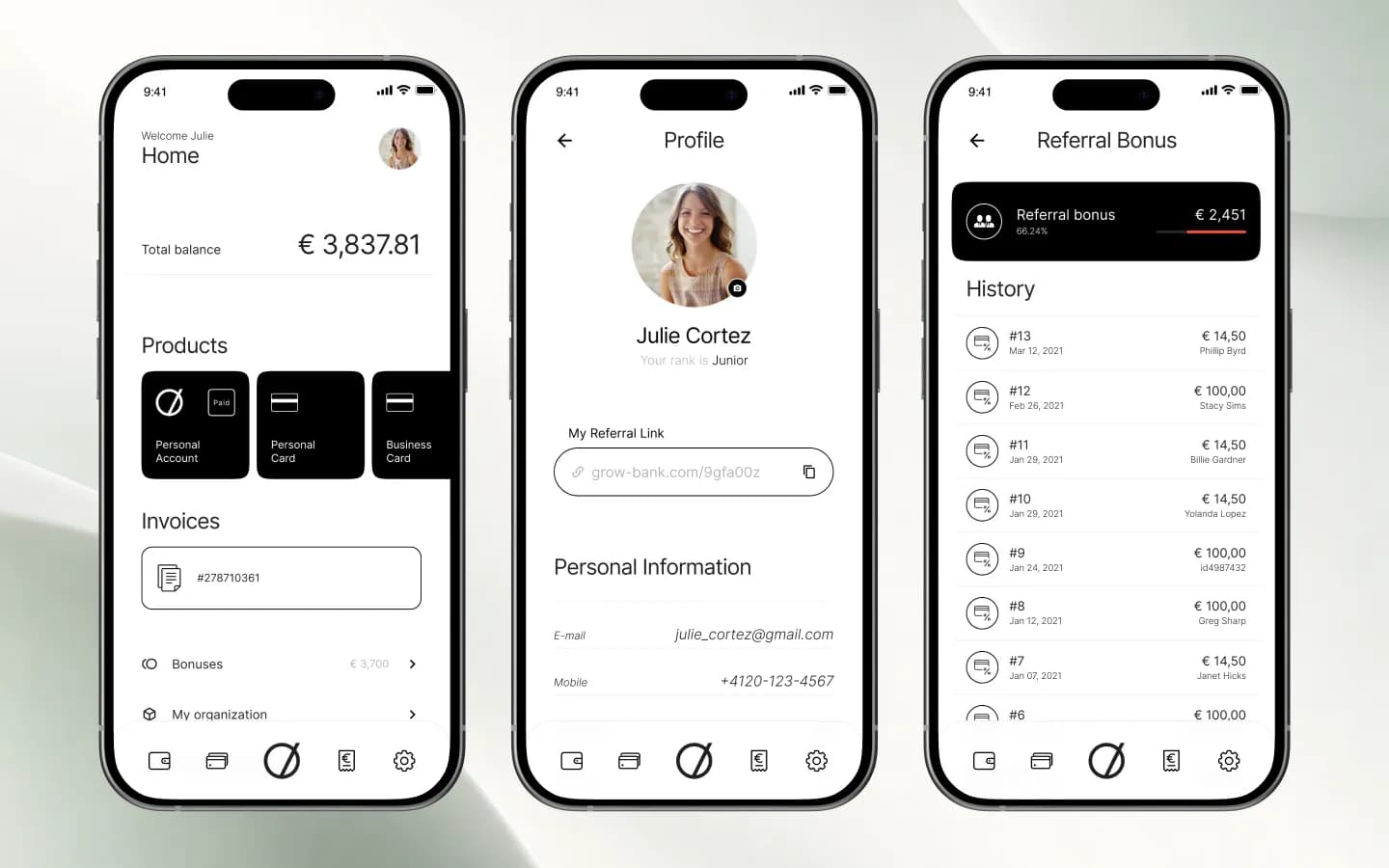
The home screen greets the user by name and shows the total balance, the products, open invoices, bonuses and the user's organisation. The profile holds the personal referral link and rank, and the referral bonus screen lists every payout with date and partner.
Cards and payments
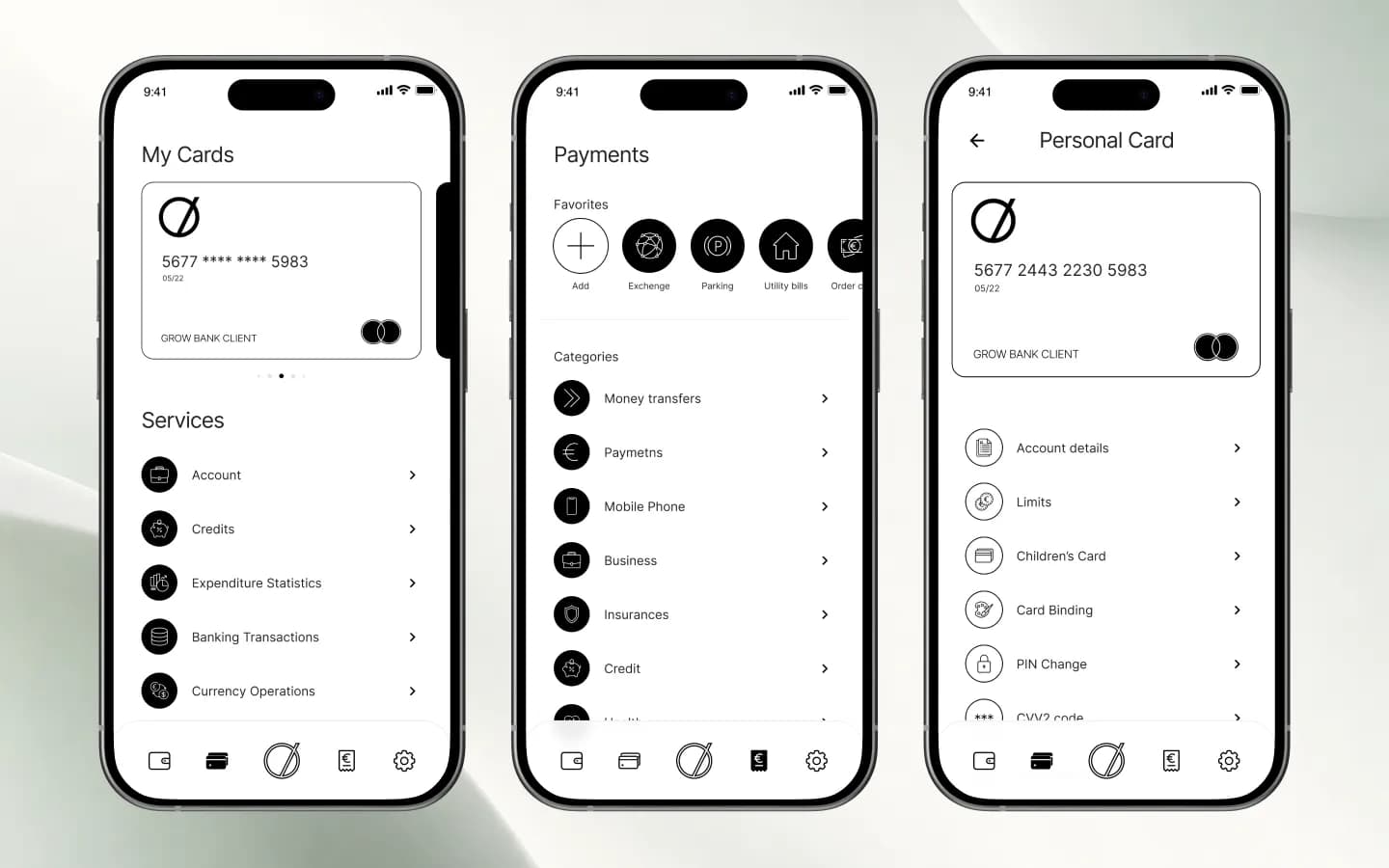
My Cards shows the card with its services: account, credits, expenditure statistics, transactions and currency operations. Payments start with favourites such as exchange, parking and utility bills, followed by categories. Each card has its own menu with limits, a children's card, card binding, PIN change and CVV2.
Partner structure, card purchase and crypto invoices
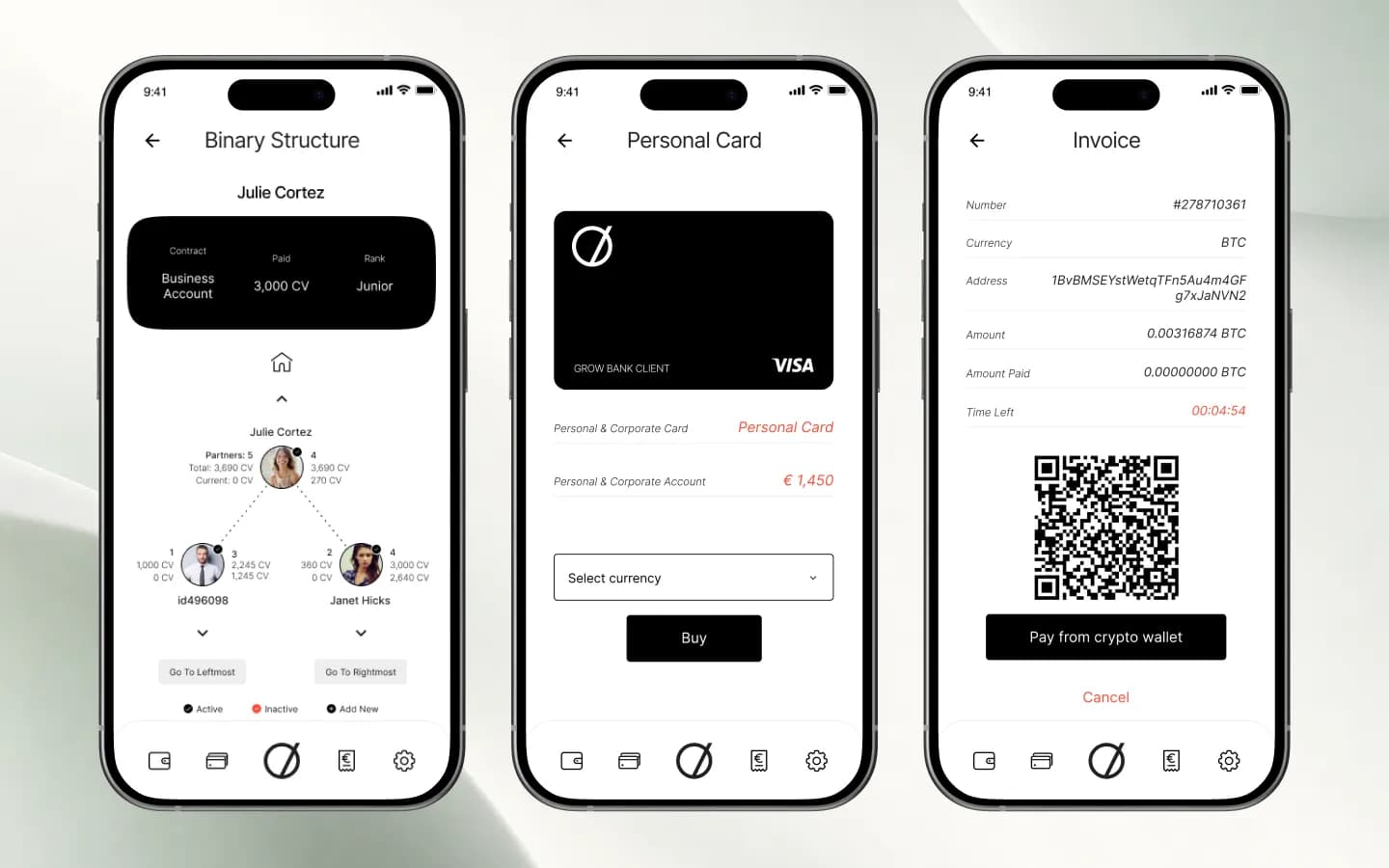
The binary structure shows the user's contract, paid volume in CV and rank, with partners on the left and right branch. A personal card can be bought in a chosen currency, and a BTC invoice comes with an address, a QR code, a countdown and one button to pay from the crypto wallet.
Mobile app · Crypto
The crypto wallet
The crypto part uses the same navigation, so users move from their bank card to Bitcoin without leaving the app.
Portfolio and statistics
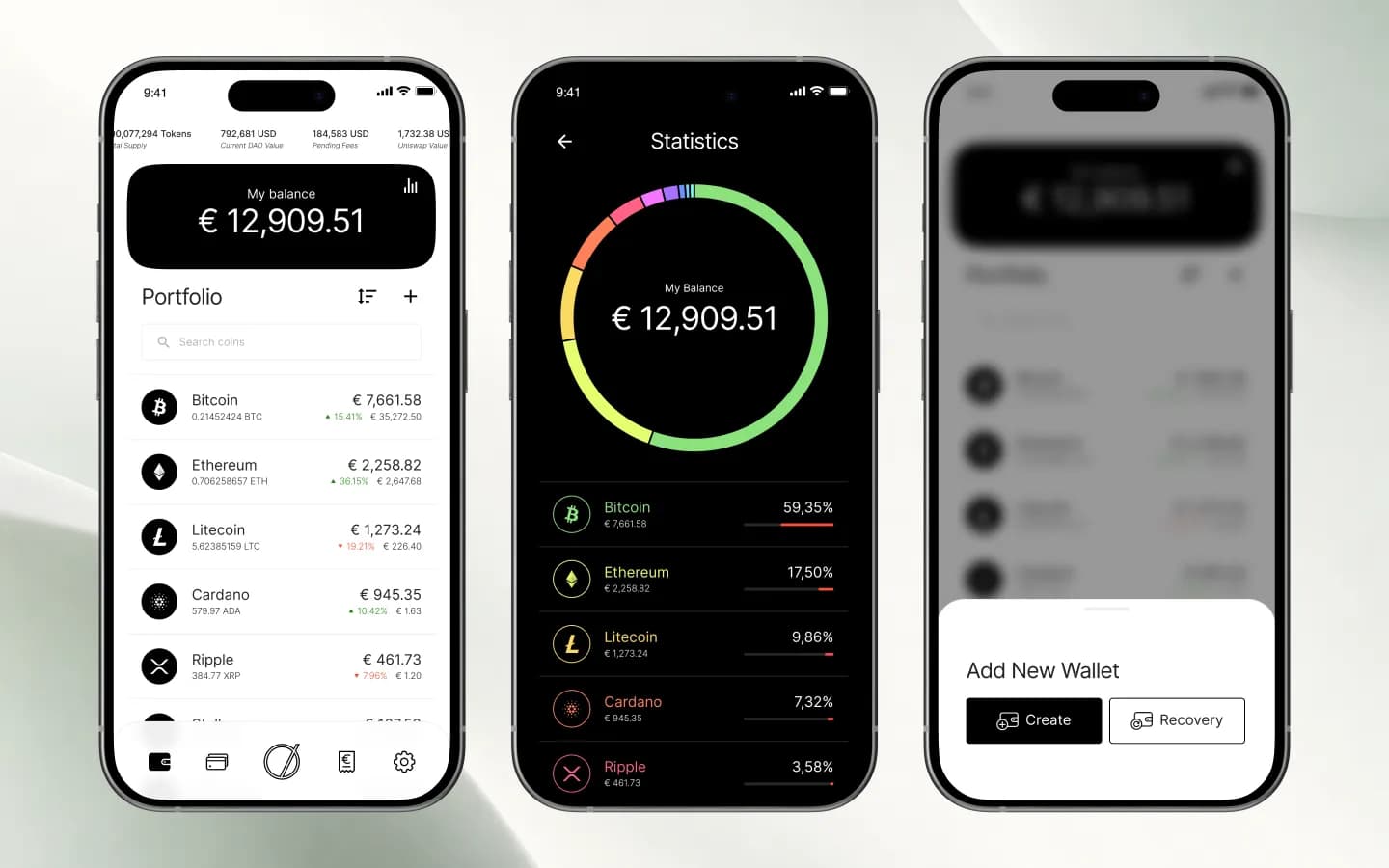
The balance sits on top, followed by every coin with its amount, value in euros and change. A dark statistics screen breaks the balance down by coin as a ring chart with percentages. New wallets are added from a bottom sheet: create a new one or recover an existing one.
A wallet in three steps
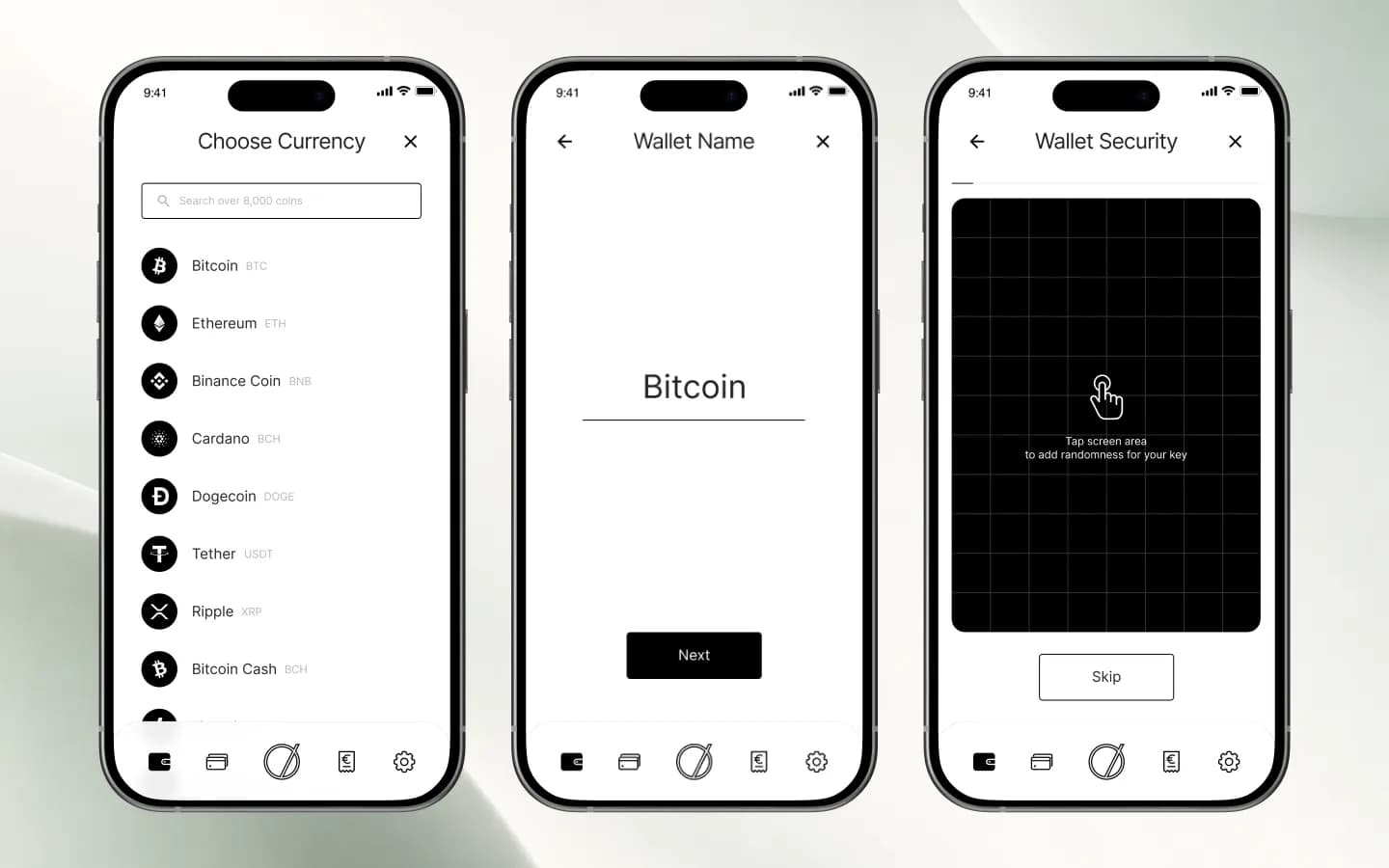
Choose the currency from a searchable list, give the wallet a name and secure the key. On the security step, tapping a grid adds randomness to the key, and the step can also be skipped.
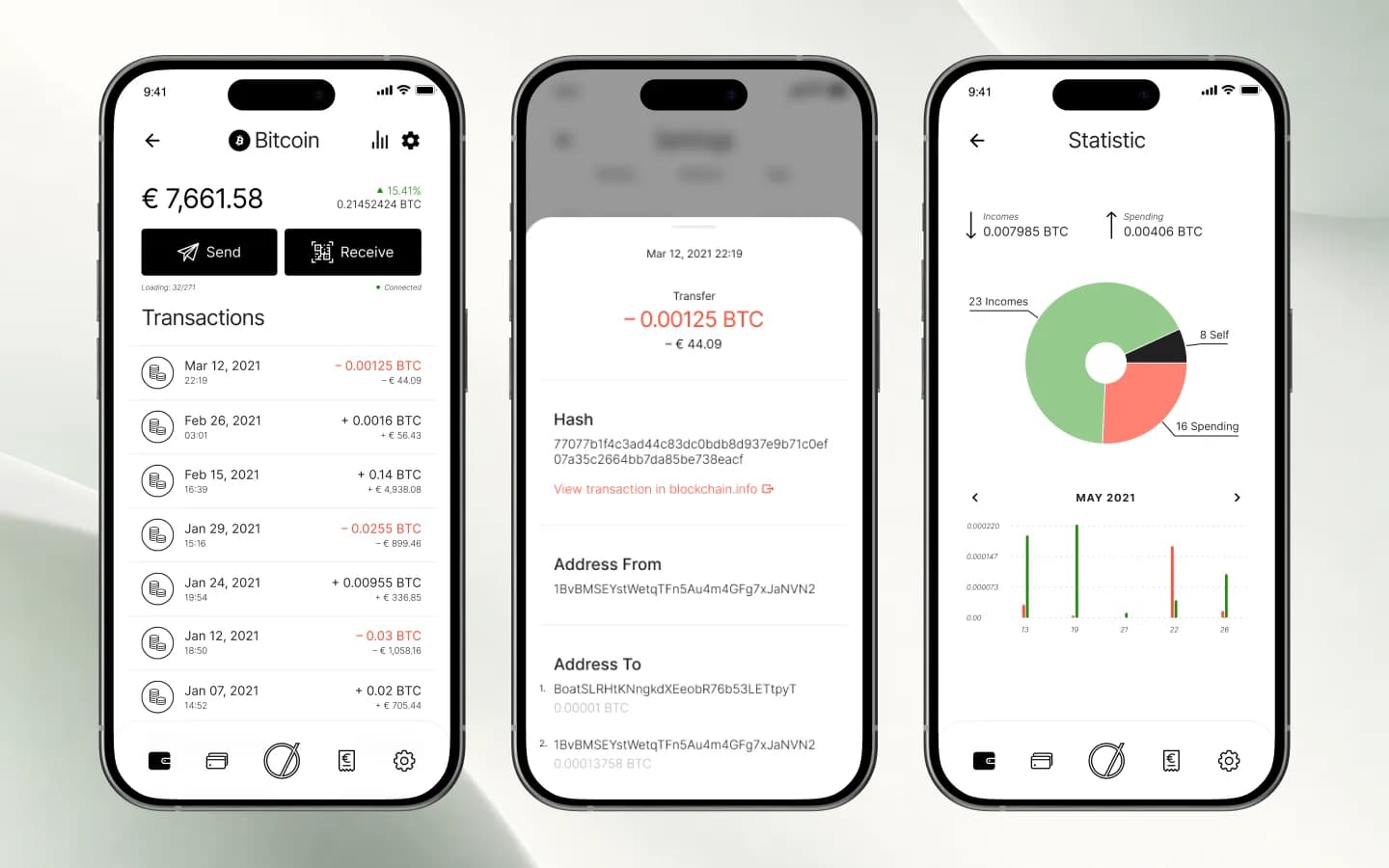
Transactions down to the hash
Each wallet has Send and Receive buttons and a dated history in BTC and euros. A transaction opens with its hash, sender and recipient addresses and a link to blockchain.info. Statistics compare incomes and spending as a pie chart and a monthly bar chart.
Wallet settings for advanced users
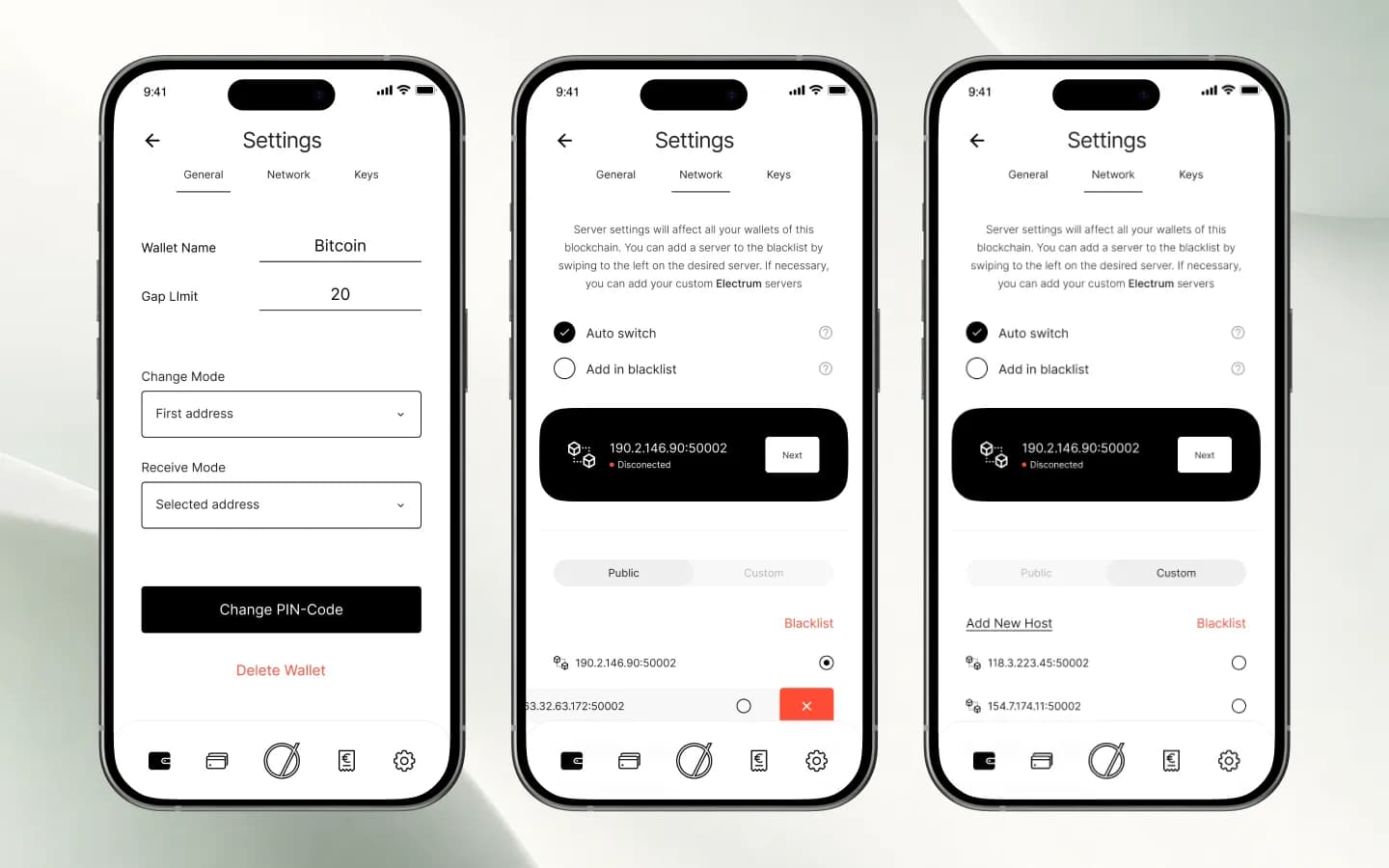
Settings are split into General, Network and Keys. Users set the wallet name, gap limit, change and receive modes and the PIN. On the network tab they let the app switch servers automatically, blacklist a server with a swipe or add their own Electrum servers.
App settings
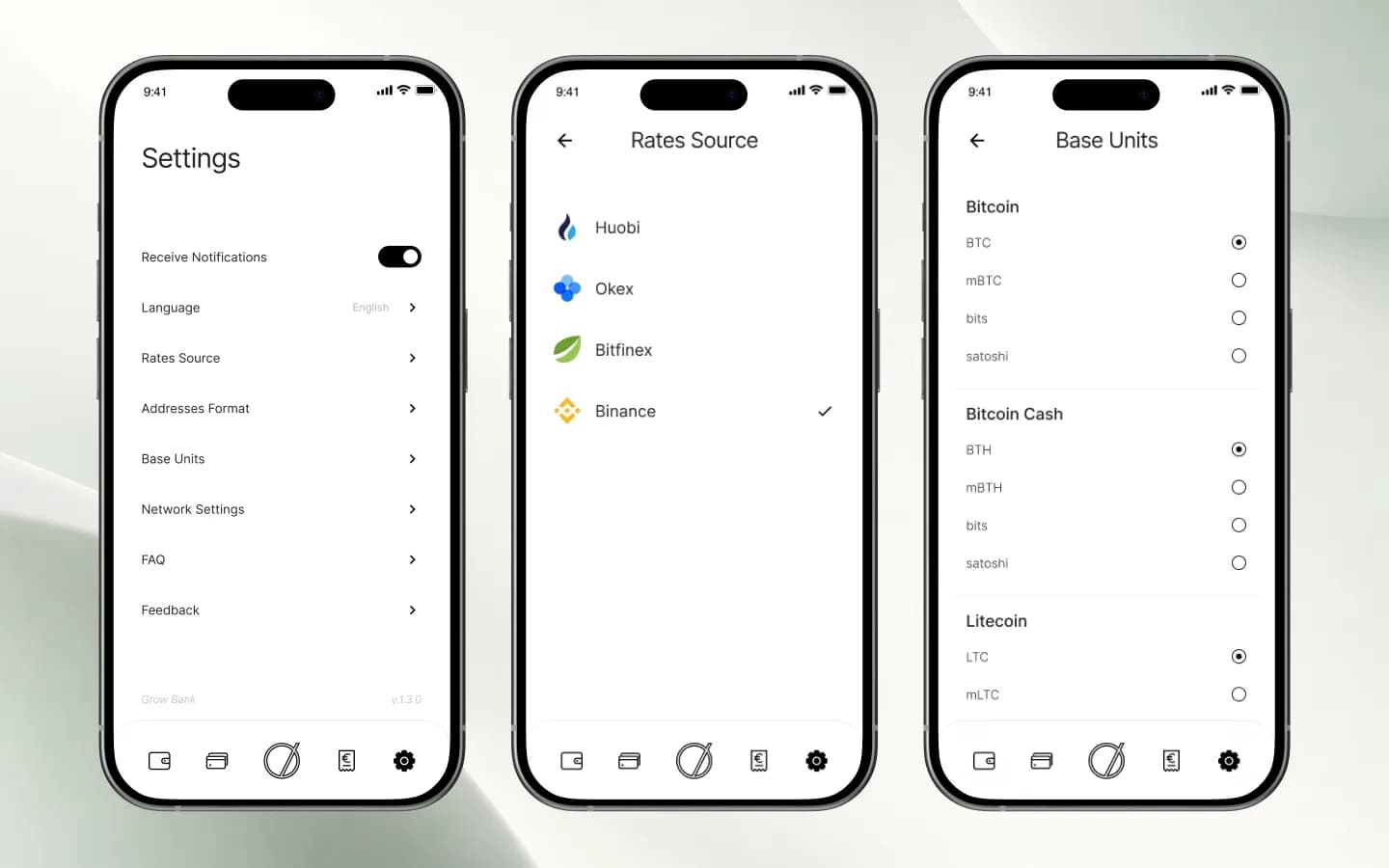
Notifications, language, address format and network settings sit in one list. Users choose the exchange rate source (Huobi, OKEx, Bitfinex or Binance) and the display unit per coin, from BTC down to satoshi. FAQ and feedback are one tap away.
Integrations
What the app connects to
The interface is built around these external services, as they appear in the app.
Electrum servers
Public and custom servers per blockchain, with auto-switch and a blacklist.
Exchange rates
Huobi, OKEx, Bitfinex or Binance as the source for euro values.
Blockchain explorer
Every transaction links to blockchain.info for verification.
Card networks
Card designs in the app carry the Mastercard and Visa marks.
Results
One app instead of three
Grow Bank brings banking, crypto and the partner network into a single mobile interface with shared navigation and one visual language.
- Accounts, personal and business cards, payments and invoices on one home screen.
- A crypto portfolio with statistics, transaction details and wallet creation or recovery.
- A visual binary partner structure with rank, volume and referral bonus history.
More projects
 FinTech
Fundora
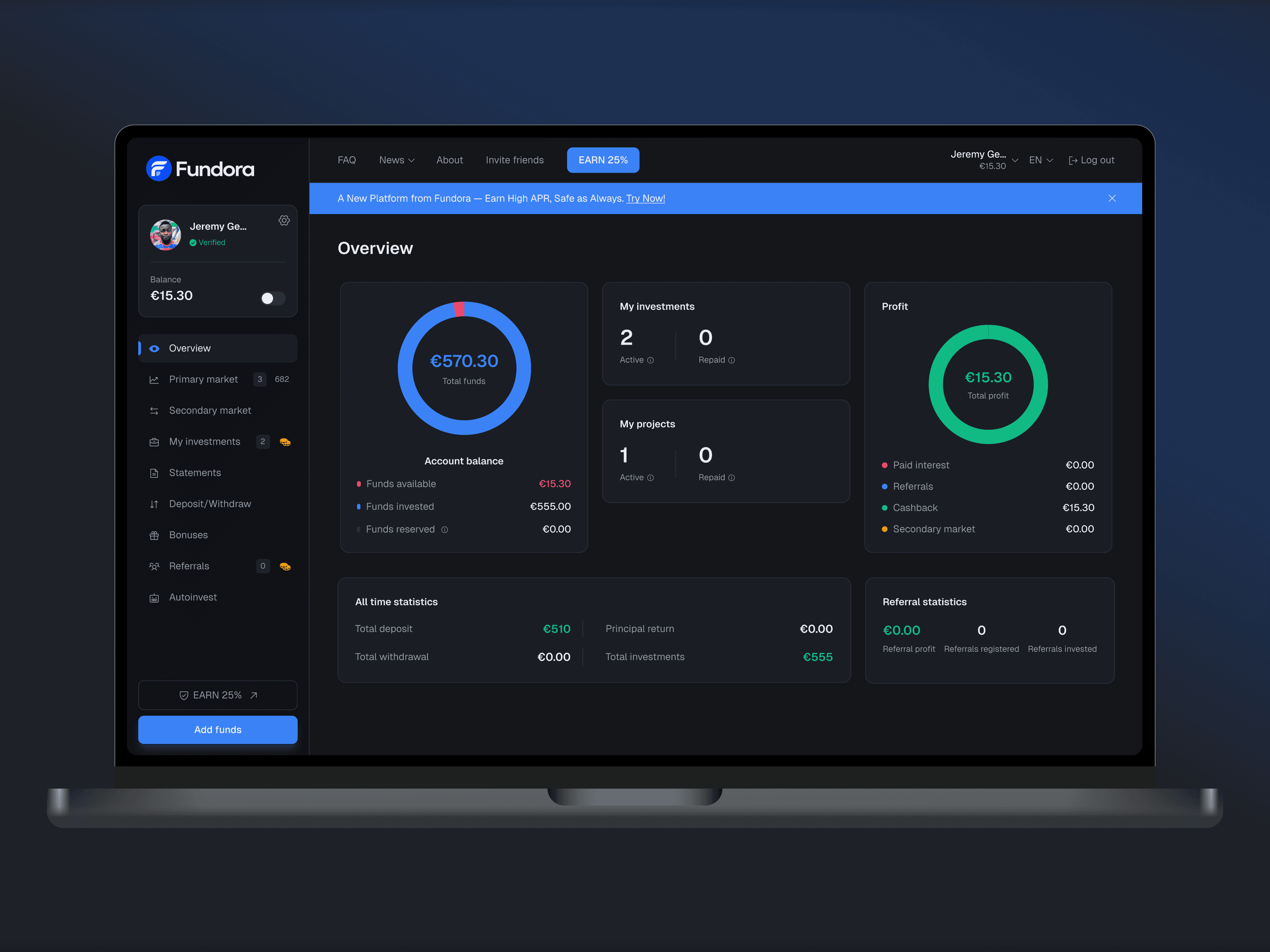
Web investment platform: balance, investments and returns in one dashboard, plus a primary and secondary market, deposits and withdrawals.
 Industry
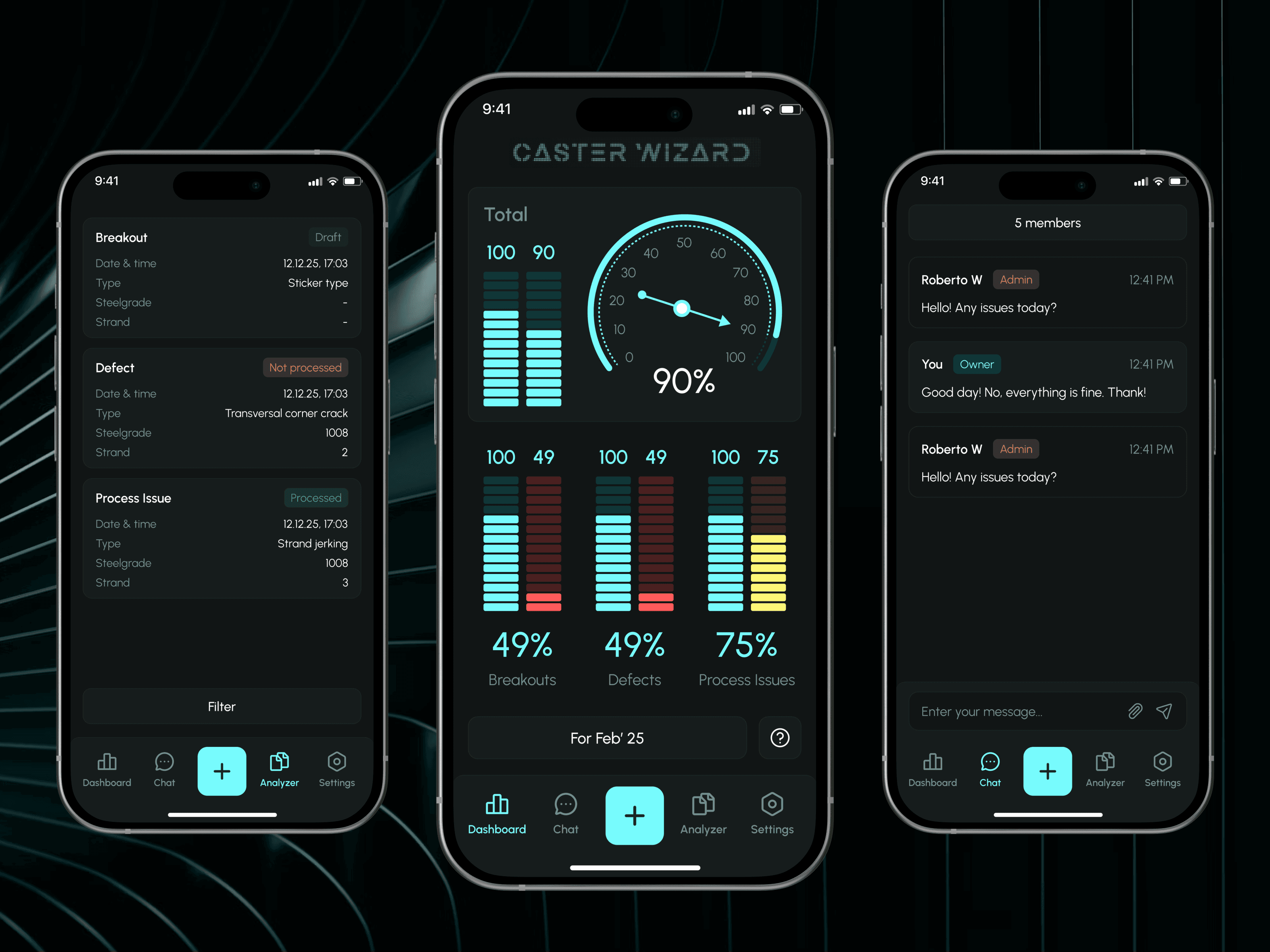
Caster Wizard
Monitoring and control system for steel plants: incident reports and expert feedback through an admin panel.
 SaaS
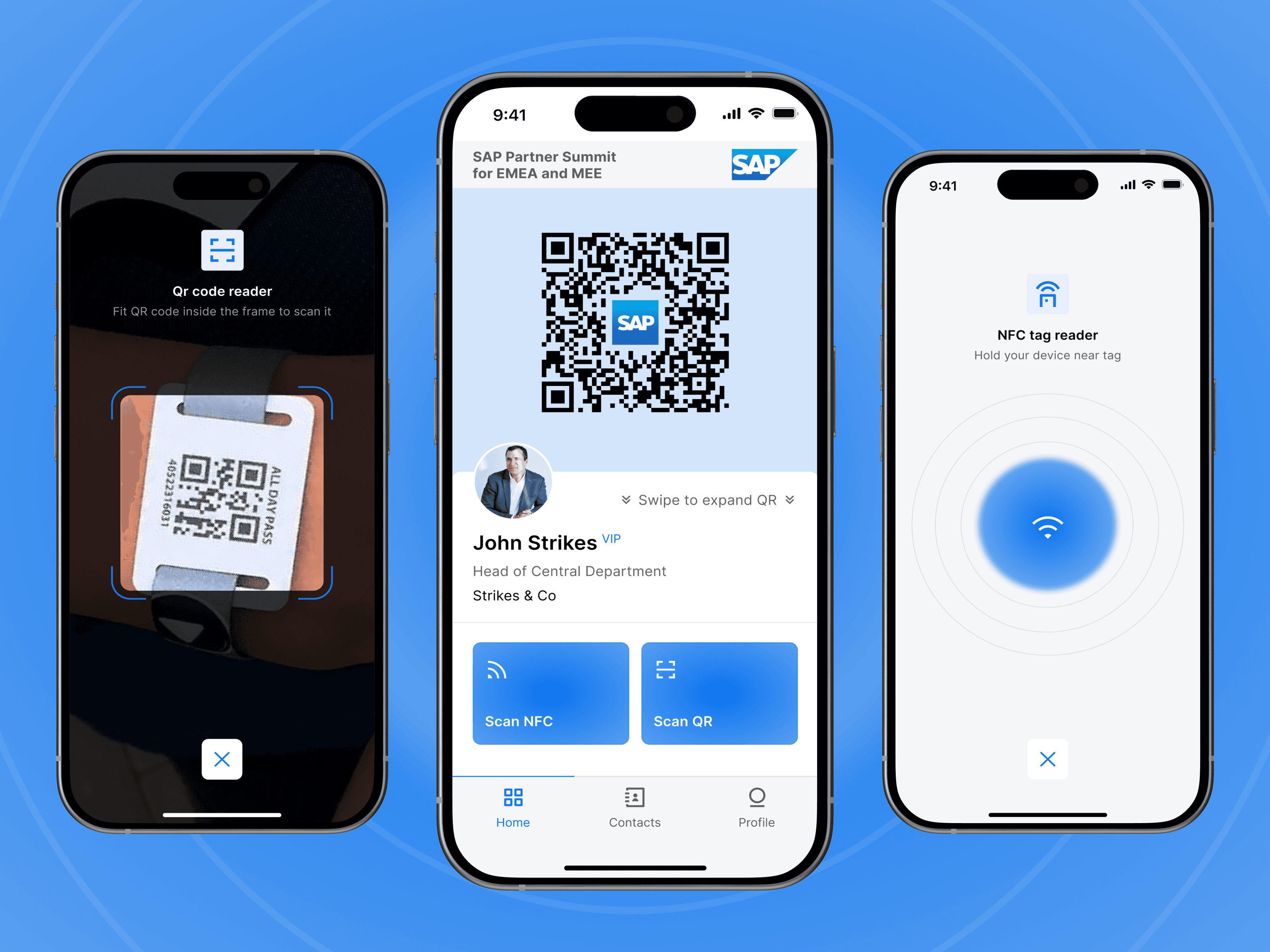
SaaSSAP Partner Summit
Event networking app with NFC and QR scanning for fast contact exchange at SAP events.
Let’s discuss your project
Free and non-binding — book a slot straight away or drop us a message.

Dennis Polevik
CEO
Free intro call with Xmethod
- Free, no obligationNo obligation and no cost
- Straight with the teamStraight with the team, no sales reps in between
- A concrete next stepYou leave with a concrete next step
Dennis Polevik
CEO
Let's discuss your project
What happens next?
- Reply within 1 business dayWe review your project and get back to you within 1 business day
- Short call on your goalsWe hop on a short call to align on scope and goals
- Clear proposal, no obligationYou get a clear proposal — no obligation, no pressure