
Life AlgorithmFitness app with personalised workouts
Every session is generated from your time, your equipment and how recovered your muscles are, then guided exercise by exercise on video.
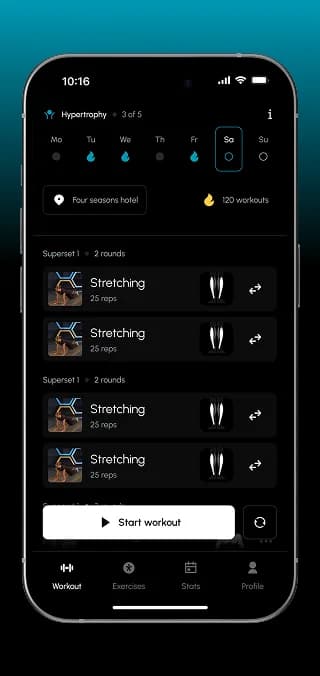
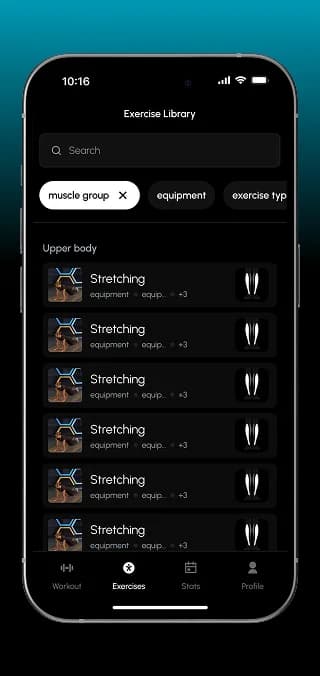
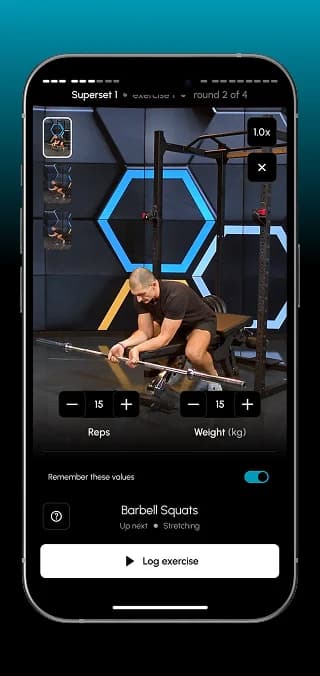
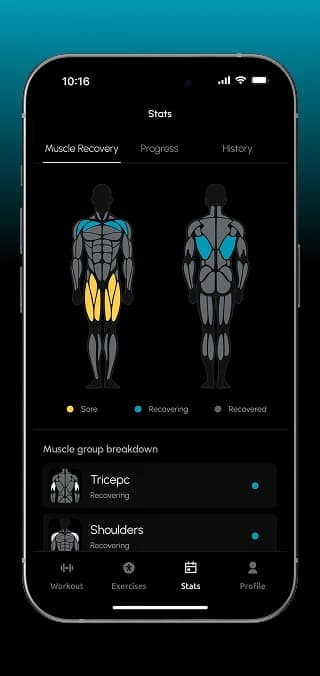
Life Algorithm is a fitness app for busy people: short, effective sessions at home, in a hotel or at the gym, with or without equipment. We designed the workout algorithm, the mobile app with guided video workouts and muscle recovery tracking, and a web admin panel for managing exercises and equipment.
What we did
Tasks
- 1Design a workout generator driven by recovery, equipment and time
- 2Build onboarding that collects profile, measurements and equipment
- 3Video-guided workouts with warm-up, supersets and logging
- 4Muscle recovery map, progress and workout history
- 5Admin panel for users, equipment and the exercise catalogue
The project at a glance
Challenge
Generic training plans ignore how much time someone has, what equipment is at hand and which muscles still need rest.
Solution
A rules-based generator that picks exercises by recovery, equipment, difficulty and recency, plus video-guided workouts, stats and a web admin panel for the exercise catalogue.
Result
A complete product: onboarding, daily workouts, exercise library, recovery map, progress, subscription paywall and an admin panel for content.
3
session lengths: 15, 30 or 45 minutes
4
training systems, from full body to a 3-day split
3
experience levels: beginner, intermediate, experienced
4
app tabs: Workout, Exercises, Stats, Profile
The product
Personal training for people short on time
Life Algorithm is built around one promise from its paywall: “Designed for busy people”. Users should reach their goals in under three hours a week and train anywhere, combining strength, mobility and recovery in one system that adapts to their level.
The challenge
A plan that changes with the person
A static programme breaks the moment real life gets in the way. The app had to decide every day what makes sense to train, and explain it so users trust the plan.
Time varies
One day there are 45 minutes, the next only 15. The plan has to fit both.
Equipment varies
Gym, home or hotel room: the workout must match what is actually available.
Recovery is invisible
Without tracking, users train sore muscles again or neglect others for weeks.
Discovery & UX
The algorithm came before the screens
We first described the workout logic step by step, tested it on sample users and only then moved to navigation and wireframes.
Workout generator, step by step
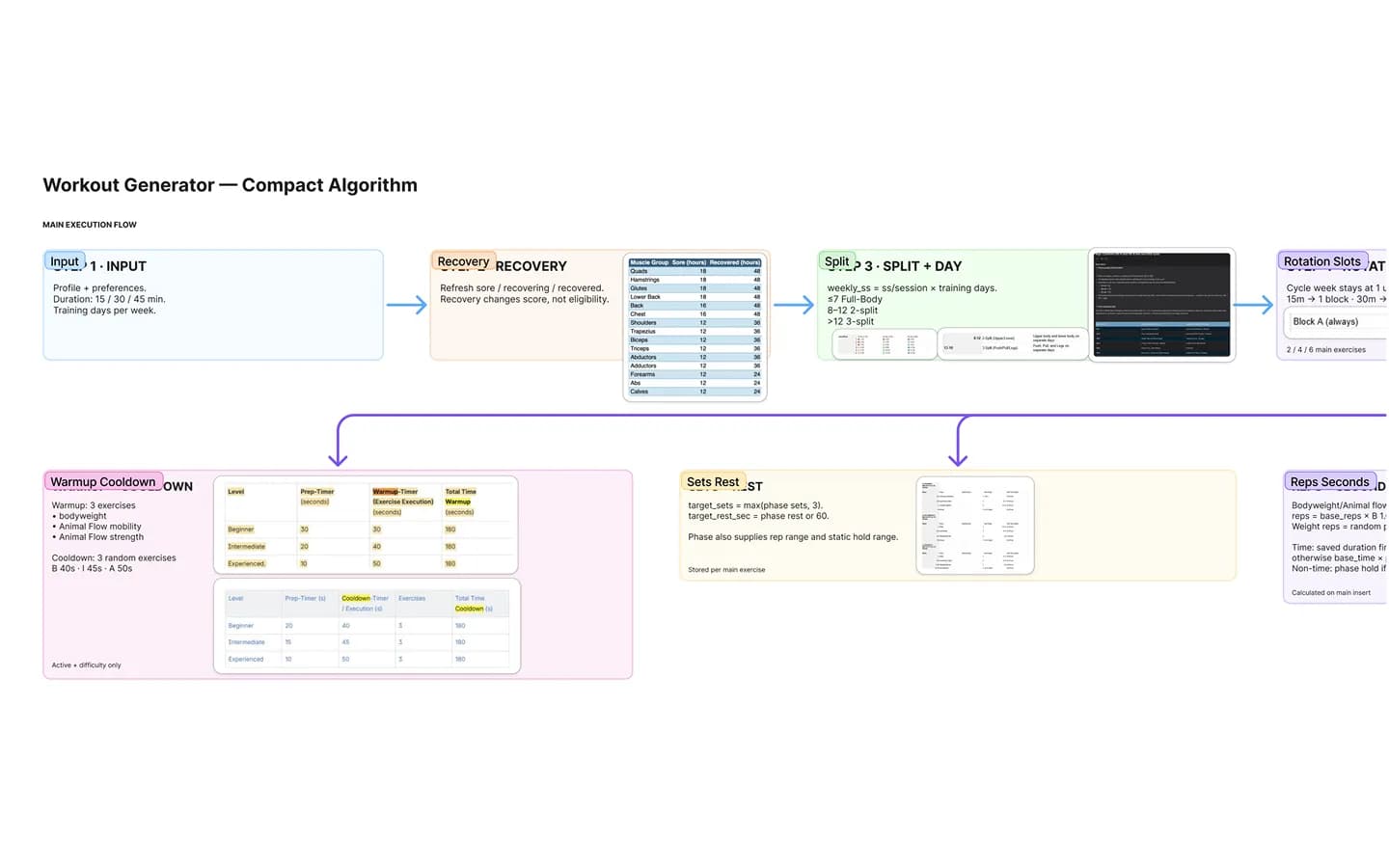
Profile and preferences go in: duration of 15, 30 or 45 minutes and training days per week. Recovery status per muscle group comes next, then the split for the day, rotation slots, sets and rest, reps or seconds, plus warm-up and cool-down per level.
From weekly load to today's exercises
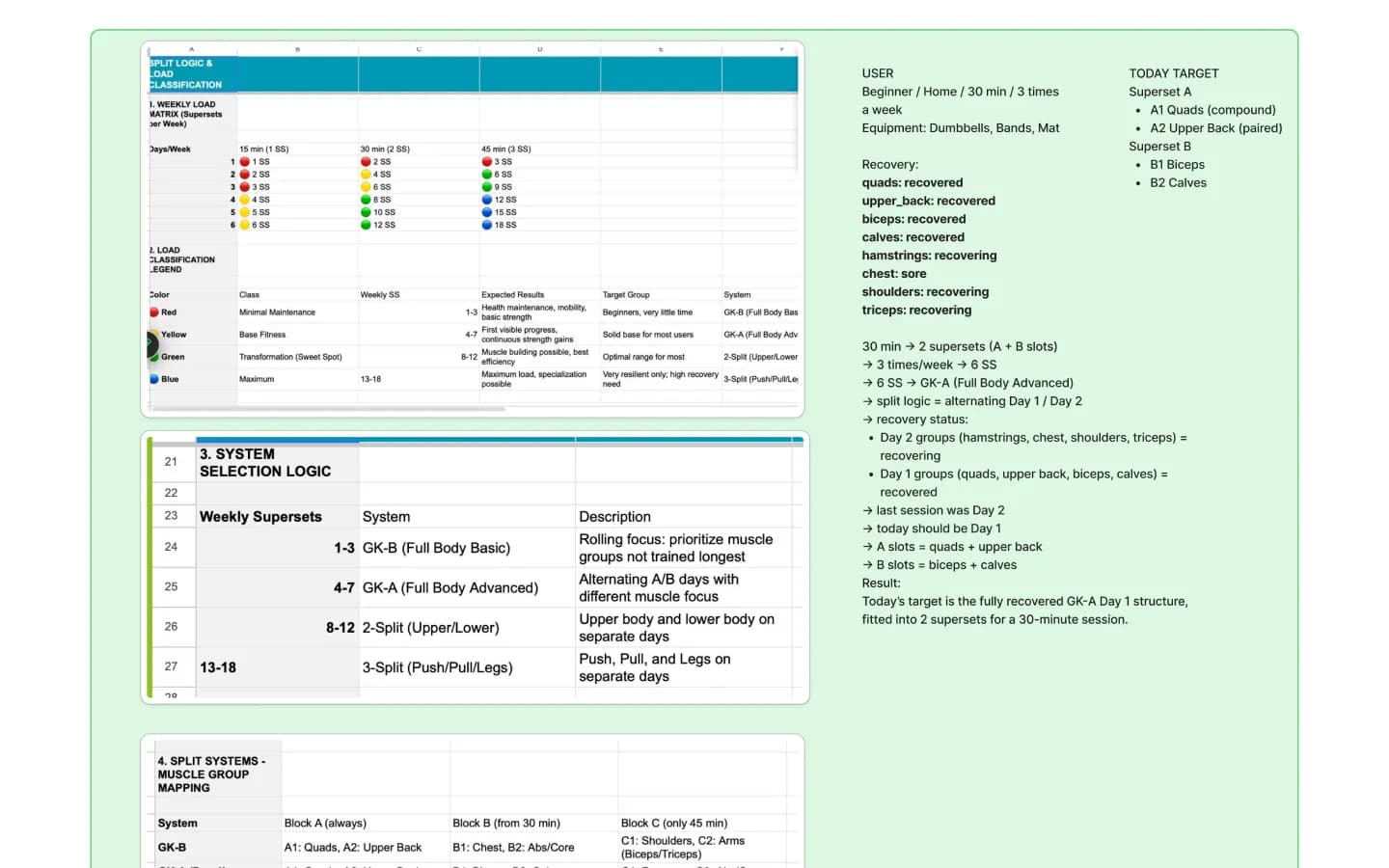
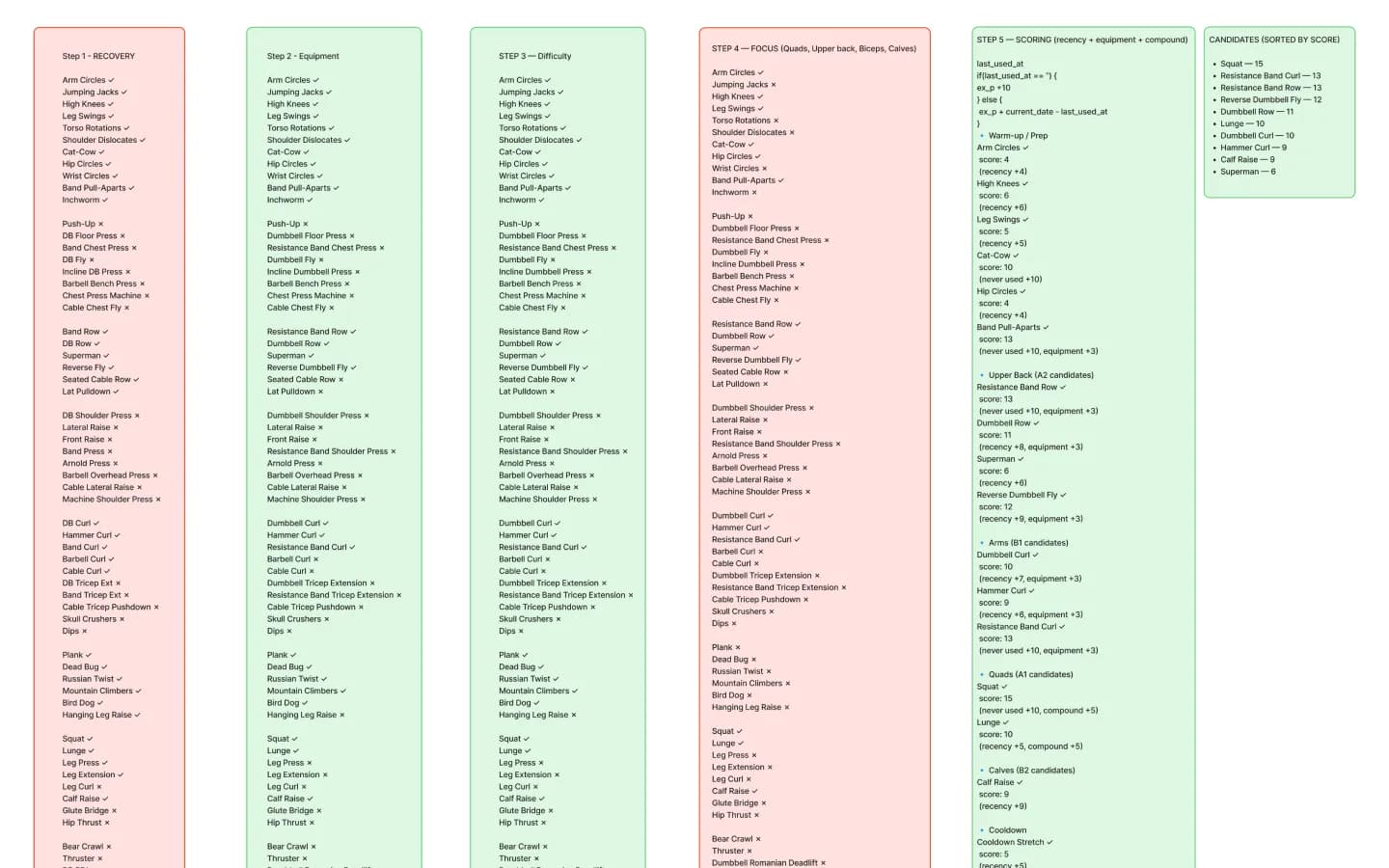
Weekly supersets decide the system: full body, alternating A/B days, upper/lower or push/pull/legs. Candidate exercises are then filtered by recovery, equipment, difficulty and focus, and scored by recency, available equipment and compound movements.
Sitemap of the app
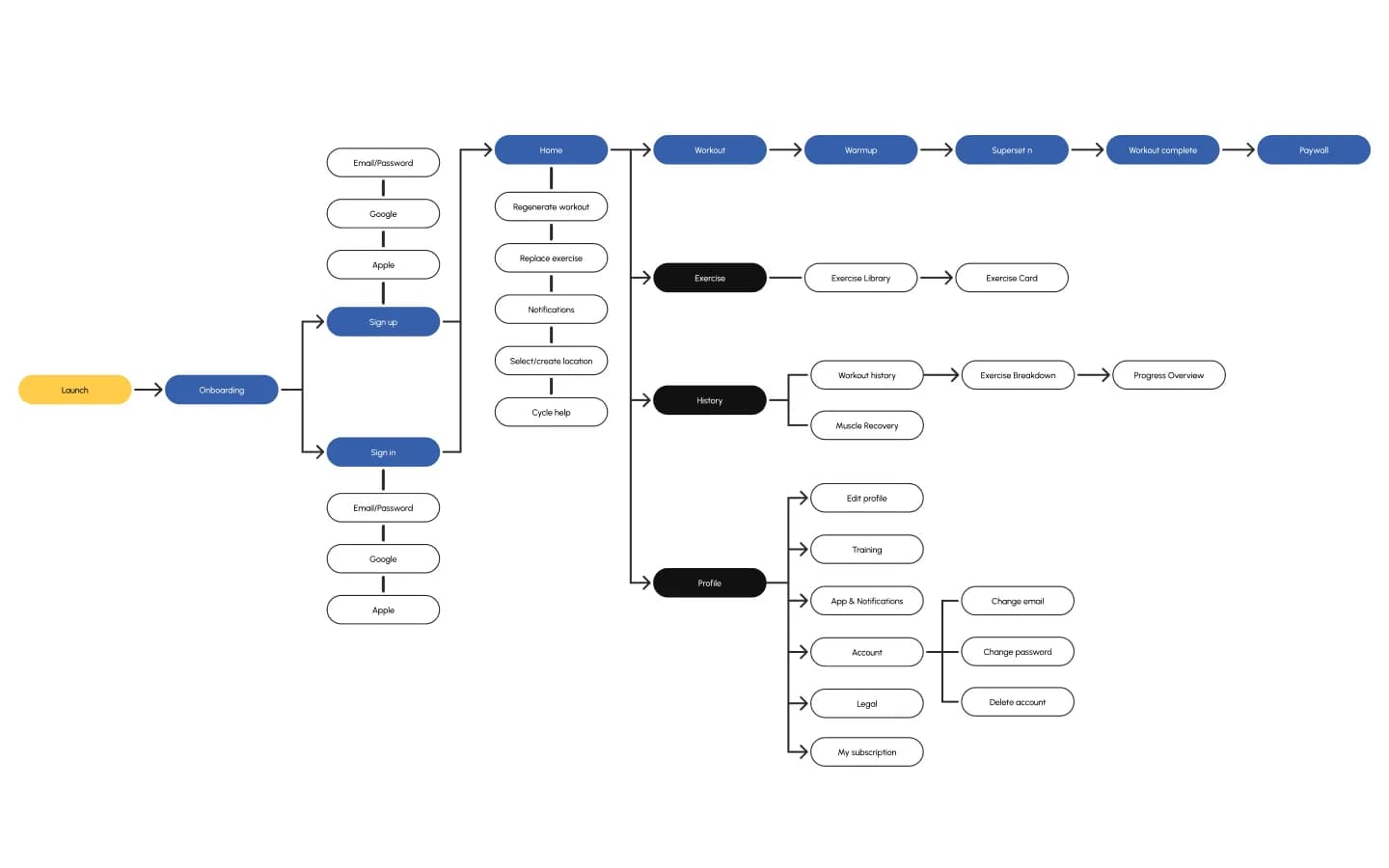
Launch, onboarding and sign-up with email, Google or Apple lead to four areas: the workout flow up to the paywall, the exercise library, history with muscle recovery and the profile with training, notifications, account and subscription.
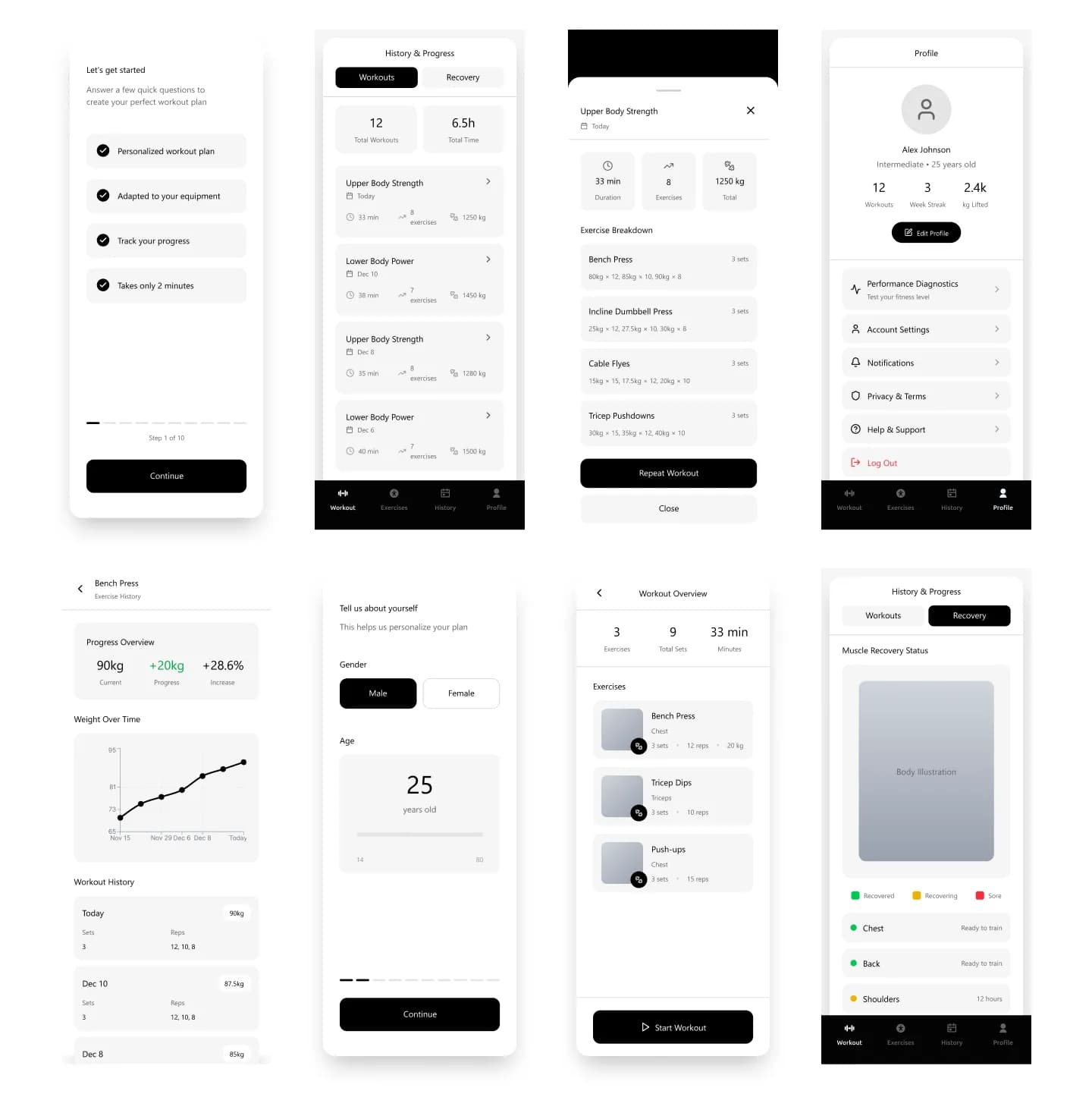
Wireframes of the key flows
Onboarding, workout overview, history and progress, exercise breakdown, recovery status and profile were laid out in grey first, so the flows could be checked before any visual design.
Mobile app
The app for everyday training
A dark interface with the brand's blue and yellow hexagons, large numbers and one clear action per screen.
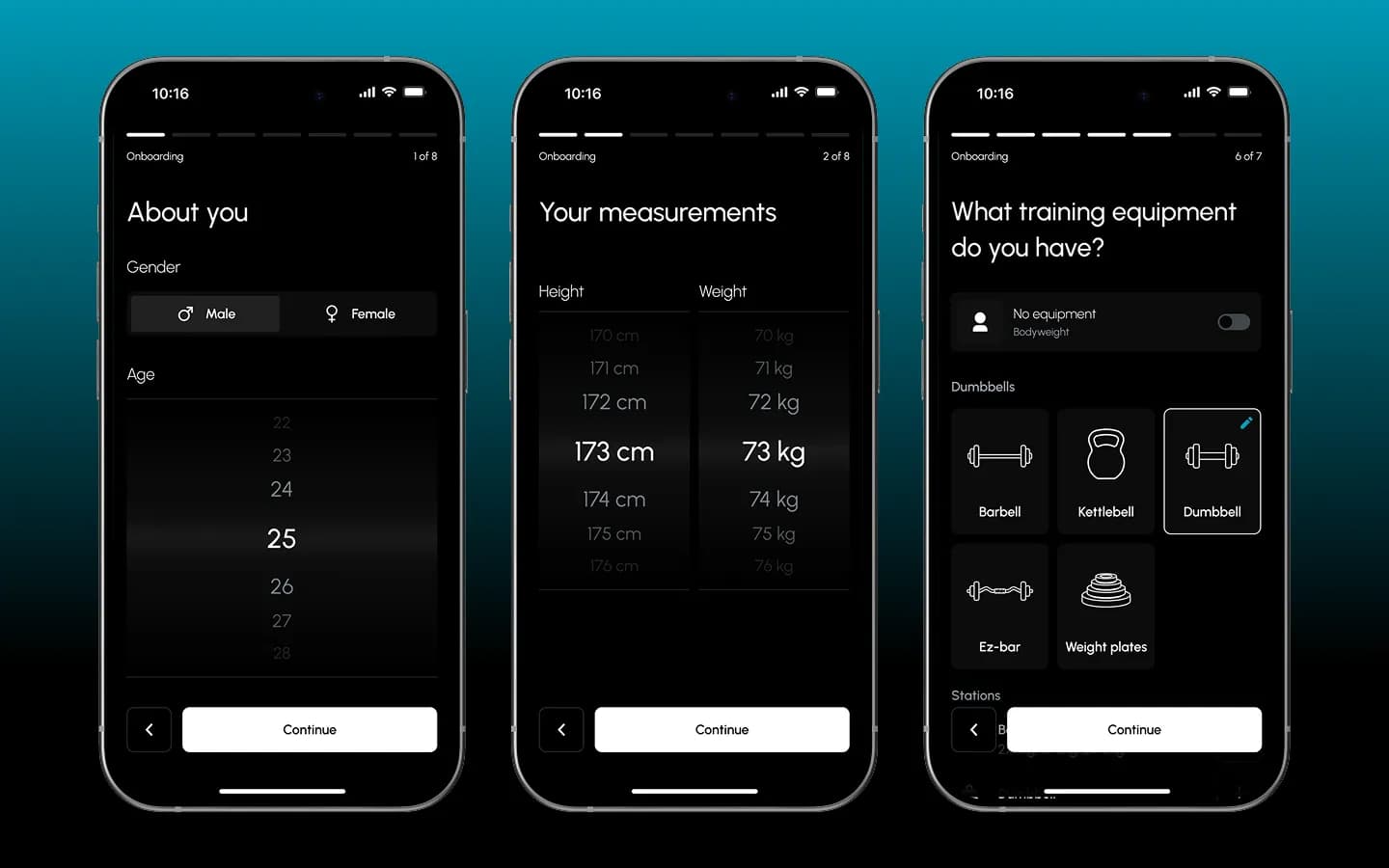
Onboarding that feeds the algorithm
Gender, age, height and weight are picked on scroll wheels, followed by the equipment at hand: bodyweight only, barbell, kettlebell, dumbbells, EZ bar, weight plates or stations. Everything the generator needs is collected in a few steps.
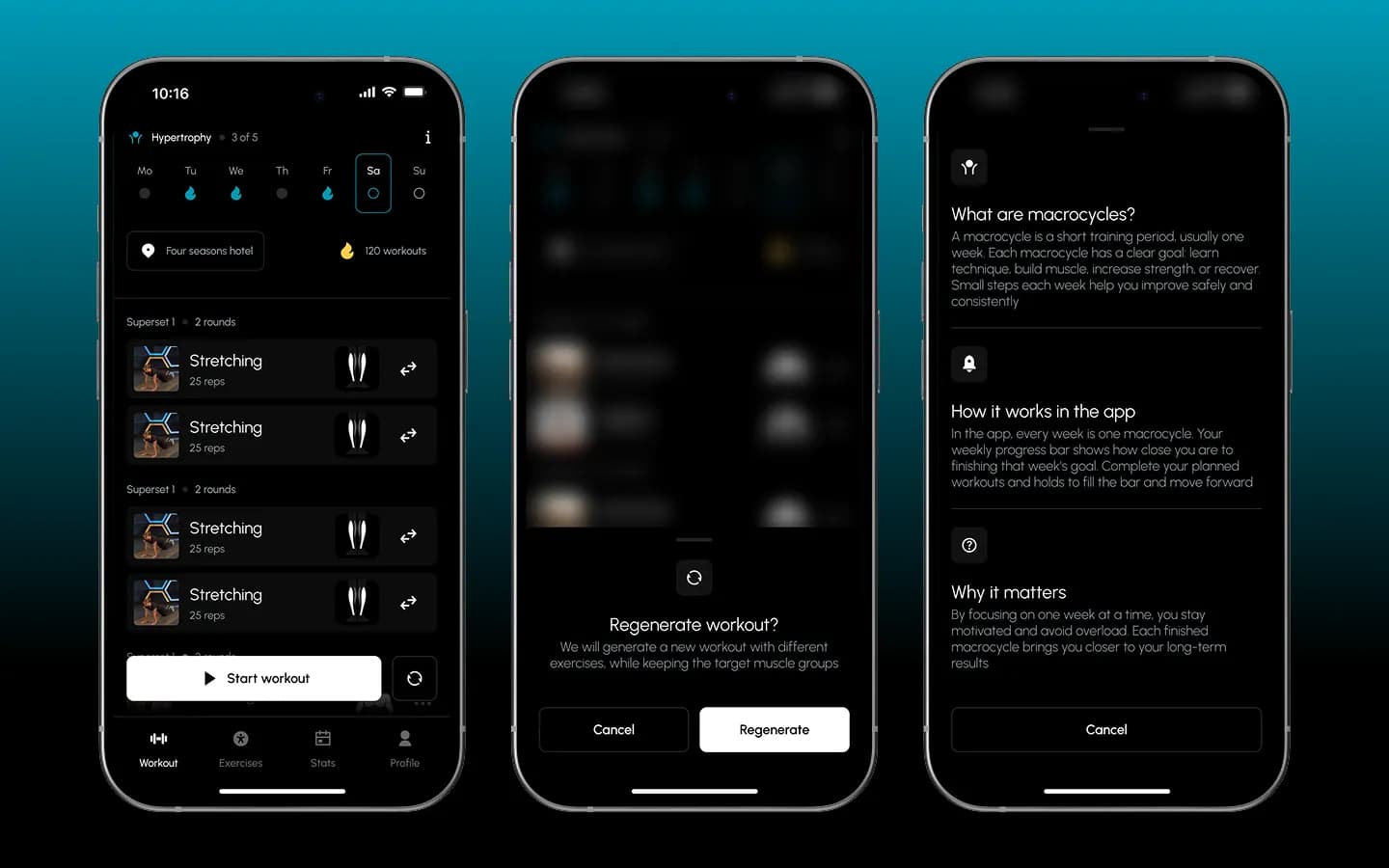
Today's workout, adjustable
The home screen shows the current cycle, the week and today's supersets for the chosen location. Single exercises can be swapped, or the whole workout regenerated while keeping the target muscle groups. A help sheet explains macrocycles.
Guided on video, logged in one tap
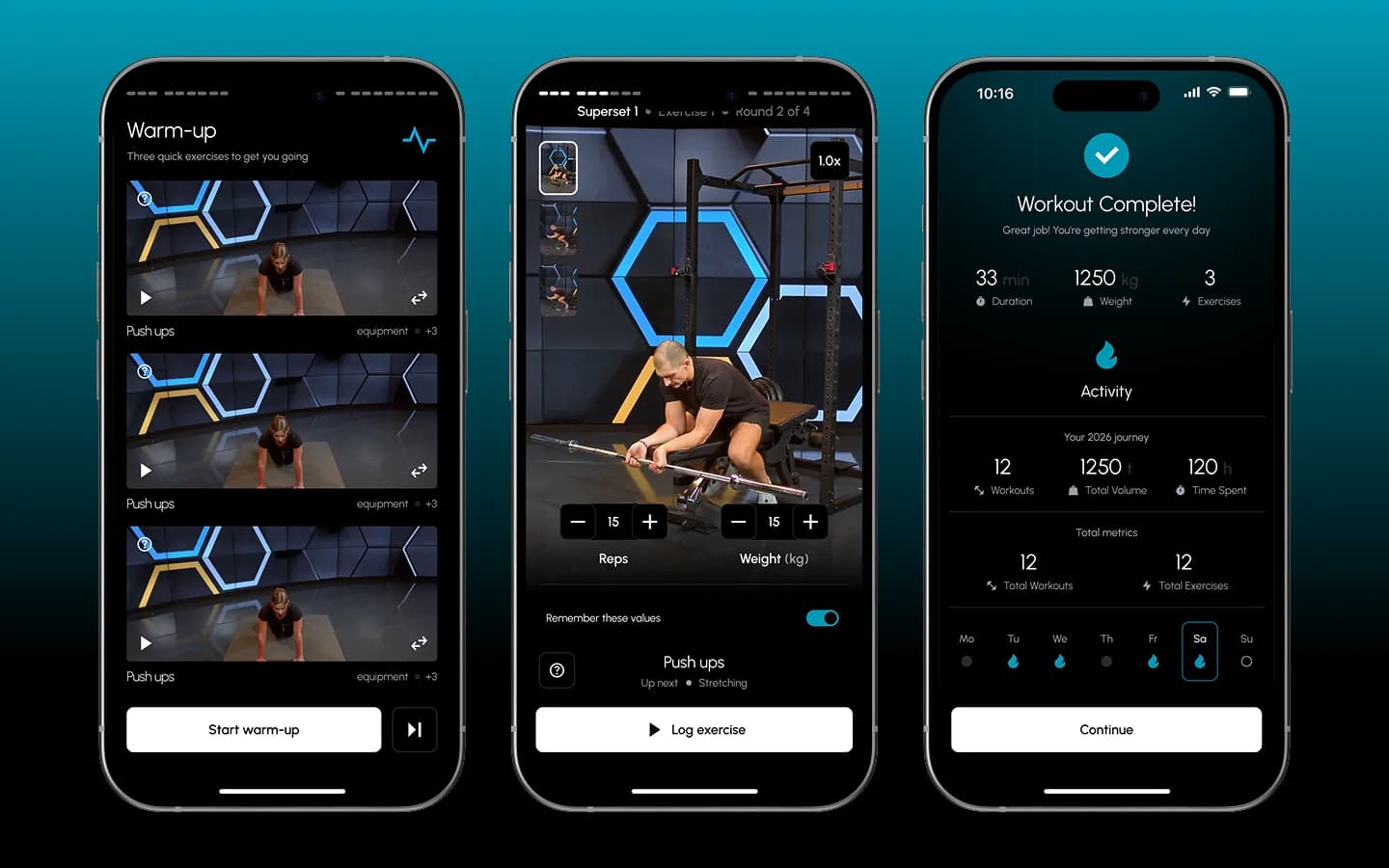
A warm-up of three quick exercises, then each exercise on video with superset and round progress. Reps and weight are set right under the video and can be remembered for next time. The session ends with a summary of duration, weight and exercises.
Exercise library with filters
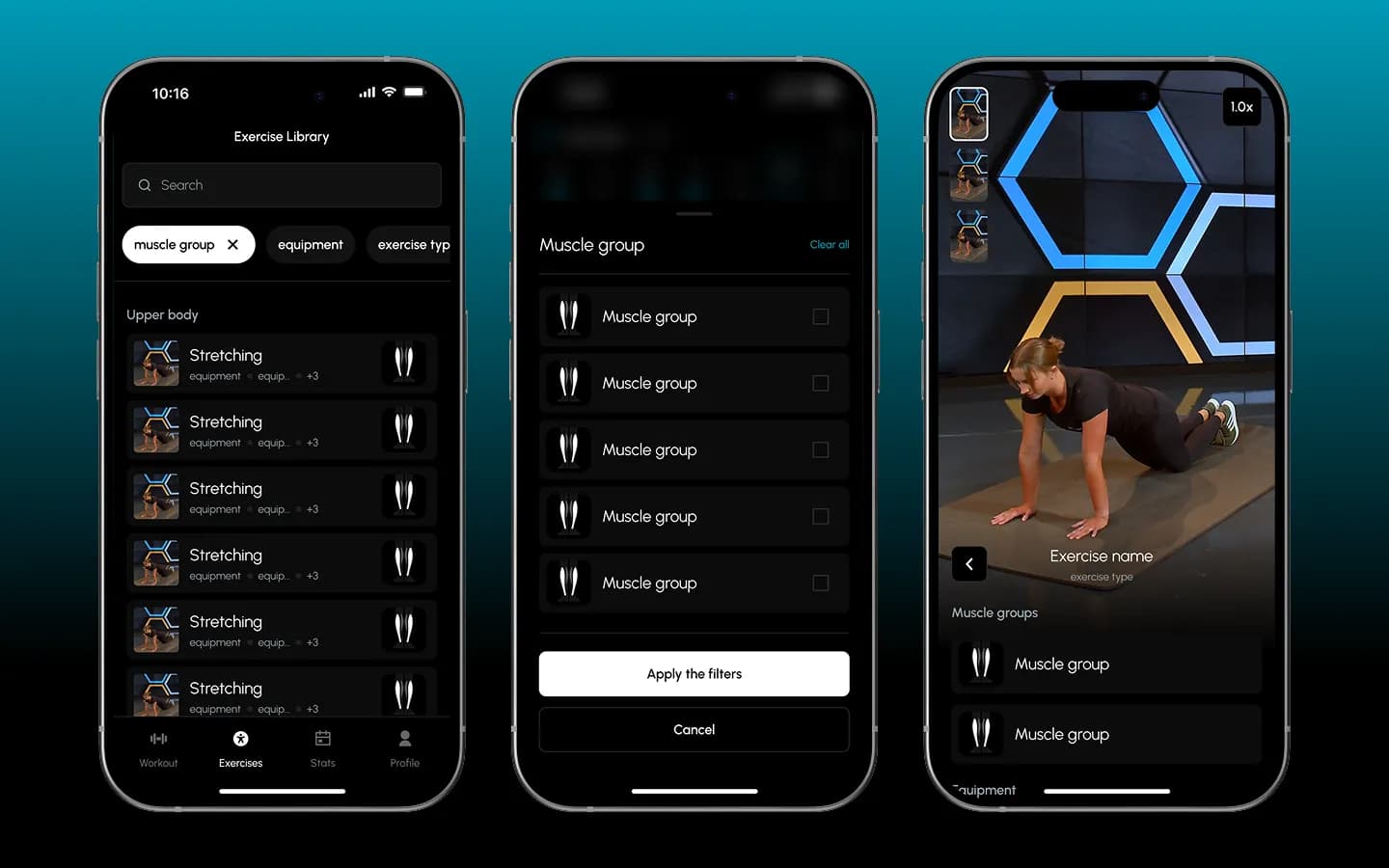
Every exercise can be searched and filtered by muscle group, equipment and exercise type. The exercise card shows the video and the muscle groups involved.
Recovery, progress and history
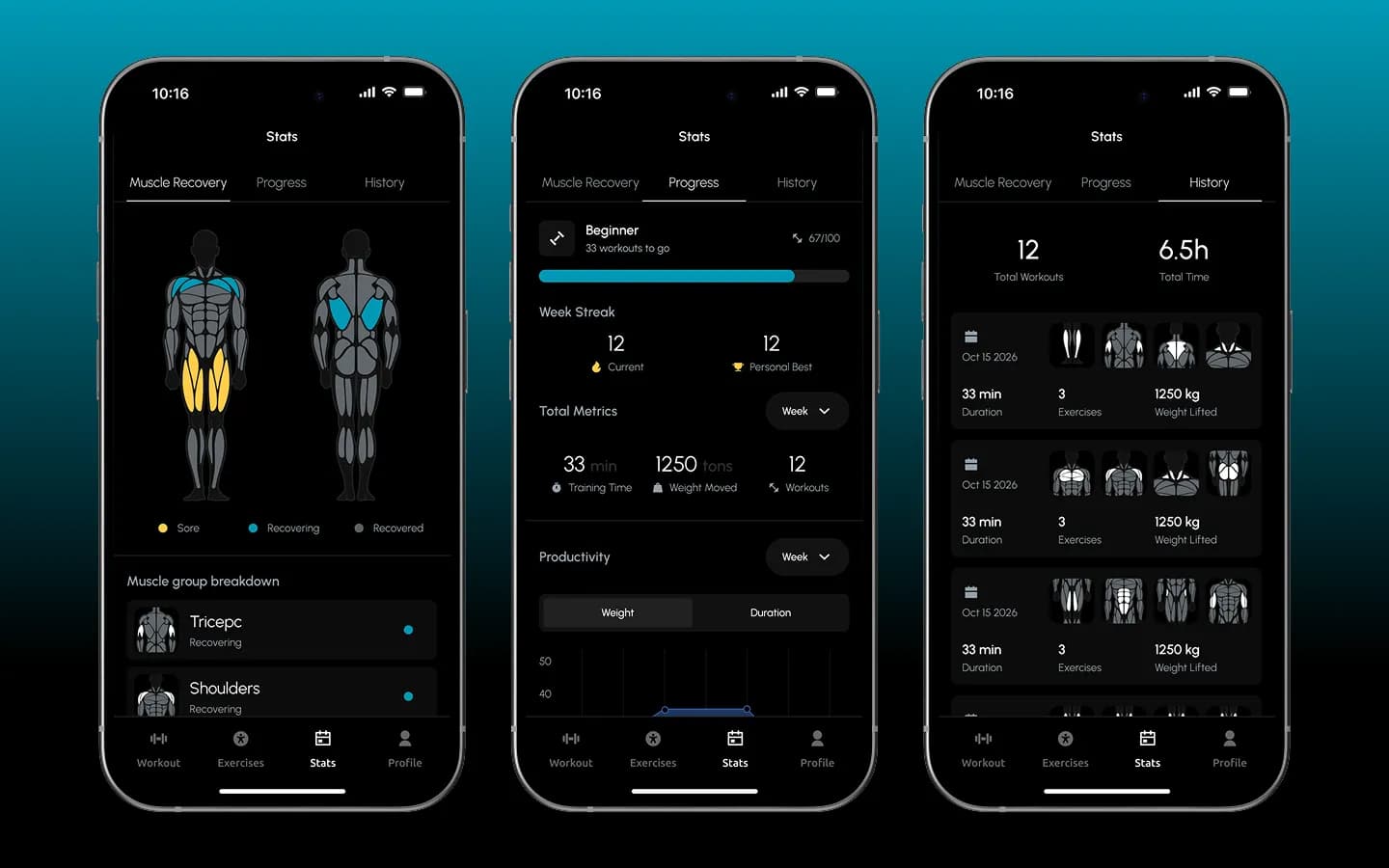
A body map colours each muscle group as sore, recovering or recovered. Progress shows the level, week streak and total metrics, and history lists every workout with duration, exercises and weight lifted.
Profile, training settings and paywall
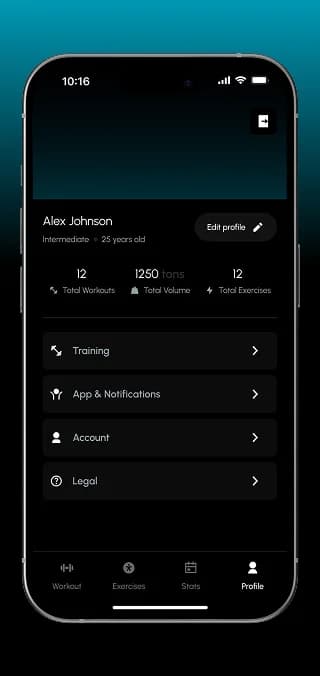
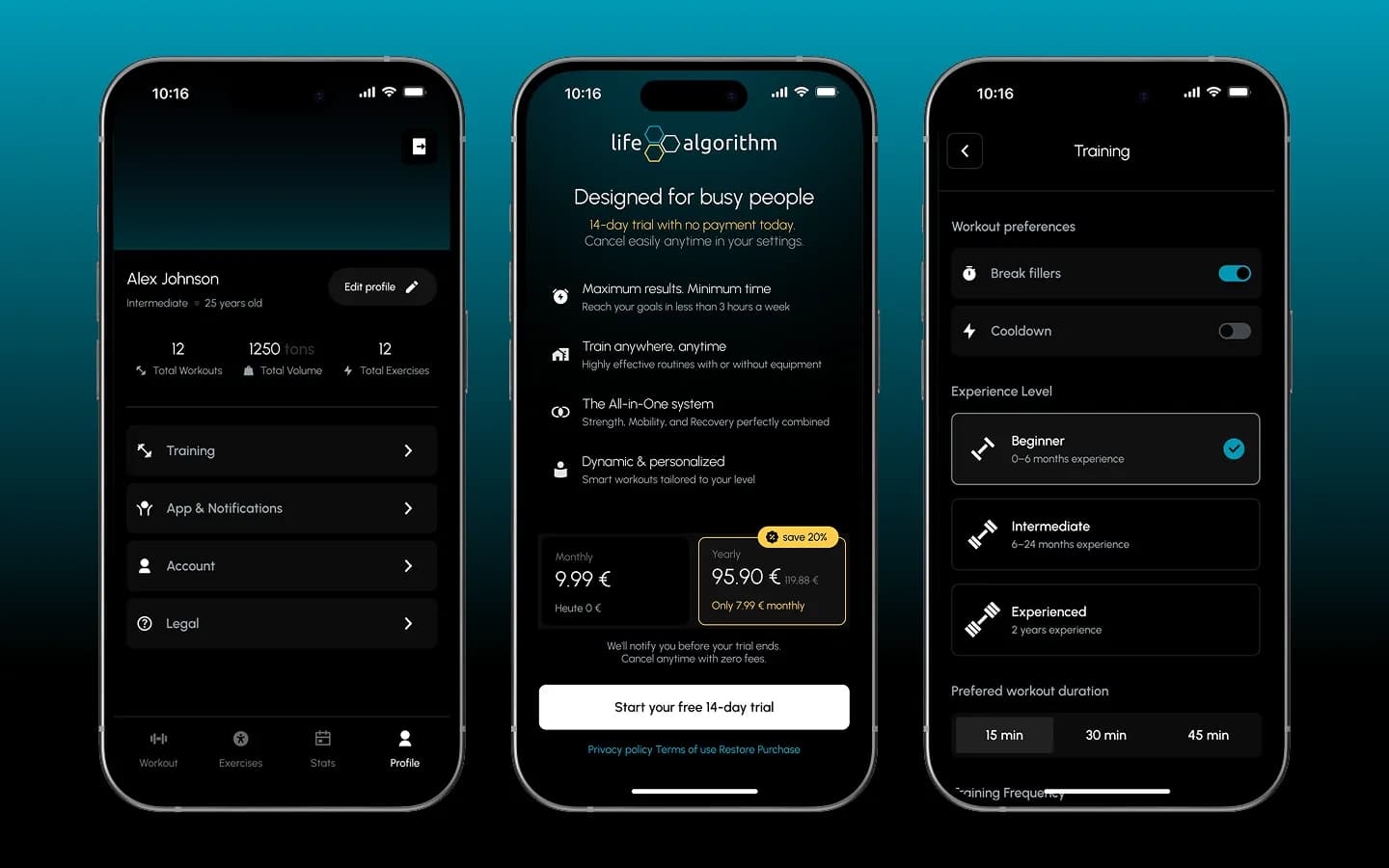
The profile sums up workouts, volume and exercises. Training settings cover break fillers, cool-down, experience level and preferred duration. The paywall offers monthly or yearly plans with a 14-day free trial.
Web admin panel
Content managed without developers
The algorithm is only as good as its exercise data, so the team maintains it in a browser-based admin panel with the same dark look as the app.
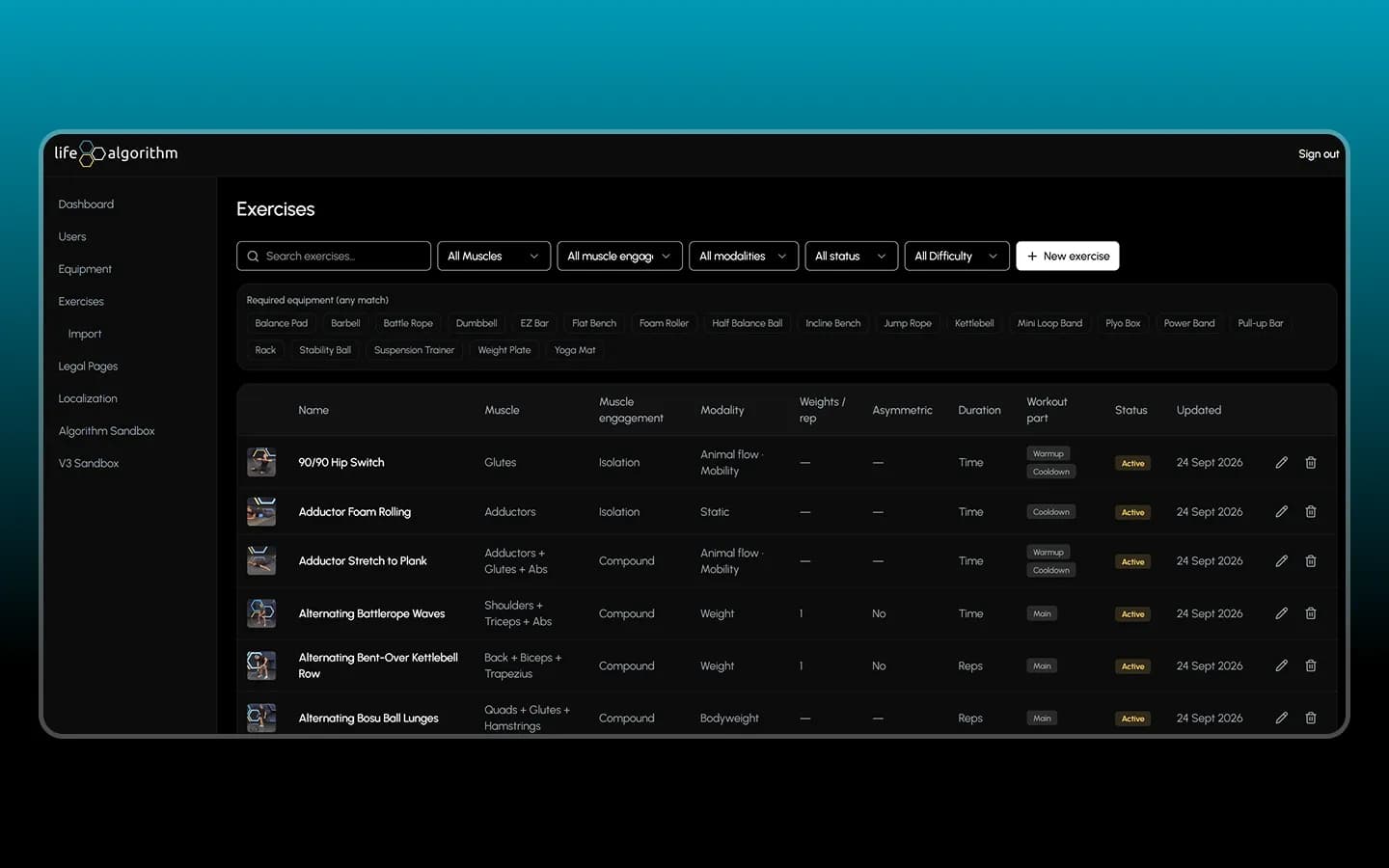
Exercise catalogue
Each exercise carries the data the generator relies on: target muscles, isolation or compound, modality, weights per rep, asymmetry, duration type, workout part and status. Filters and required equipment chips keep a large catalogue manageable.
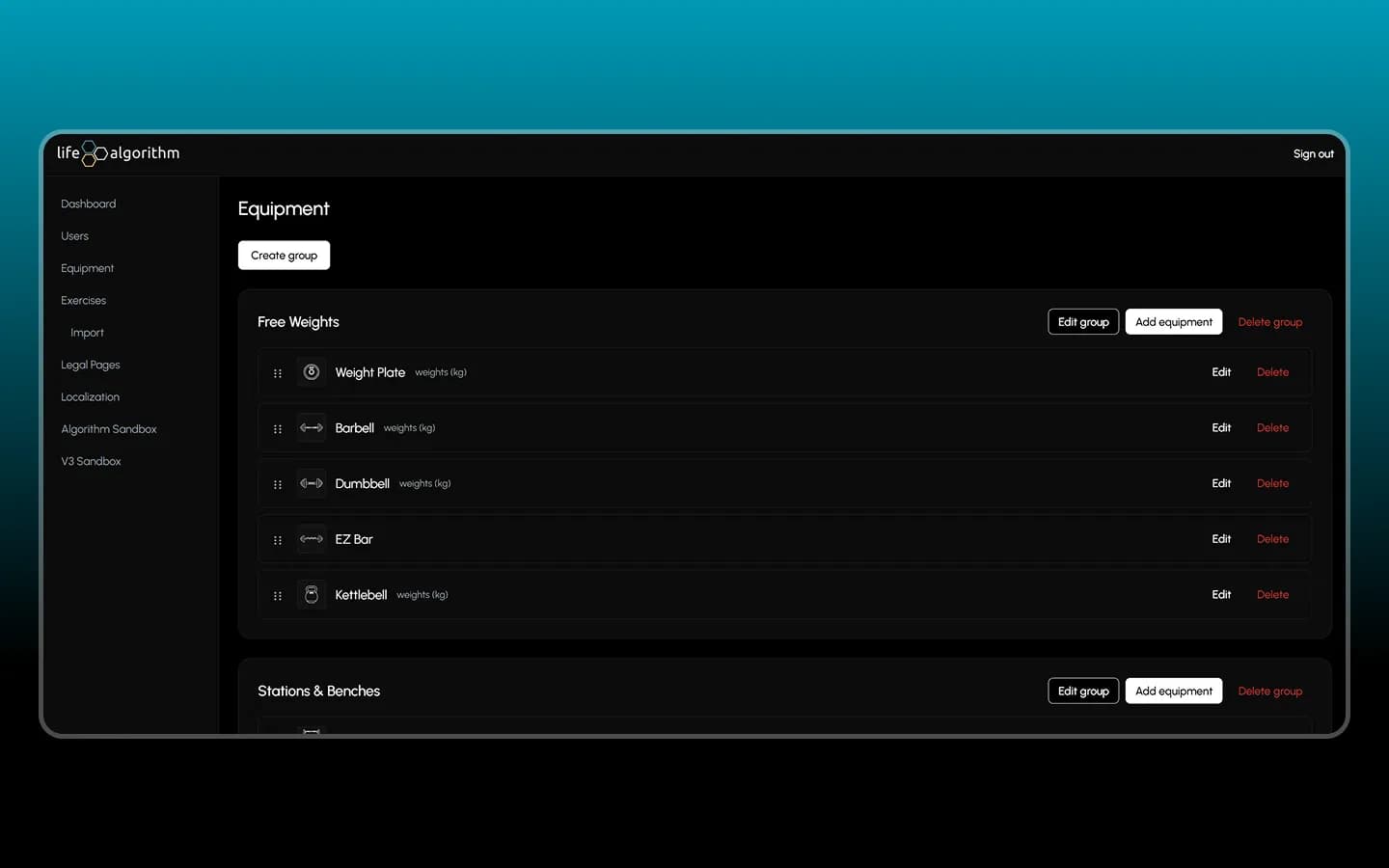
Equipment groups
Equipment is organised into groups such as free weights or stations and benches, sortable by drag and drop. What is set up here is what users choose from during onboarding.
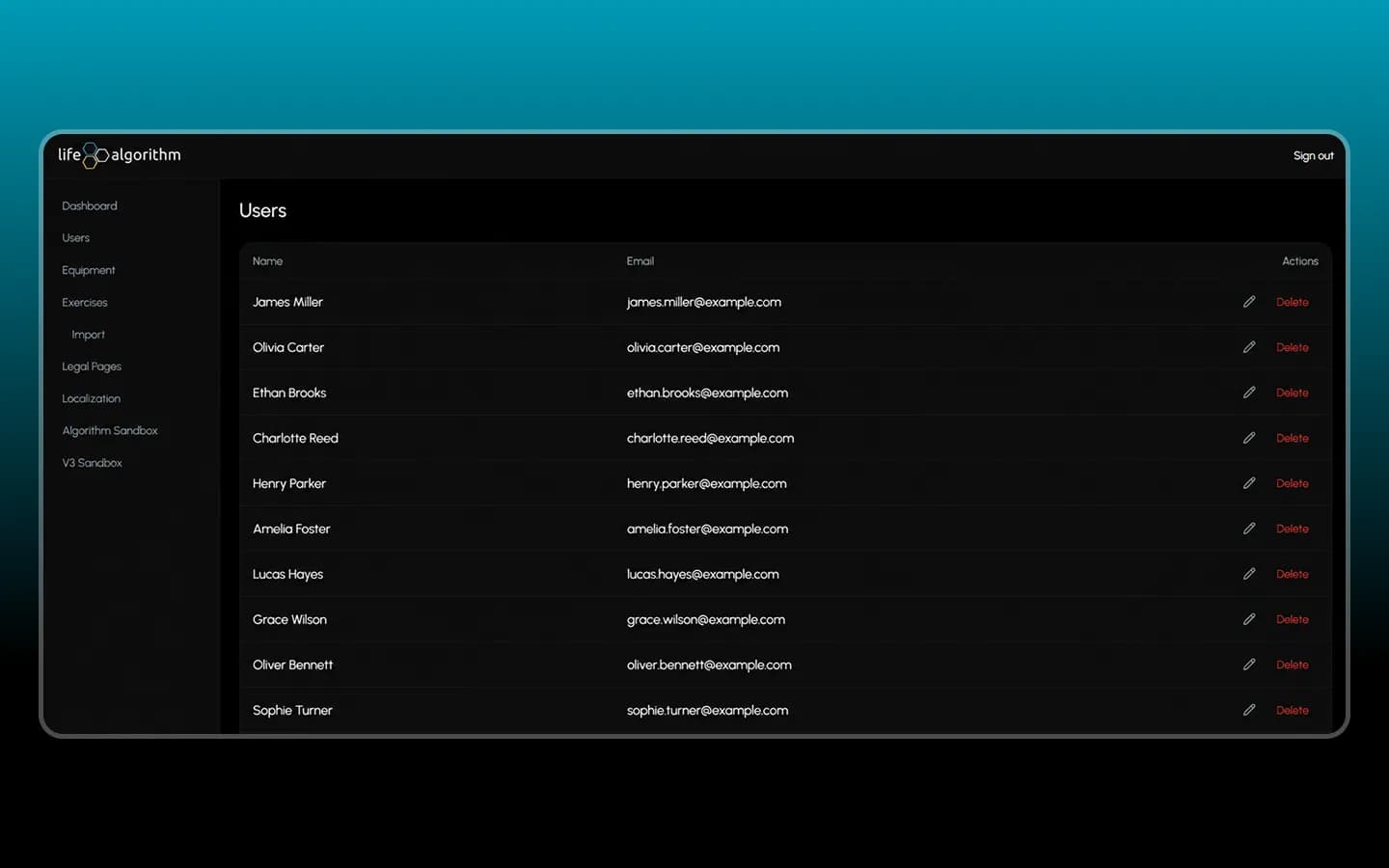
Users and more
A user list with edit and delete actions, plus sections for exercise import, legal pages, localisation and a sandbox for testing the algorithm.
Architecture
Three parts, one logic
Mobile app
Onboarding, guided workouts, library, stats, profile and subscription.
Workout generator
Rules for recovery, split, slots, sets and exercise scoring.
Web admin panel
Users, equipment, exercises, legal pages, localisation and an algorithm sandbox.
Results
A fitness product with a real engine
Life Algorithm doesn't hand out a fixed plan. It decides every day what fits the user's time, equipment and recovery, and shows why.
- Workouts generated from profile, equipment, duration and recovery status.
- Video guidance with warm-up, supersets, logging and a session summary.
- Exercise data maintained in the admin panel, without code changes.
More projects
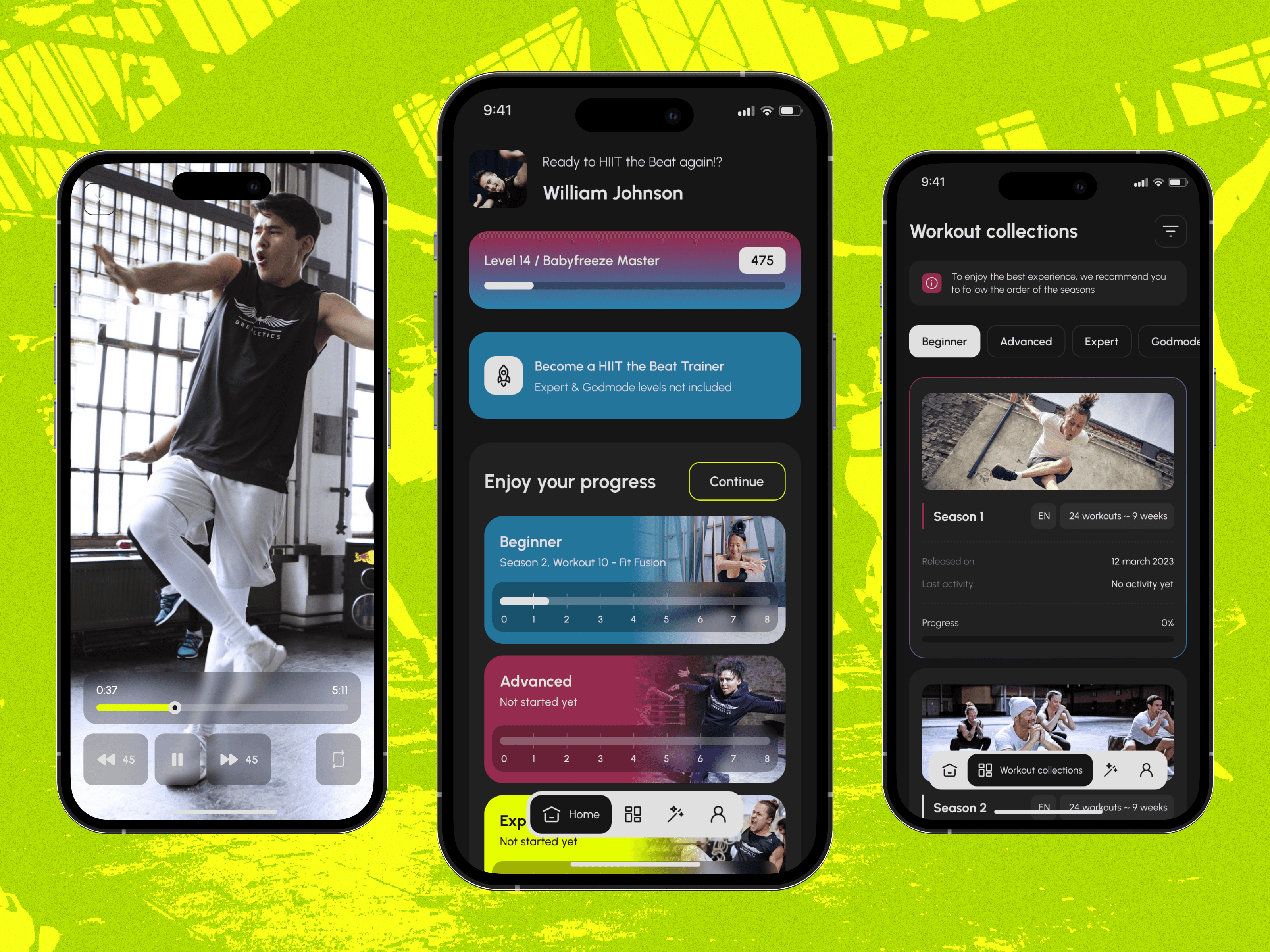
 Fitness
Breakletics HIIT the Beat
Fitness app that combines high-intensity interval training with breakdance moves.
 Wellbeing
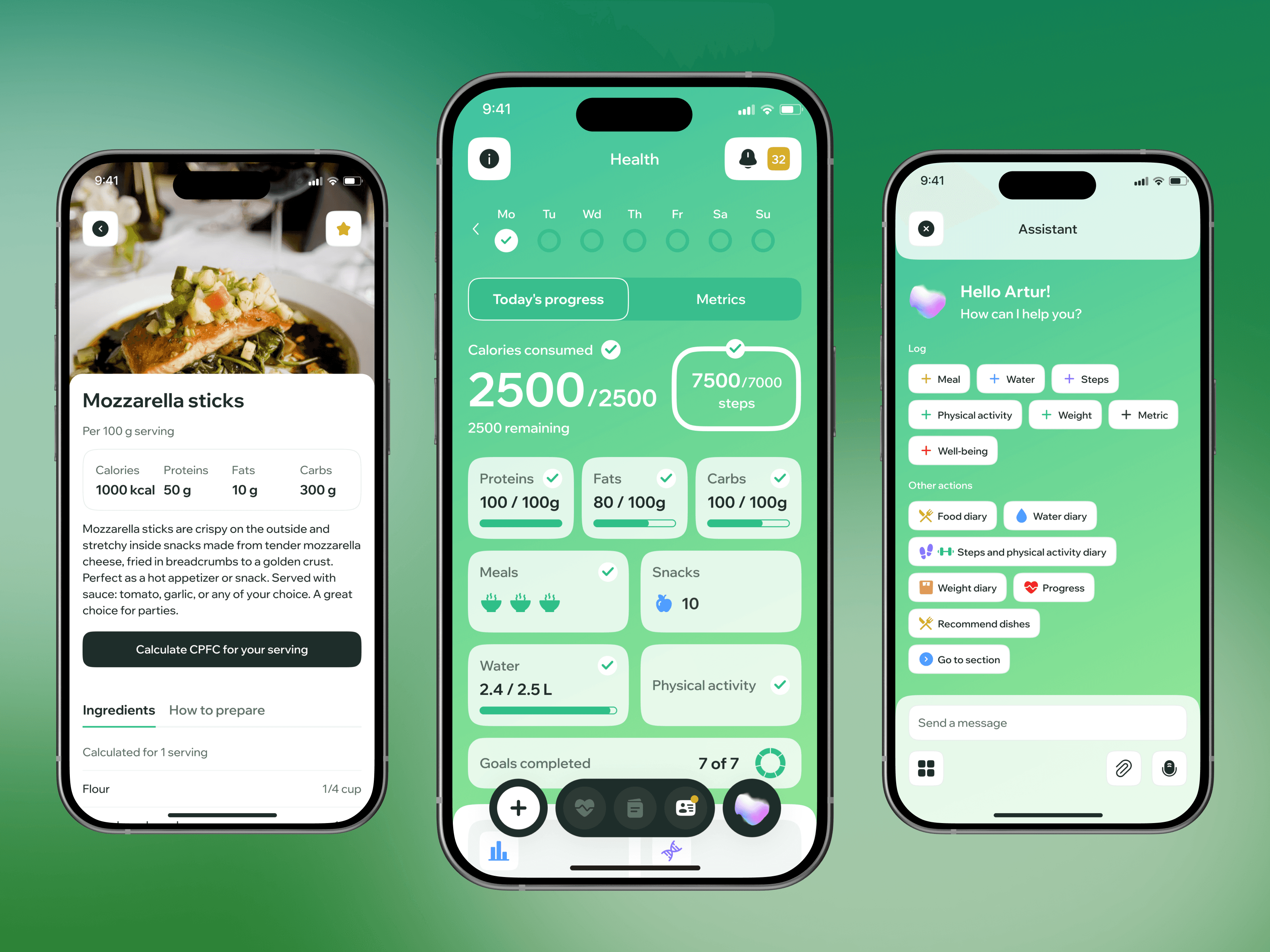
Wellup
Wellness app for training and nutrition routines with a focus on motivation and daily habits.
 Sport
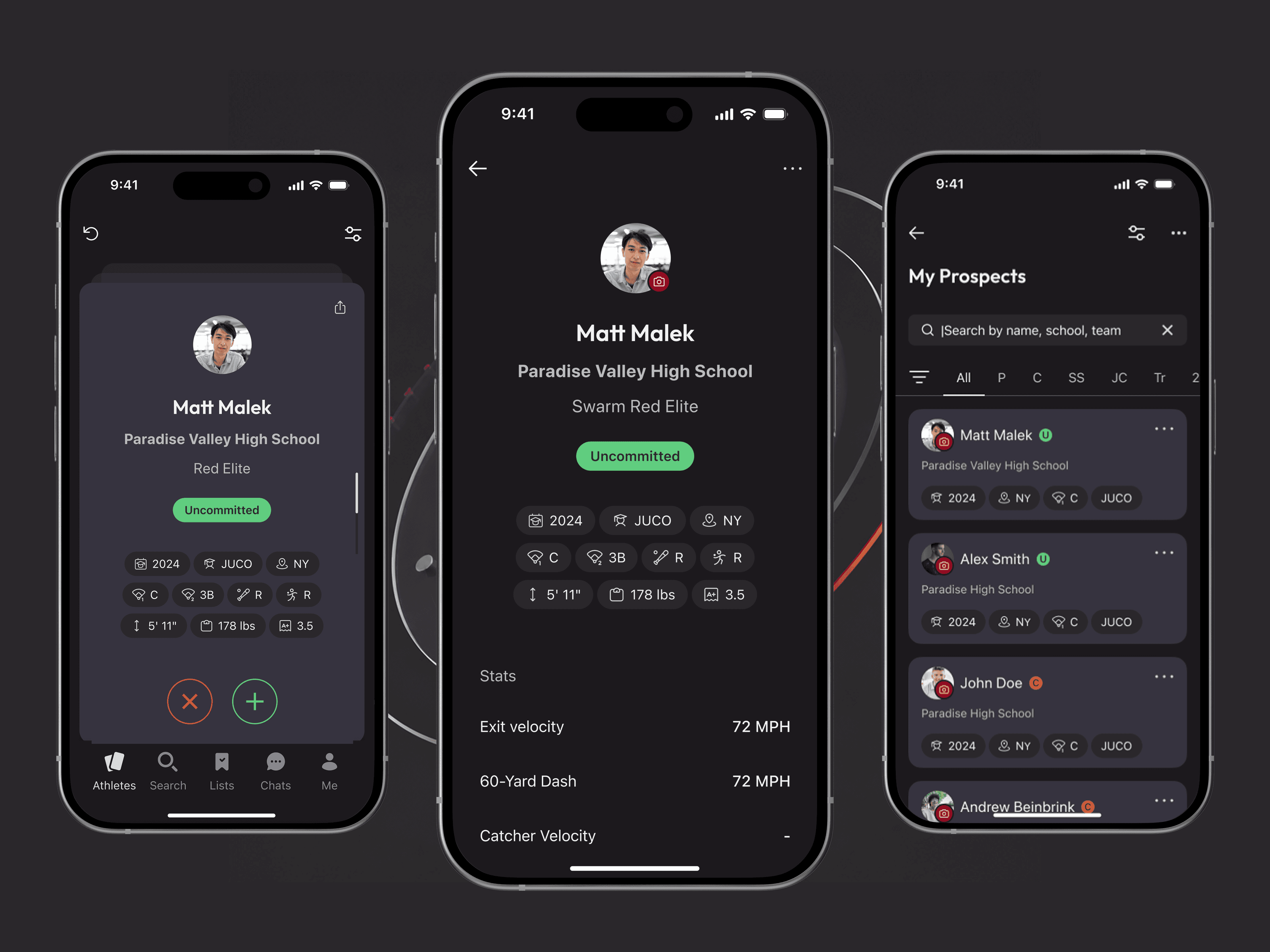
SportSportsForce
Mobile Tinder for sports recruiting: a FlutterFlow app with custom swipe widget, matching, ranking and Supabase backend.
Let’s discuss your project
Free and non-binding — book a slot straight away or drop us a message.

Dennis Polevik
CEO
Free intro call with Xmethod
- Free, no obligationNo obligation and no cost
- Straight with the teamStraight with the team, no sales reps in between
- A concrete next stepYou leave with a concrete next step
Dennis Polevik
CEO
Let's discuss your project
What happens next?
- Reply within 1 business dayWe review your project and get back to you within 1 business day
- Short call on your goalsWe hop on a short call to align on scope and goals
- Clear proposal, no obligationYou get a clear proposal — no obligation, no pressure