CalMePleaseAI nutrition and calorie tracking app
Log meals in the way that feels natural, understand the nutritional result and follow a personal plan with AI feedback
 GermanyCountry
CalMePlease is a mobile nutrition app that combines flexible meal logging, calorie and nutrient tracking, personal goals and an AI assistant. Users can record food through photos, voice, video, barcode scanning or manual entry, review the nutritional result and understand how each meal fits into their daily plan. Xmethod designed, developed and tested the application.
What we did
Tasks
- 1Collect personal parameters and activity level for an individual nutrition plan
- 2Support photo, voice, video, barcode and manual meal entry
- 3Present calories and nutrients in a clear daily overview
- 4Connect AI meal analysis with practical feedback and journal entries
- 5Show progress through period-based charts and a summary score
- 6Implement premium access and consistent light and dark appearances
The project at a glance
Challenge
Nutrition tracking often turns every meal into data entry. The product needed to support different logging habits while keeping calories, nutrients, goals and AI guidance understandable in one daily experience.
Solution
A focused Flutter interface connects five input methods with meal analysis, a nutrition journal, progress charts and an AI assistant whose communication style the user can choose.
Result
CalMePlease provides a consistent path from personal setup and food capture to nutritional feedback, daily totals and longer-term progress in both light and dark appearances.
5
meal-logging methods
3
AI assistant communication styles
2
interface appearances: light and dark
3
project phases: design, development and testing
The product
One daily nutrition experience instead of scattered tools
CalMePlease brings personal setup, food capture, meal analysis, journal entries and progress tracking into one mobile flow. The core design problem was not simply to show more nutrition data. It was to make the next action obvious: record a meal, understand the result, save it to the journal and see how the day changes against an individual target.
Flexible input
Users can choose the fastest logging method for the situation instead of completing the same form every time.
Readable feedback
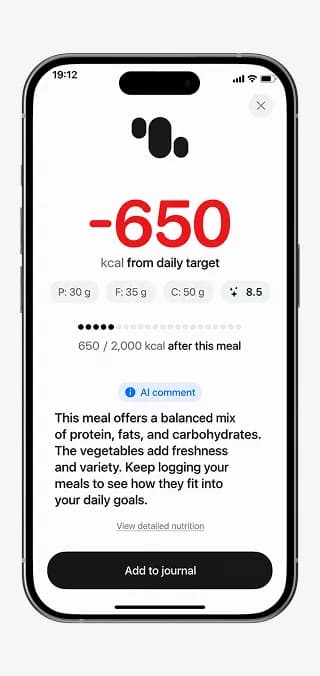
Large calorie figures, compact nutrient indicators and AI comments keep detailed information easy to scan.
Personal context
Goals, activity level, BMI and communication preferences shape how the app presents guidance.
The goal
Make nutrition tracking easier from input to understanding
The application needed to connect several meal-entry methods with clear progress indicators, personal goals and accessible AI feedback. Each individual screen had to stay simple, but all of them had to contribute to the same mental model: what has been eaten, what remains for the day and what action will move the user closer to the plan.
Onboarding and personal plan
Focused setup turns personal data into a usable target
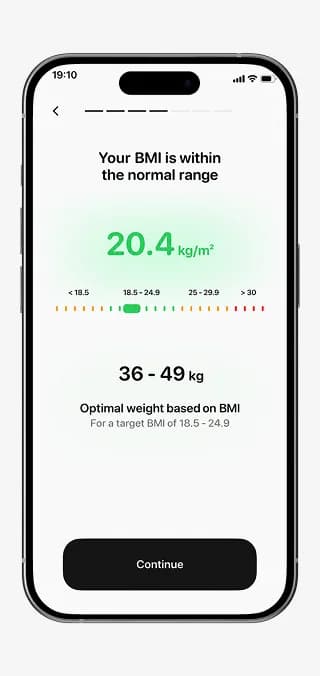
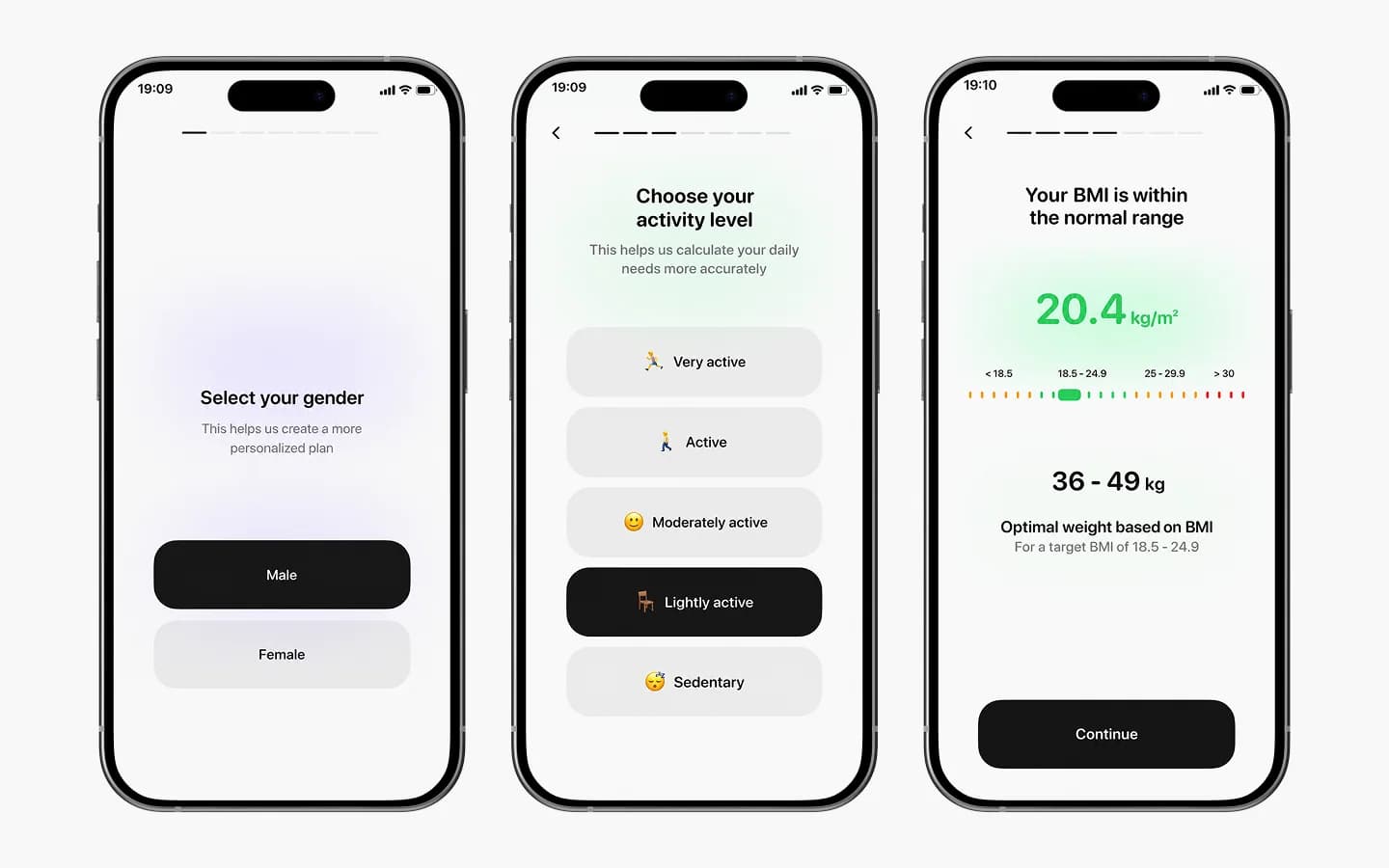
The onboarding flow asks for gender, activity level and other personal parameters through focused steps with visible progress. A BMI summary places the calculated result on a scale and shows an optimal range before the user continues. This provides the context for personal calorie and nutrition targets without presenting a dense form all at once.
AI assistant
The user chooses how feedback should sound
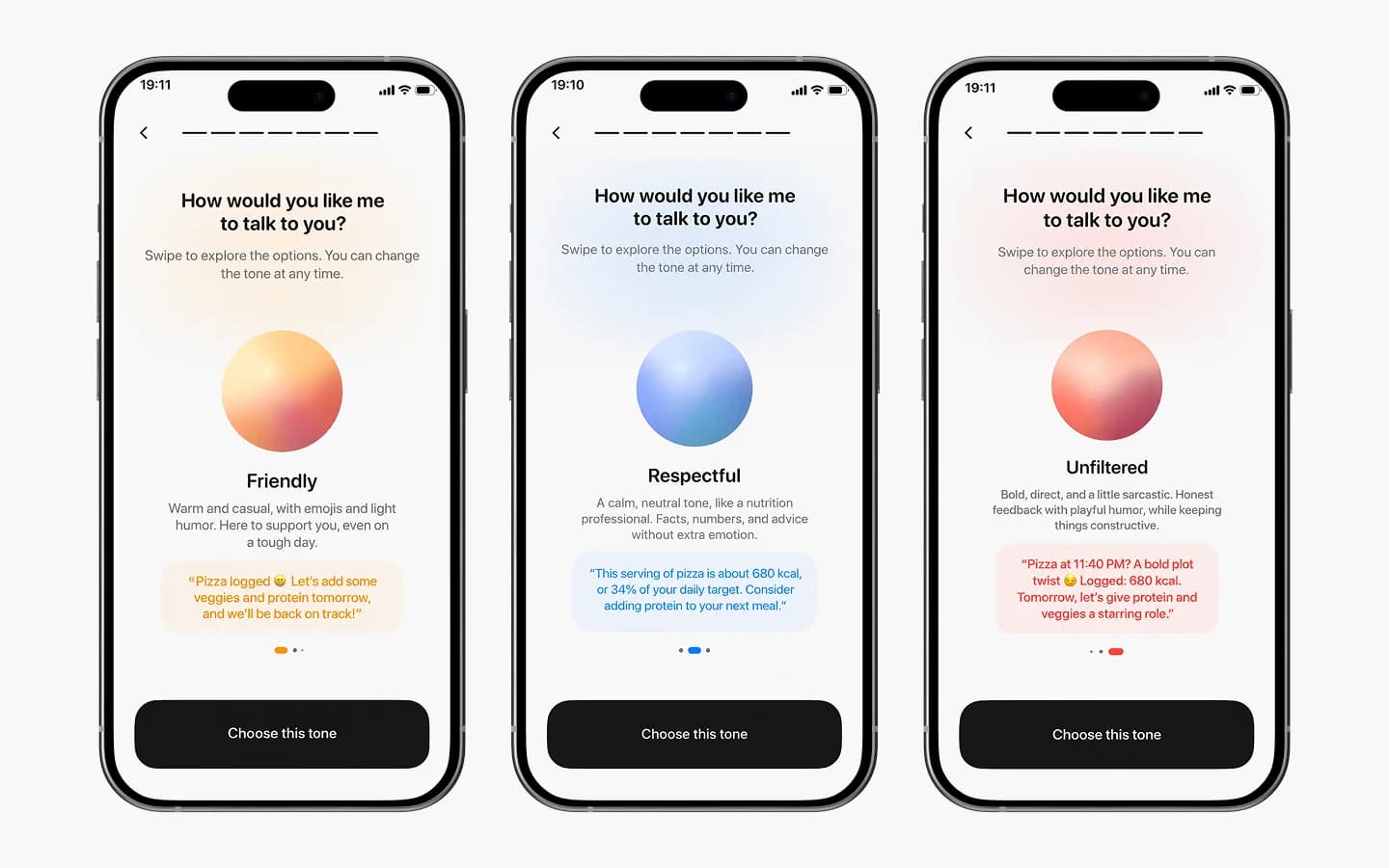
CalMePlease offers friendly, respectful and unfiltered assistant styles. Every option includes a concise description and an example response, so the choice is based on an understandable difference rather than a vague label. The selected tone adds a personal dimension to feedback across the app while the underlying nutrition information stays consistent.
Daily overview and progress
Daily actions remain connected to the longer-term picture
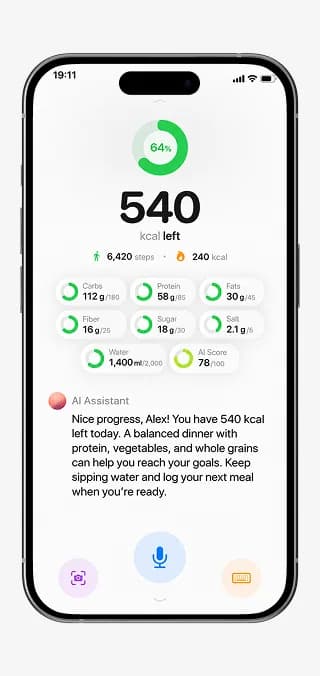
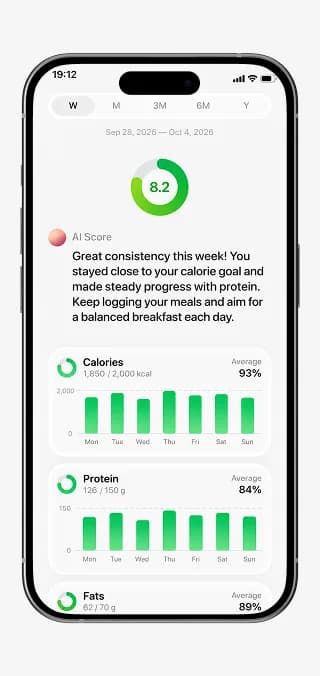
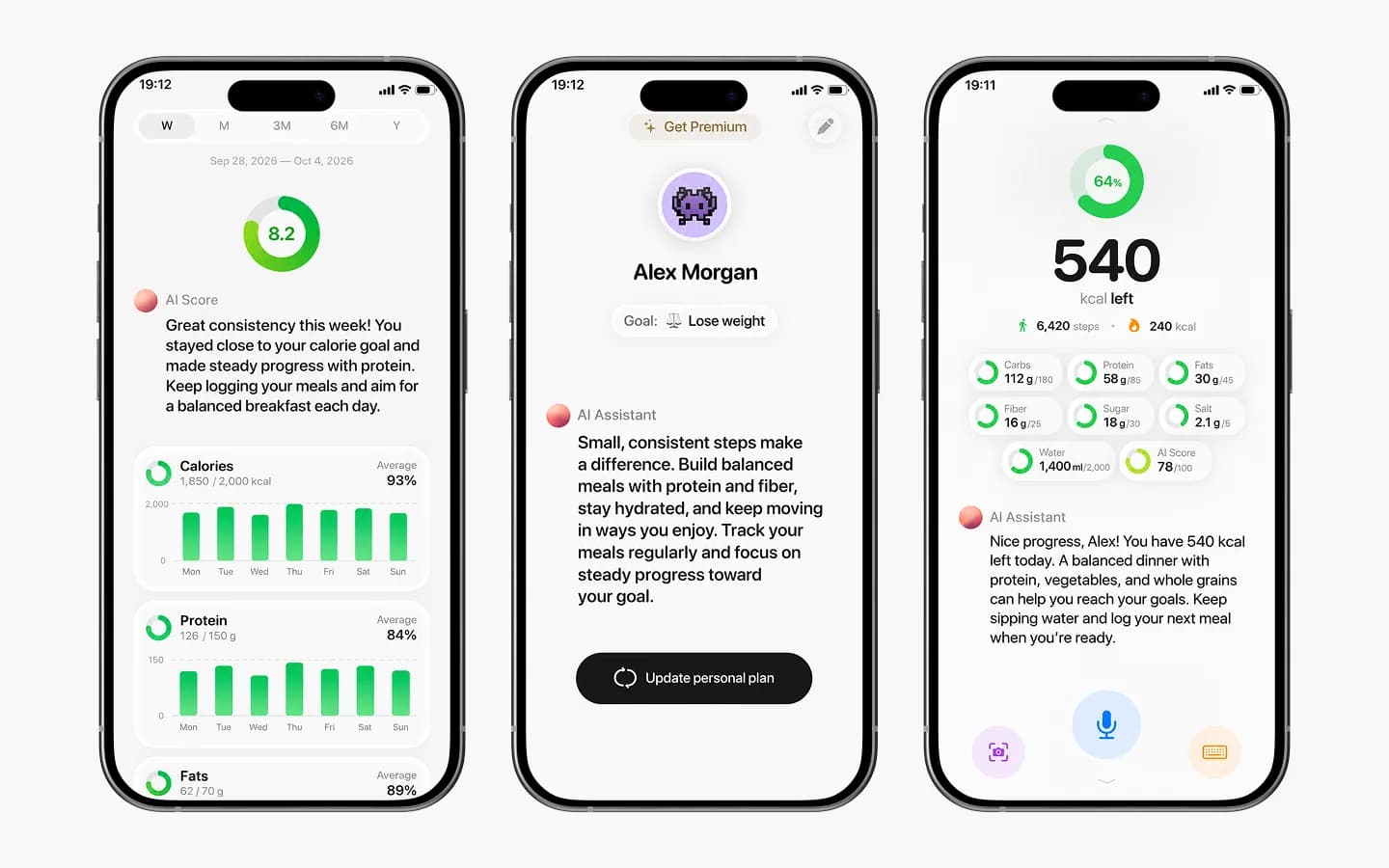
The dashboard combines remaining calories, macro nutrients, water, activity figures and AI feedback in one view. The profile keeps the current goal and personal plan accessible, while the statistics area presents period-based charts and a summary score. Users can move from today's decisions to a broader view of progress without losing the same information hierarchy.
Meal logging and analysis
Five input methods lead to one clear nutritional result
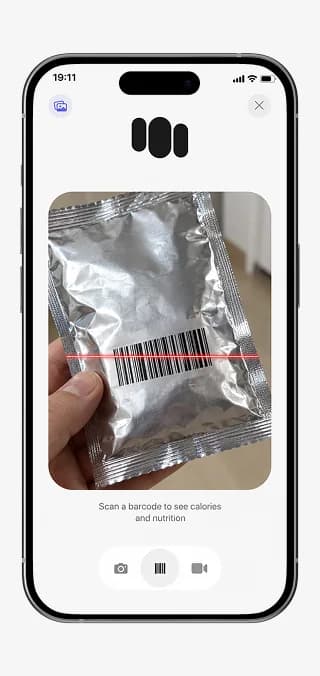
A meal can be described manually or captured through a photo, voice, video or barcode. After processing, the analysis presents estimated calories and nutrients beside an AI comment and gives the user a chance to review details before adding the meal to the journal. The flow separates capture from confirmation, helping prevent an estimate from becoming a saved record without review.
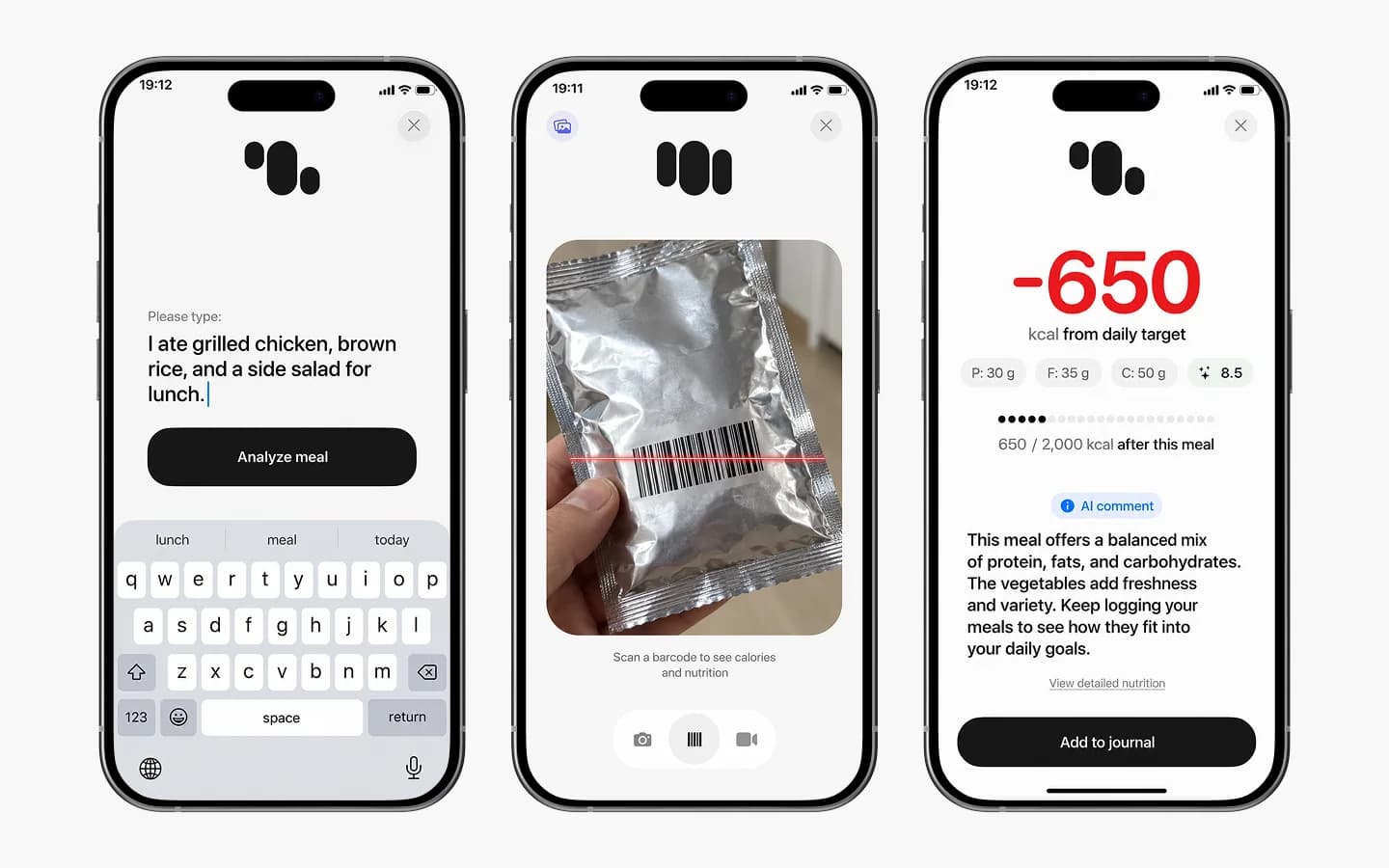
The same journal flow supports five ways to record a meal:
- Photo capture for visually identifying food
- Voice input for hands-free meal descriptions
- Video capture when a single photo is not enough
- Barcode scanning for packaged products
- Manual text entry for precise descriptions
Premium access and dark mode
Subscription choices and both themes share one hierarchy
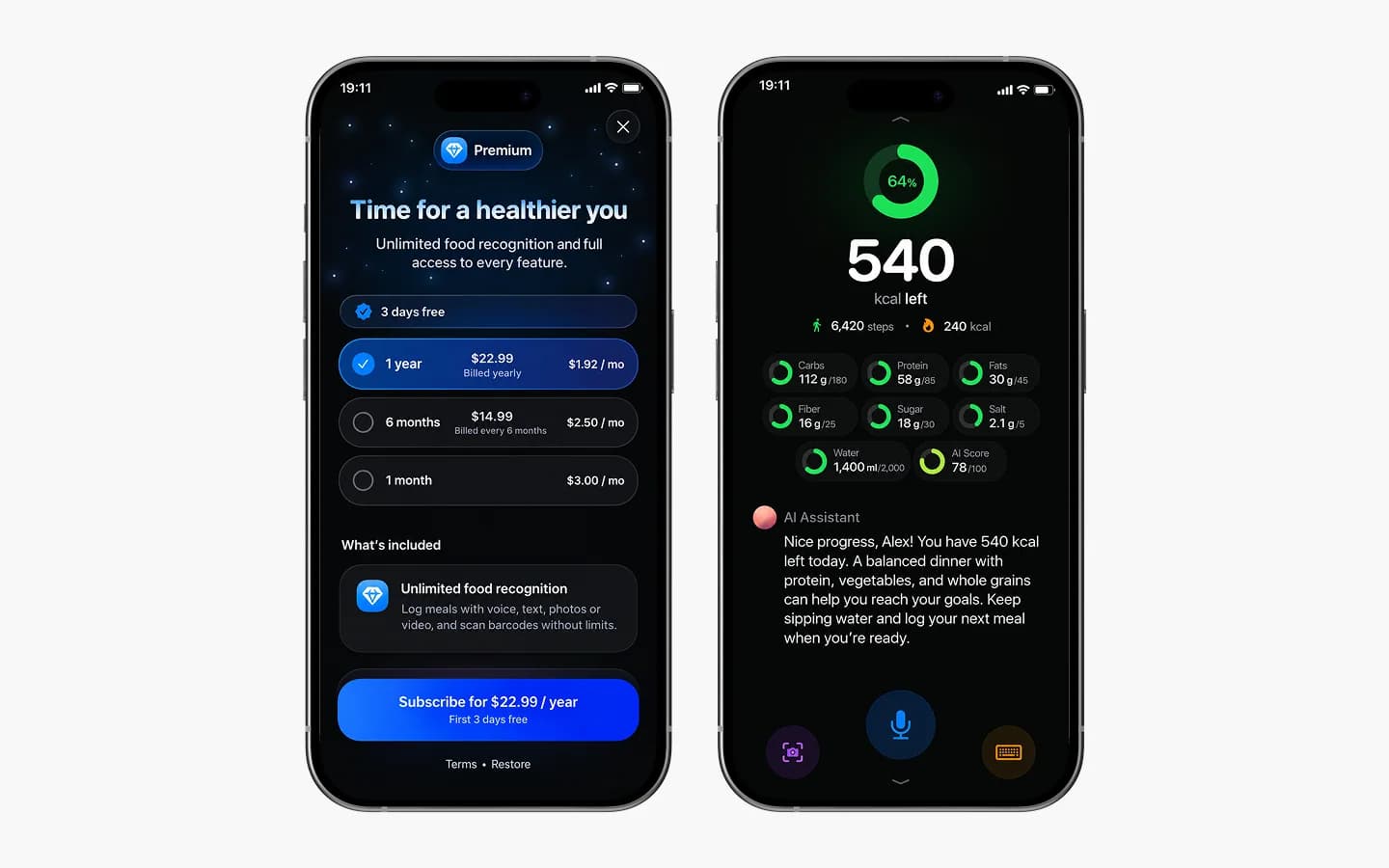
The premium screen presents subscription duration, pricing, trial information, benefits, purchase action and restoration in one place. The accompanying dark dashboard preserves the same calorie and nutrient structure as the light version. Familiar positions and contrast keep the experience readable instead of turning dark mode into a separate interface to relearn.
Development & testing
The full journey was tested as a connected system
Development connected personal setup, the different food inputs, AI analysis, journal records, daily totals, progress tracking and subscription access. Testing covered the main user journeys, input validation, saving and displaying meals, updating totals and purchase flows. Navigation, loading, error and empty states were also checked across both interface appearances.
Result
A consistent foundation for everyday nutrition tracking
The result is a nutrition app that turns several ways of recording food into one understandable daily routine. Users can choose a convenient input, review the estimated nutrition information, save the meal and follow progress through summaries and charts. Personal goals and adjustable AI communication make the feedback feel relevant without changing the clarity of the underlying data.
More projects
 Healthcare
Empathia
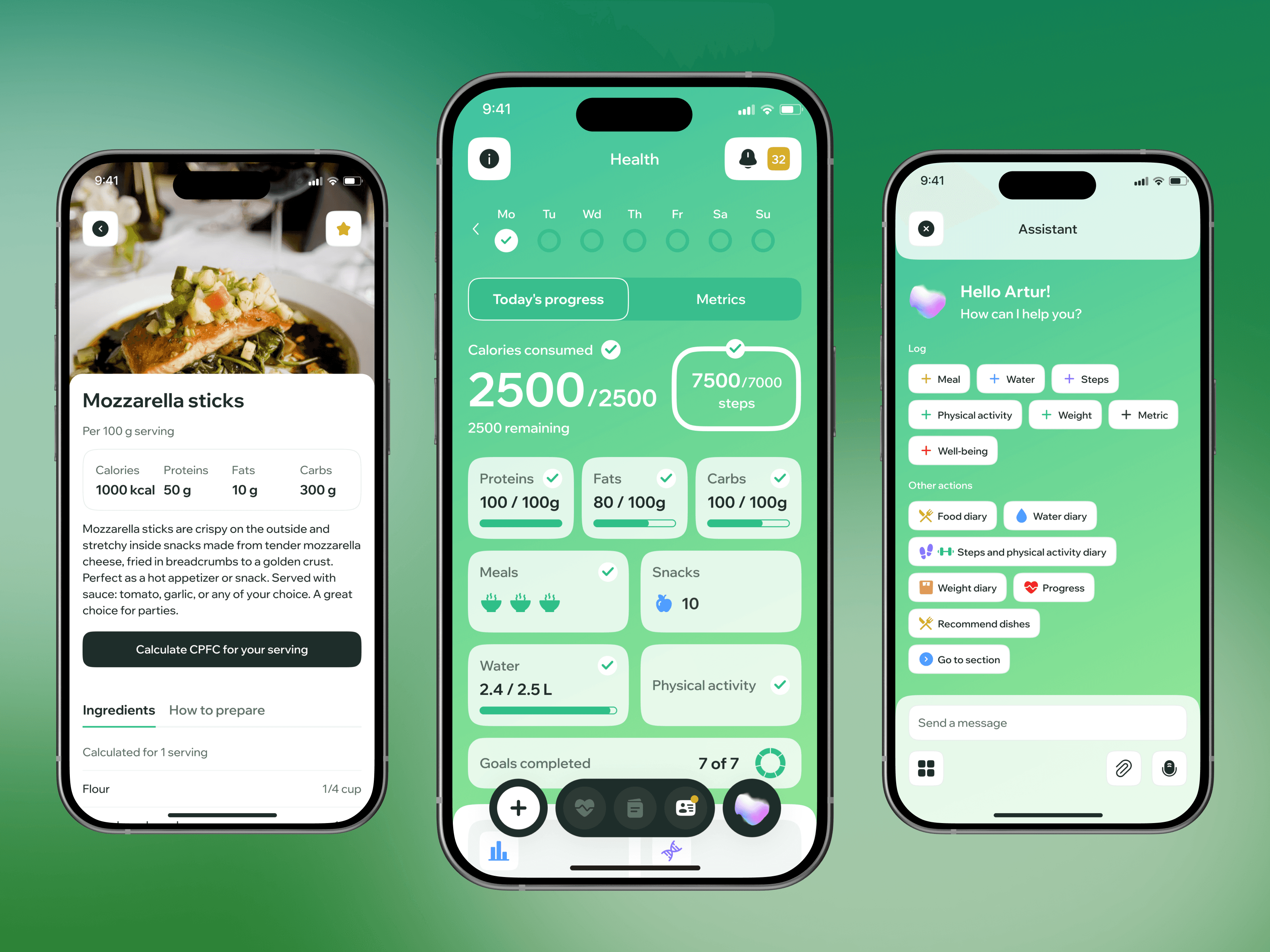
AI-powered nutrition and health tracker built with a bariatric surgeon: one chat instead of five separate apps.
 Wellbeing
Wellup
Wellness app for training and nutrition routines with a focus on motivation and daily habits.
 Healthcare
RaedHealth
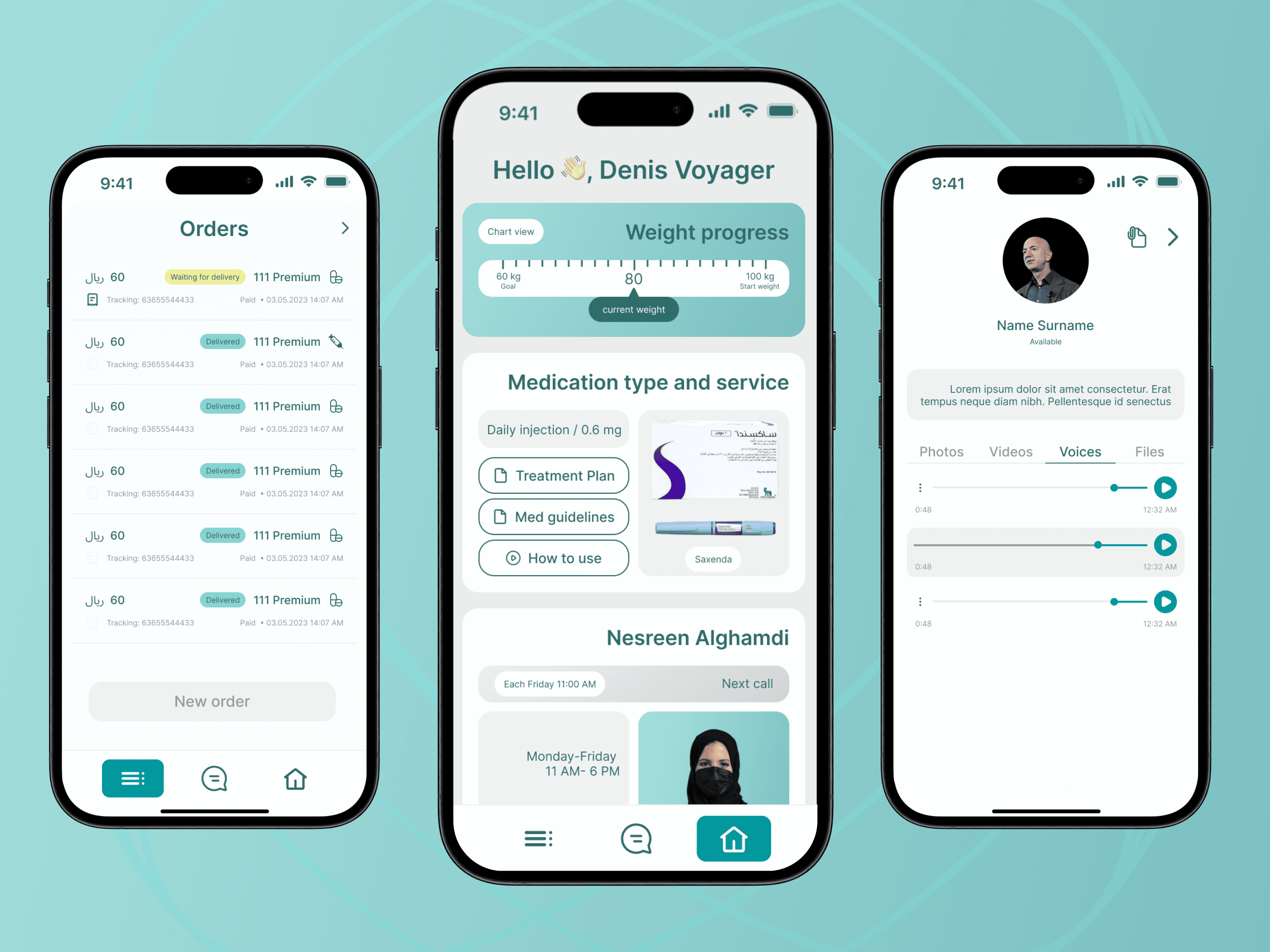
Premium HealthTech app for Saudi patients: Arabic RTL experience, English dietitian panel, and Zoho CRM, WhatsApp and payment integrations.
Let’s discuss your project
Free and non-binding — book a slot straight away or drop us a message.

Dennis Polevik
CEO
Free intro call with Xmethod
- Free, no obligationNo obligation and no cost
- Straight with the teamStraight with the team, no sales reps in between
- A concrete next stepYou leave with a concrete next step
Dennis Polevik
CEO
Let's discuss your project
What happens next?
- Reply within 1 business dayWe review your project and get back to you within 1 business day
- Short call on your goalsWe hop on a short call to align on scope and goals
- Clear proposal, no obligationYou get a clear proposal — no obligation, no pressure