
Fokus NachhilfeTutoring management system for a Swiss marketplace
One system for lesson booking, time tracking, billing and tutor payouts, replacing a chain of spreadsheets and integrations.

Fokus Nachhilfe matches students with tutors across Switzerland. Its operations ran on HubSpot, Zapier and Excel held together by hand. We kept the business logic that worked and moved every operational process into one Training Management System: a portal for tutors and a back office for the team.
What we did
Tasks
- 1Consolidate students, tutors, lessons and packages in one system
- 2Automate time tracking and payout calculations
- 3Implement the 24-hour cancellation rule
- 4Design and build a tutor dashboard
- 5Integrate CRM, spreadsheet and scheduling data sources
- 6Preserve the existing business logic during rollout
Team
- Business Analyst×1
- Backend Developer×1
- No-Code/WordPress Developer×1
- UI/UX Designer×1
- Project Manager×1
The project at a glance
Challenge
Every booking passed through CRM, Zapier and Excel. Packages, payouts and every reschedule were entered by hand, so growth meant more manual work.
Solution
A TMS with packages tracked to the minute, a 24-hour cancellation rule, automatic tutor payouts and commission, a tutor portal and dashboards for the team.
Result
Key processes, from a new request to the payout, run on one logic without constant manual supervision, and the business model stayed intact.
7,000+
tutors on the platform
4,000+
lessons per month
−30%
manual operational work
30,000+
lessons delivered
The client
A tutoring marketplace covering Switzerland
Fokus Nachhilfe connects students with tutors online and in person: schoolkids, university students, adults learning new skills and expats settling into the Swiss school system. Over 30,000 lessons and more than €1M in revenue so far. The platform earns a commission per lesson: a free trial lesson, then a package of 10, 20 or more lessons.
The challenge
A business run on spreadsheets
A request from the website landed in HubSpot, Zapier pushed it into a spreadsheet, and the team matched tutors manually. The goal: move this into a system that scales without scaling the team, and without breaking a model that already worked.
A chain of tools
HubSpot, Zapier and Excel, each holding part of the truth about one booking.
Money in Excel
Lessons, packages, payouts and commission were calculated by hand.
Every change is manual
A reschedule or cancellation meant re-entering and recalculating data.
Discovery & UX
Entities first, screens second
We started with the core entities: students, tutors, lessons, packages, minutes, payments and commission. The hard part was the links between them: one student can take lessons with several tutors inside one package, and the system must track the balance and split payouts correctly.
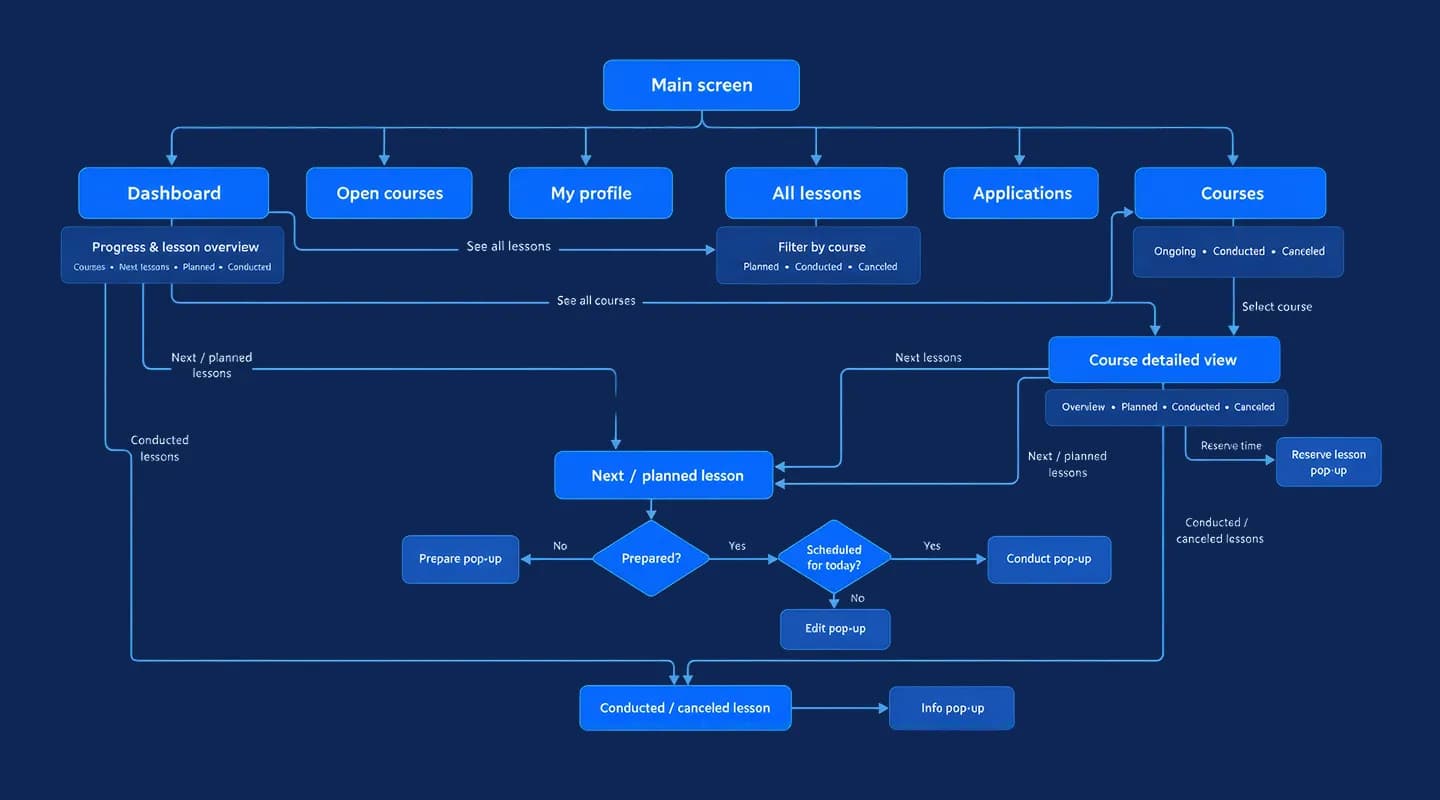
The tutor's path through the portal
From the main screen a tutor reaches the dashboard, courses, lessons, applications and profile. Every planned lesson follows the same logic: is it prepared, is it today, then conduct it, edit it or reserve a new slot.
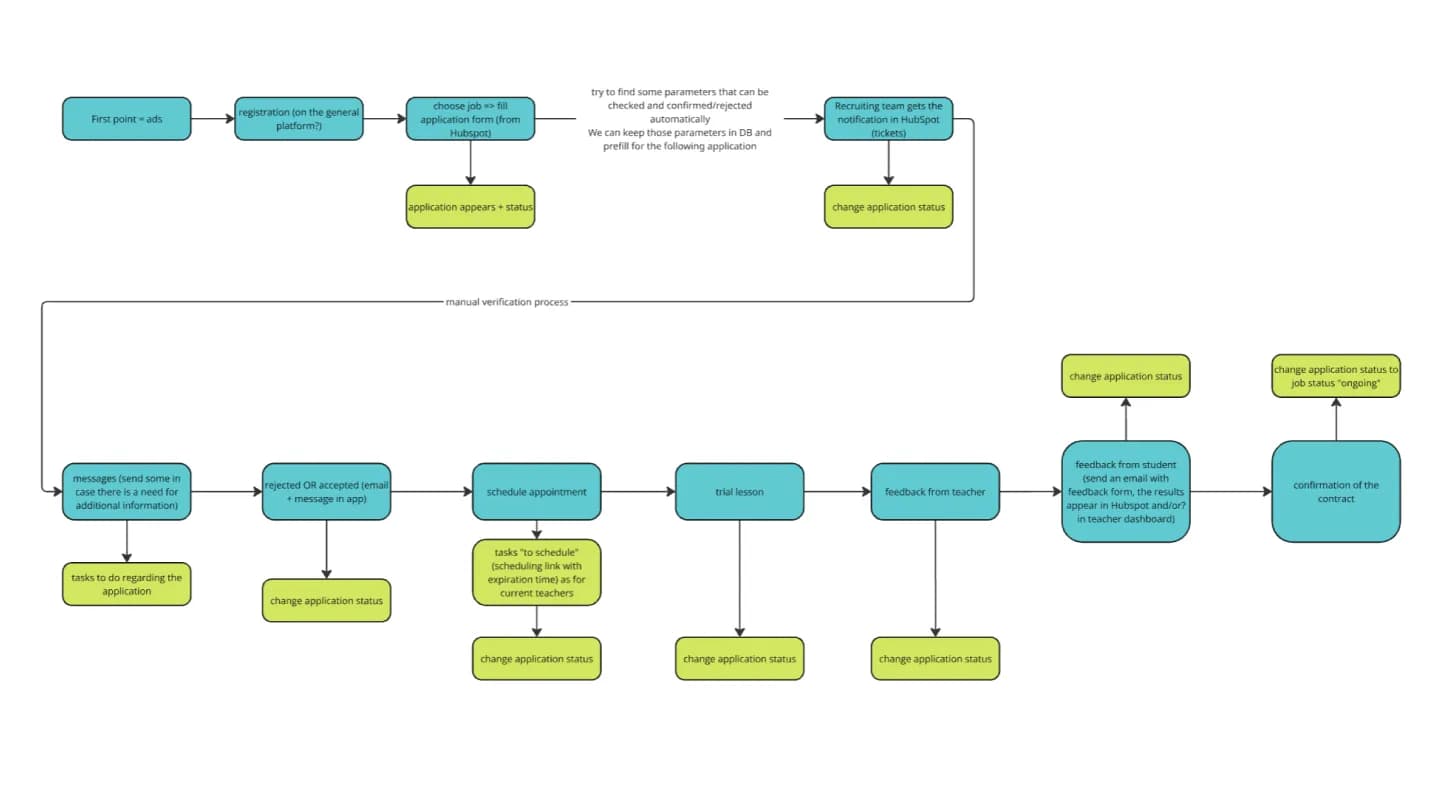
From application to contract
We mapped how a tutor joins: application via HubSpot, manual verification, acceptance, trial lesson, feedback from both sides and the contract. Each step changes a status the system can track instead of a note in a spreadsheet.
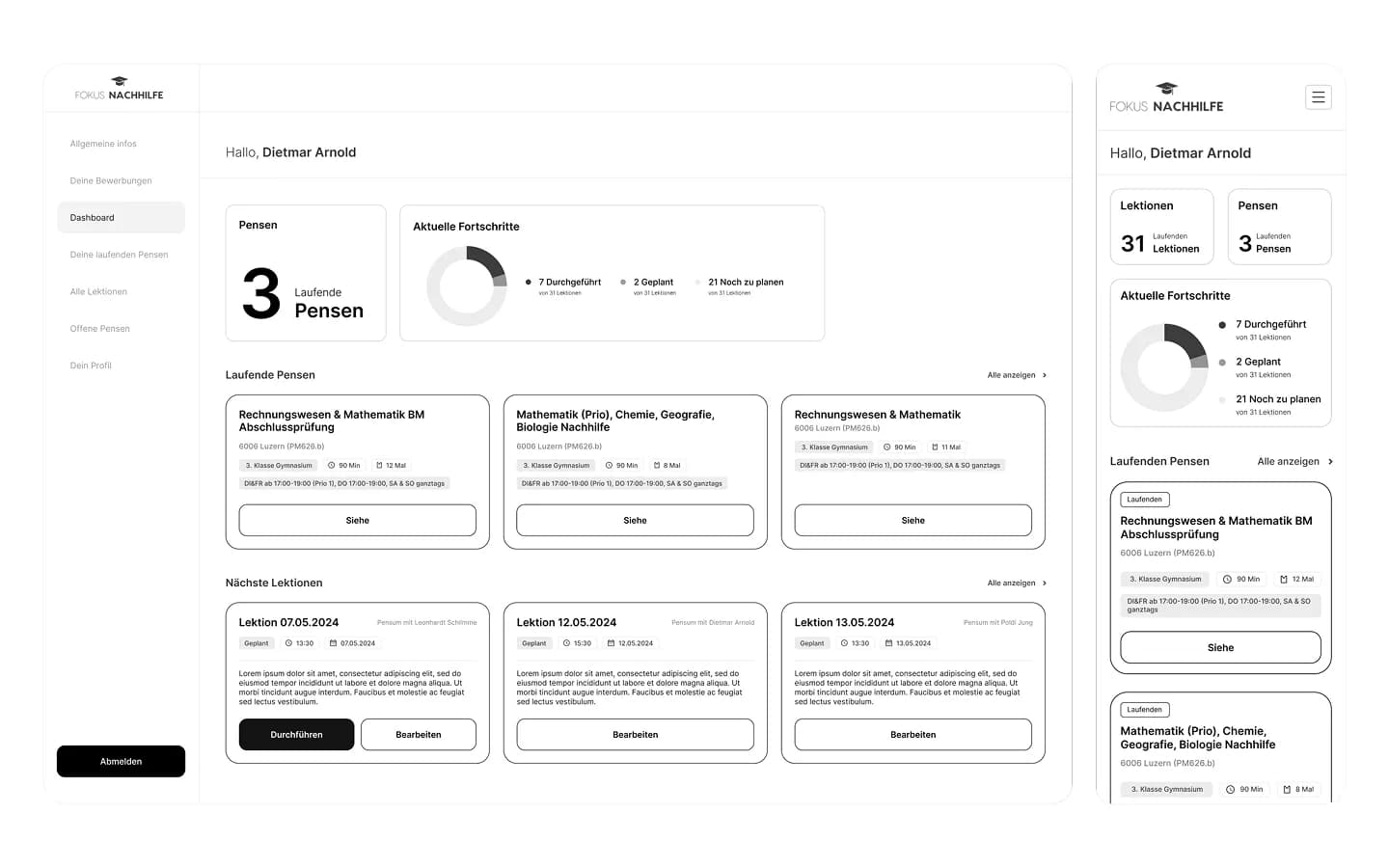
Wireframes for desktop and phone
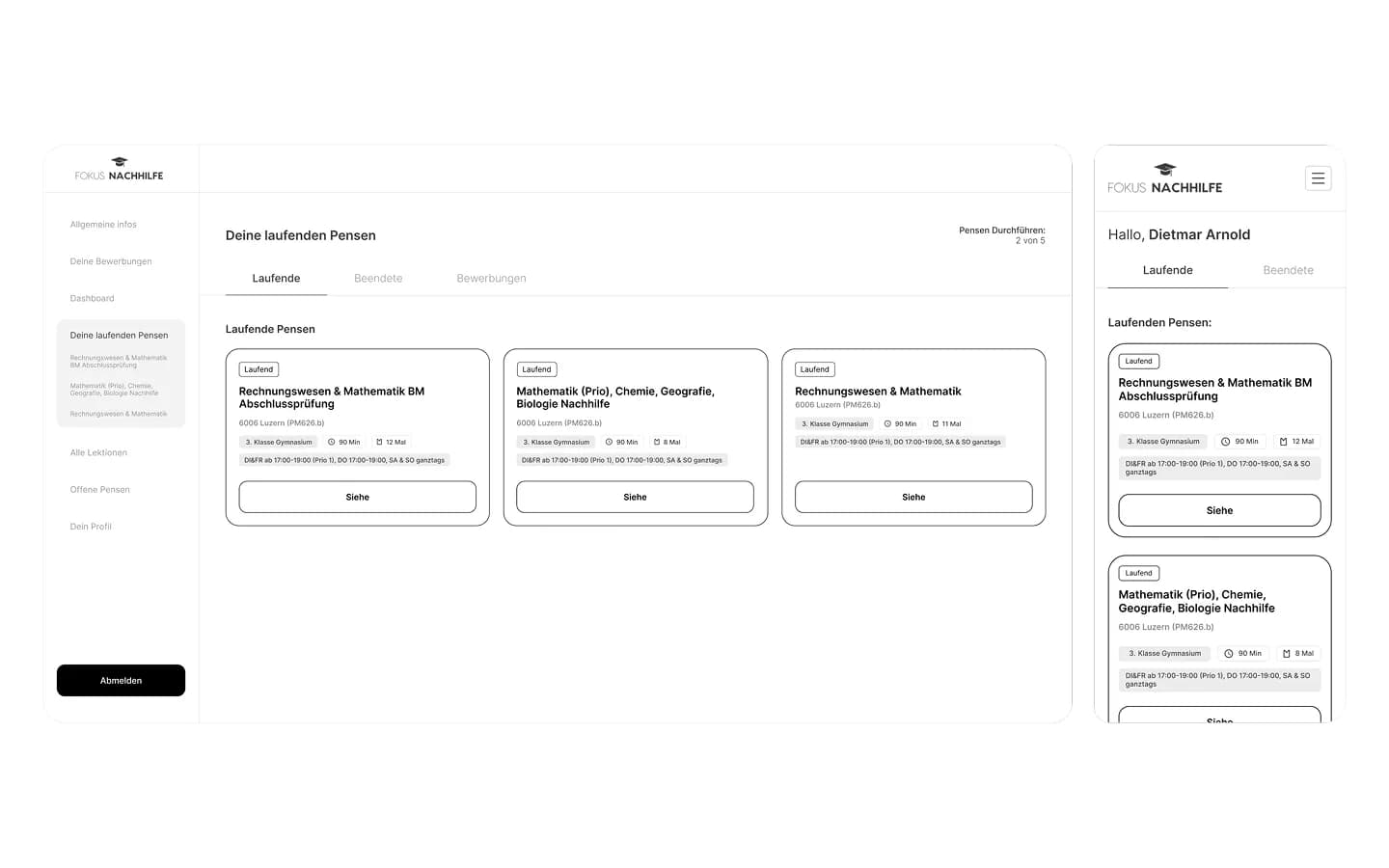
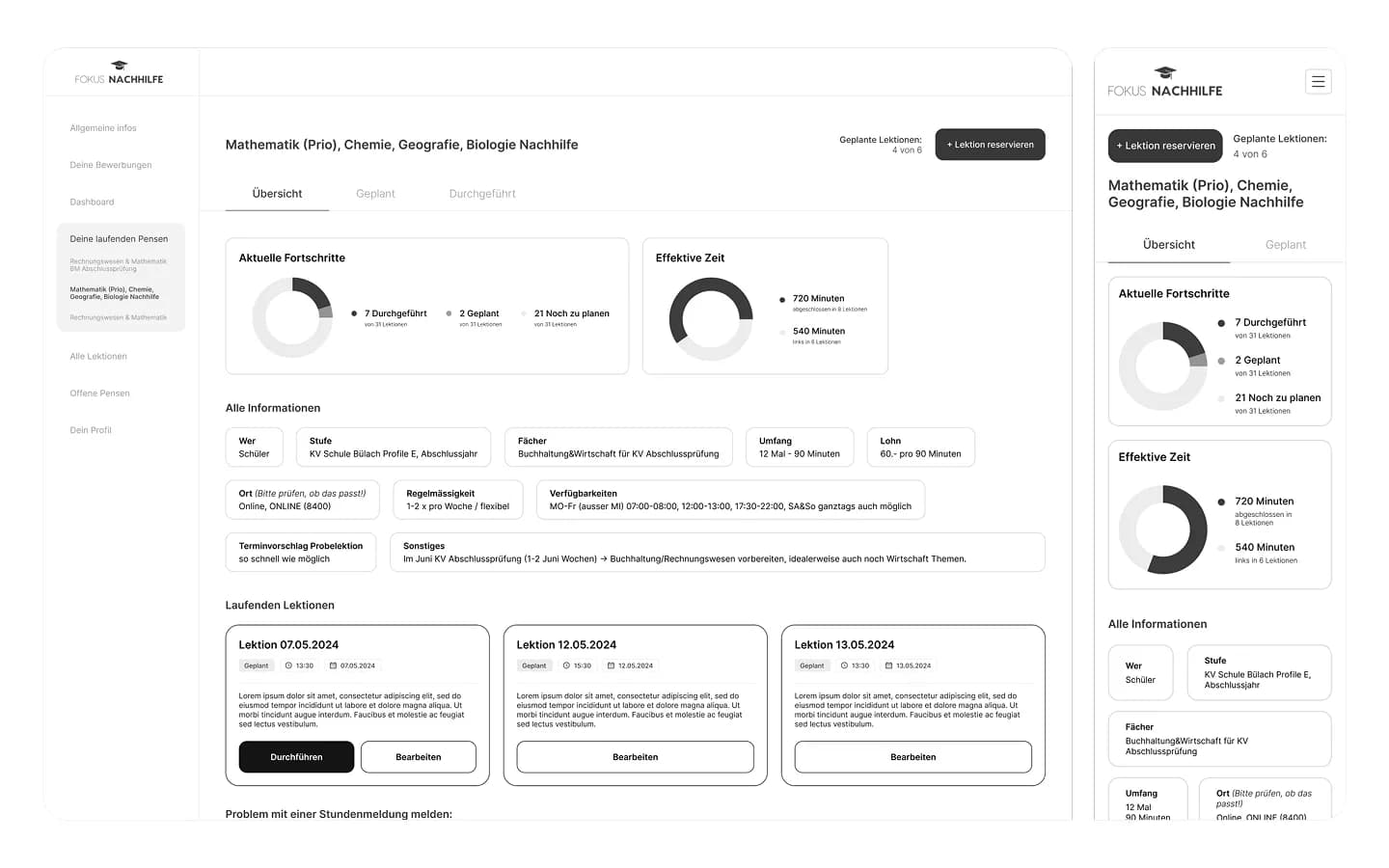
Dashboard, lesson overview and assignments were wireframed in grey for desktop and mobile side by side, so the portal works on the phone, where most tutors check their schedule.
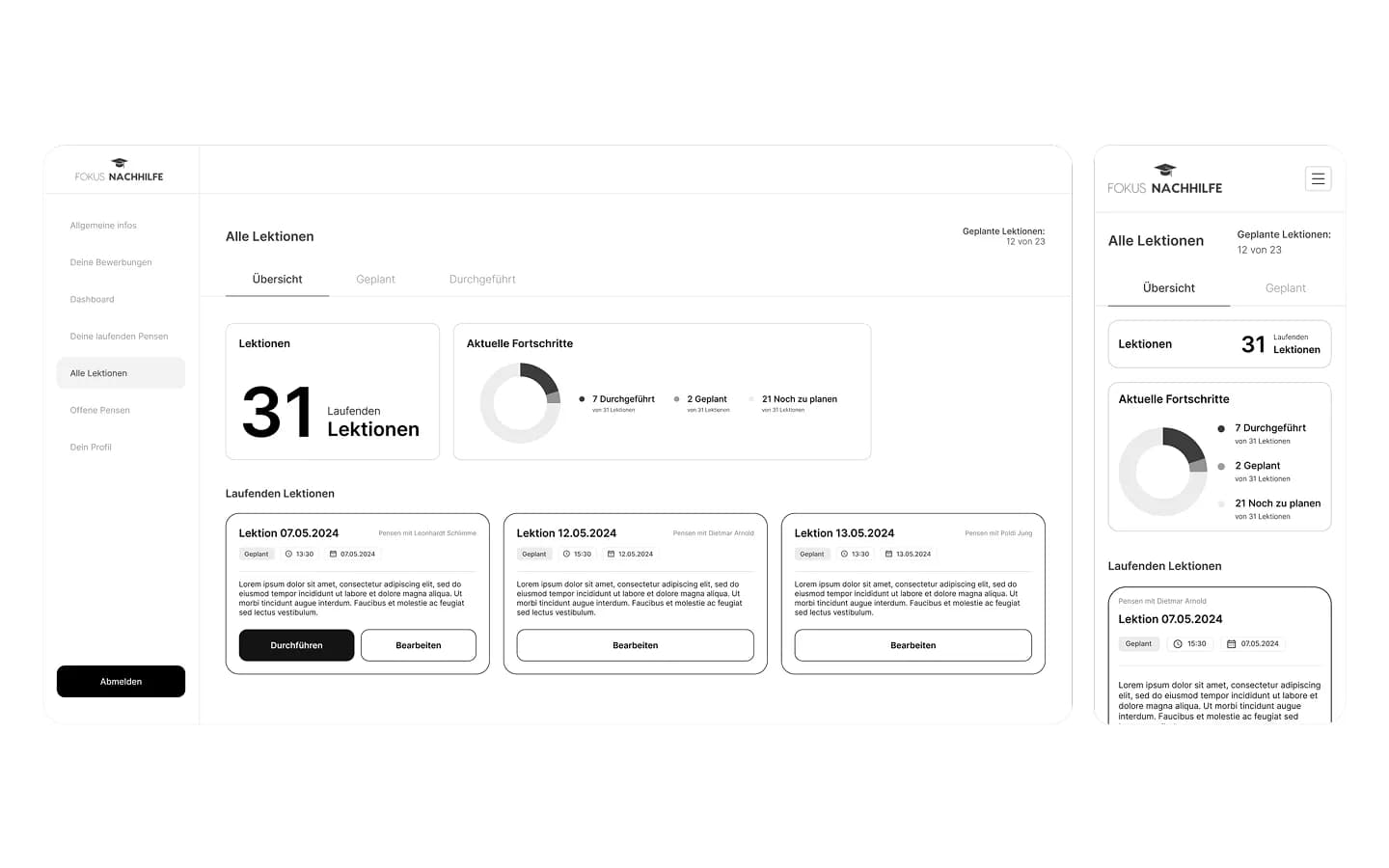
Assignments and lesson planning
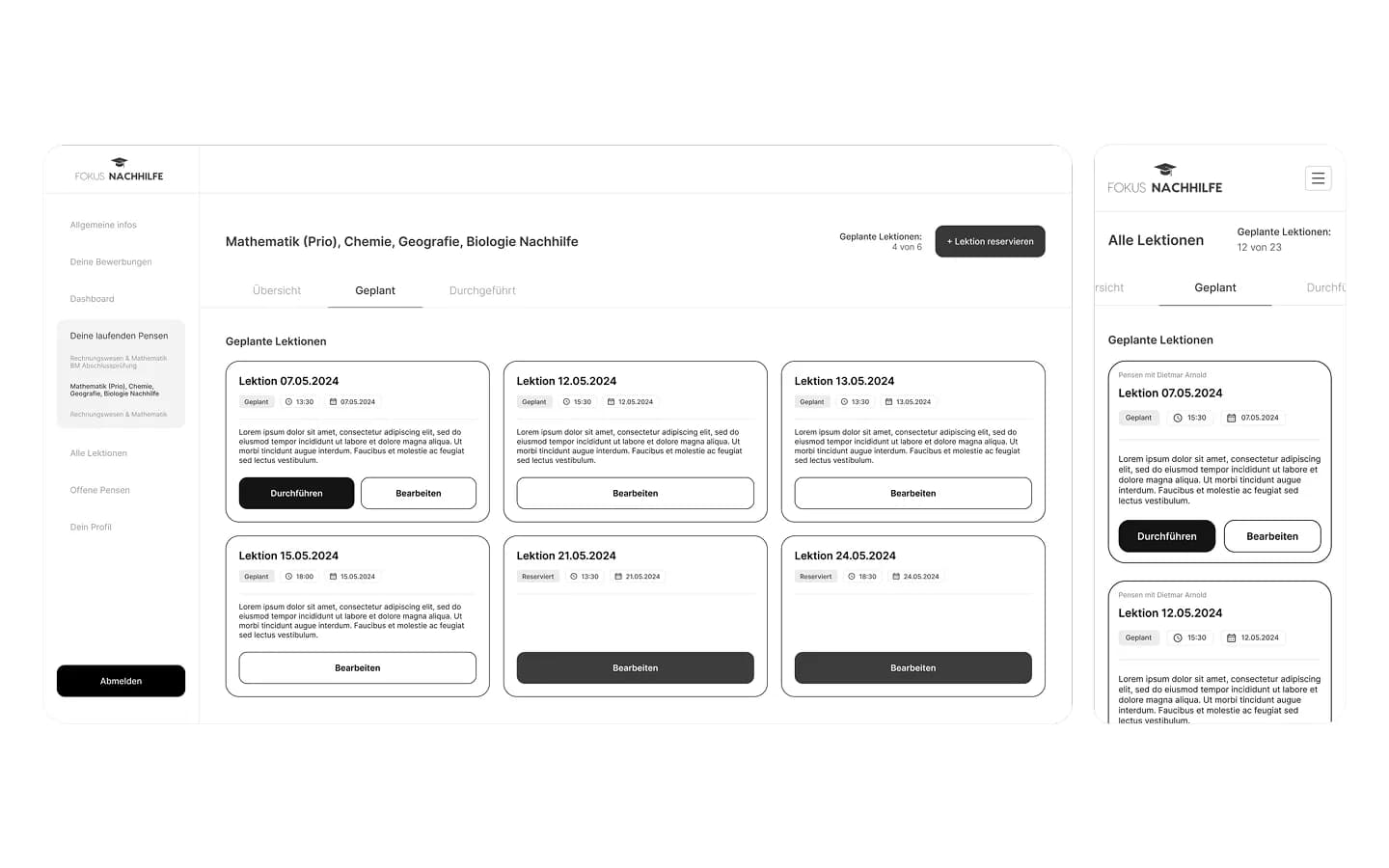
The list of running assignments, the assignment page with progress and effective time, and the planned lessons were tested as structure before any colour was added.
Planned and reserved lessons
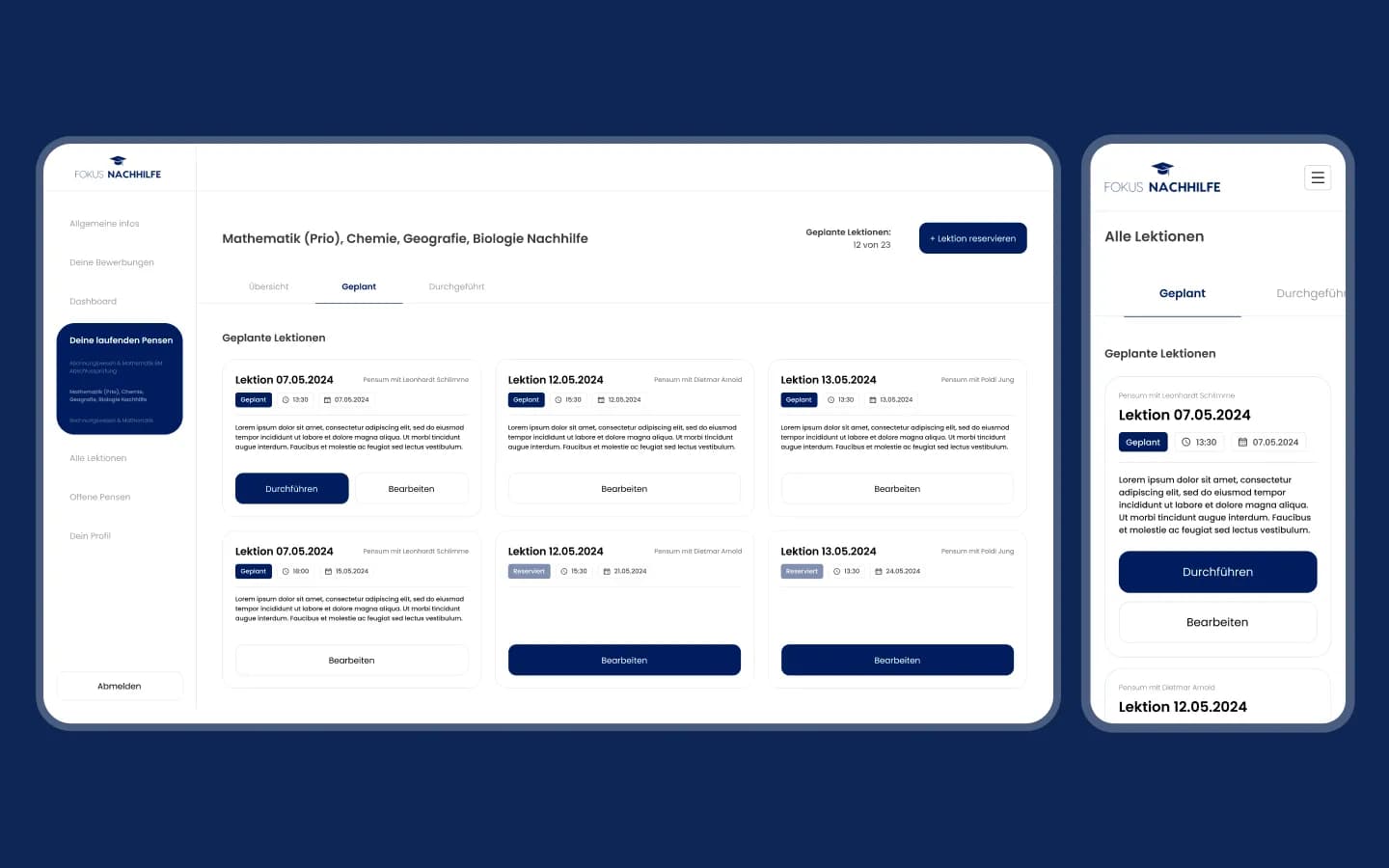
Lesson cards show date, time and status (planned or reserved) with one primary action, so a tutor never has to guess what to do next.
Tutor portal · desktop & mobile
Mission control for every tutor
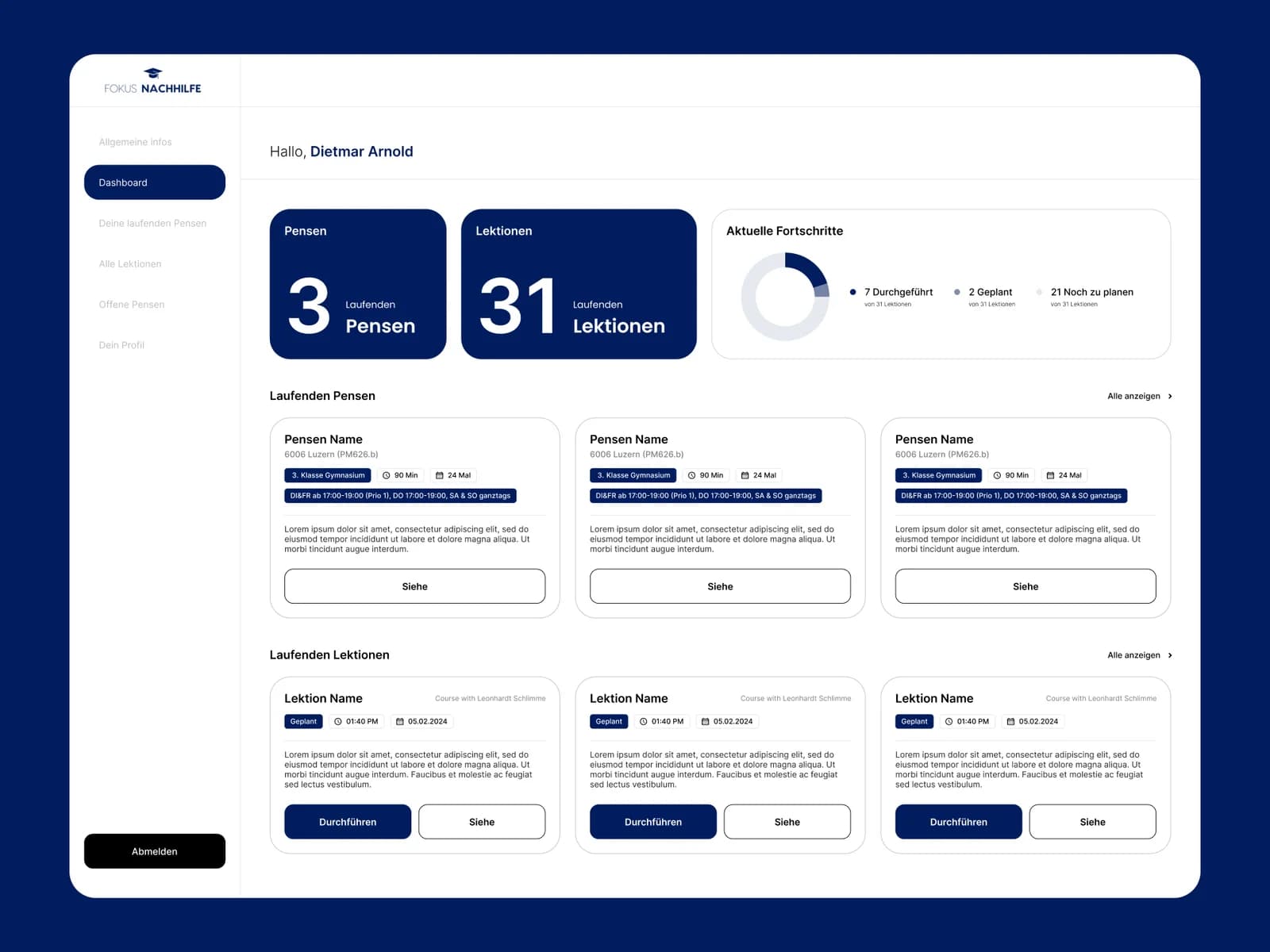
Blue and white with accent colours for lesson status, set in Poppins for readability on small screens. Each screen is built around one task.
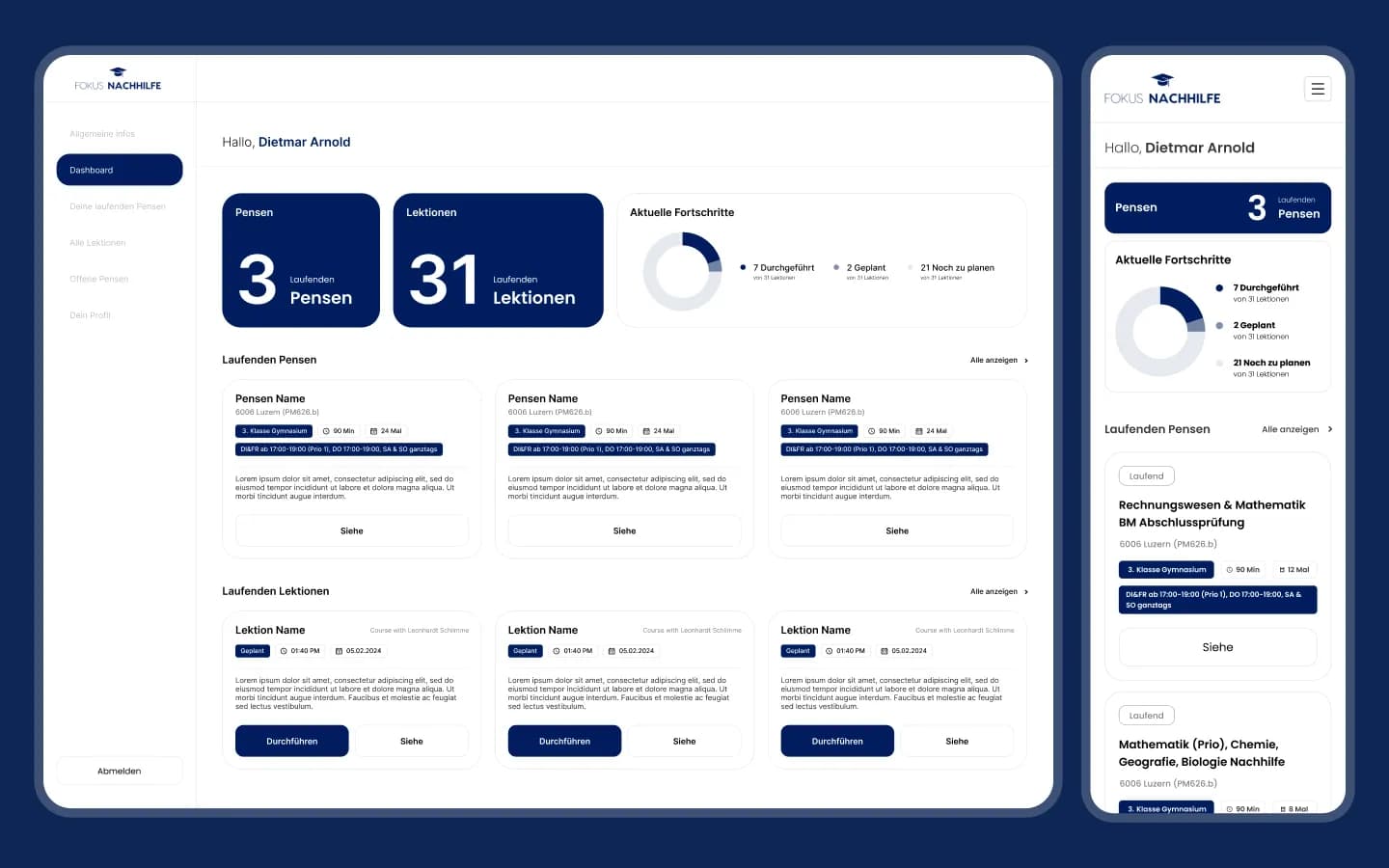
Dashboard: assignments and progress
Running assignments and lessons as big numbers, a progress ring (conducted, planned, still to schedule) and cards for current assignments and upcoming lessons. “Conduct” is one click away.
The same portal on the phone
The dashboard collapses into a single column on mobile: the number of assignments, progress and the list of running assignments with schedule and subject tags.
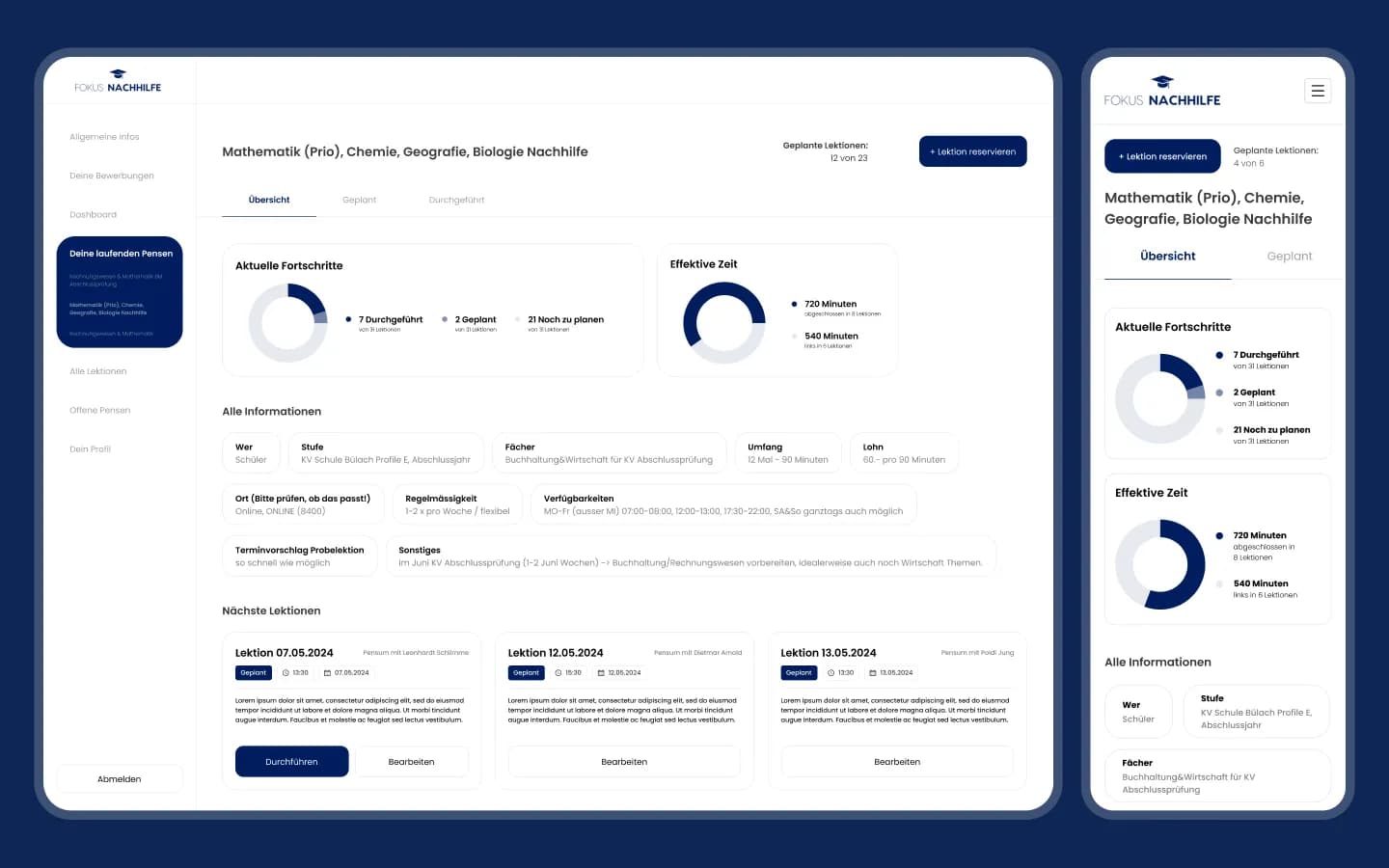
Billing to the actual minute
An assignment shows lesson progress and effective time: minutes delivered versus minutes left. If a lesson runs 50 minutes instead of 60, the remaining 10 go back into the package. All details, from level to availability, sit below.
Planned lessons and reservations
Planned lessons per assignment, each with status, time and date. The tutor conducts, edits or reserves the next lesson right from the list.
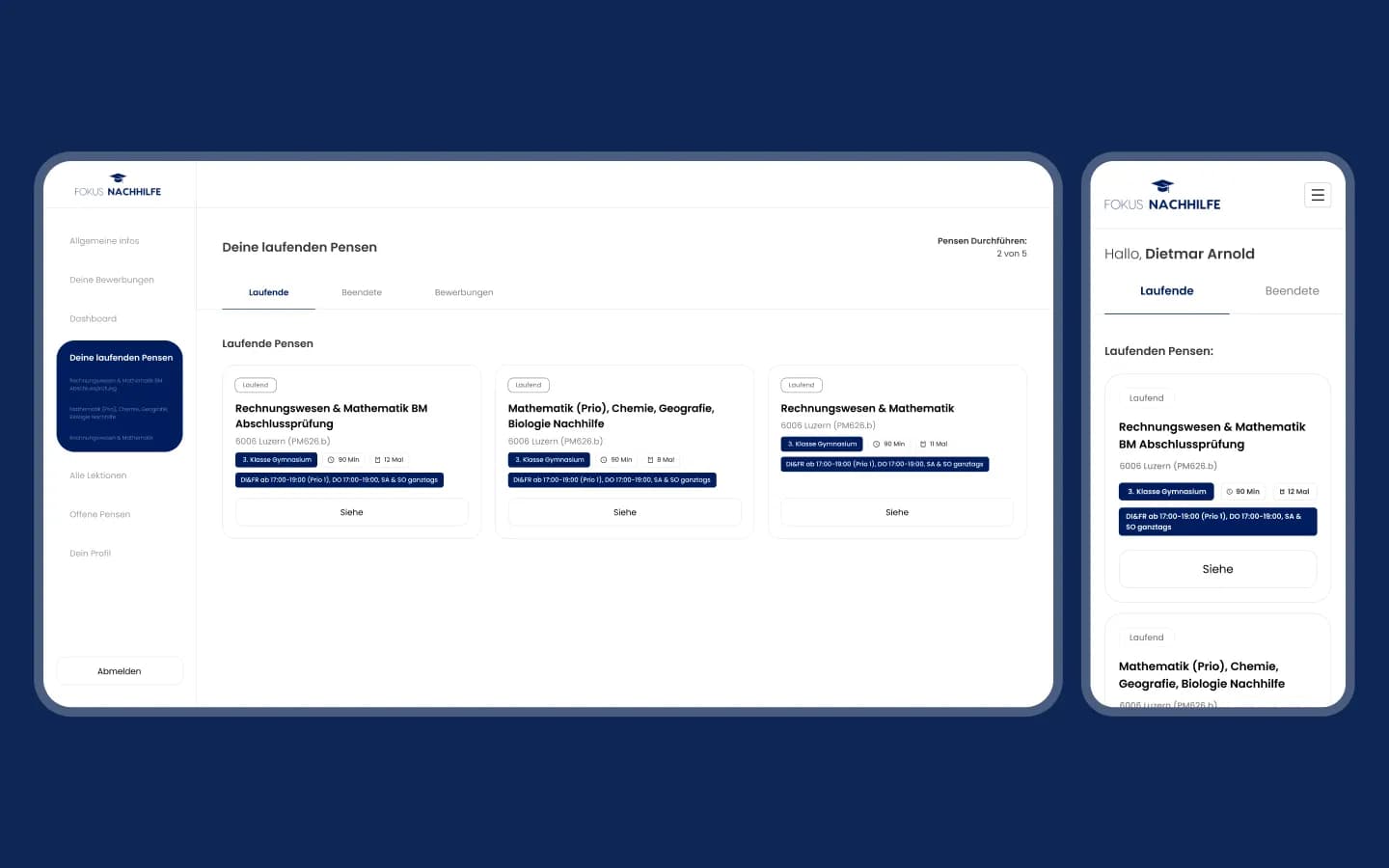
Running, finished, applications
All of a tutor's assignments in three tabs, each card with location, level, duration, number of lessons and weekly schedule.
Back office · Web
Contracts, payouts and finance for the team
Requests, lessons and finances that used to live in separate tools now come together automatically, with nothing to copy or reconcile by hand.
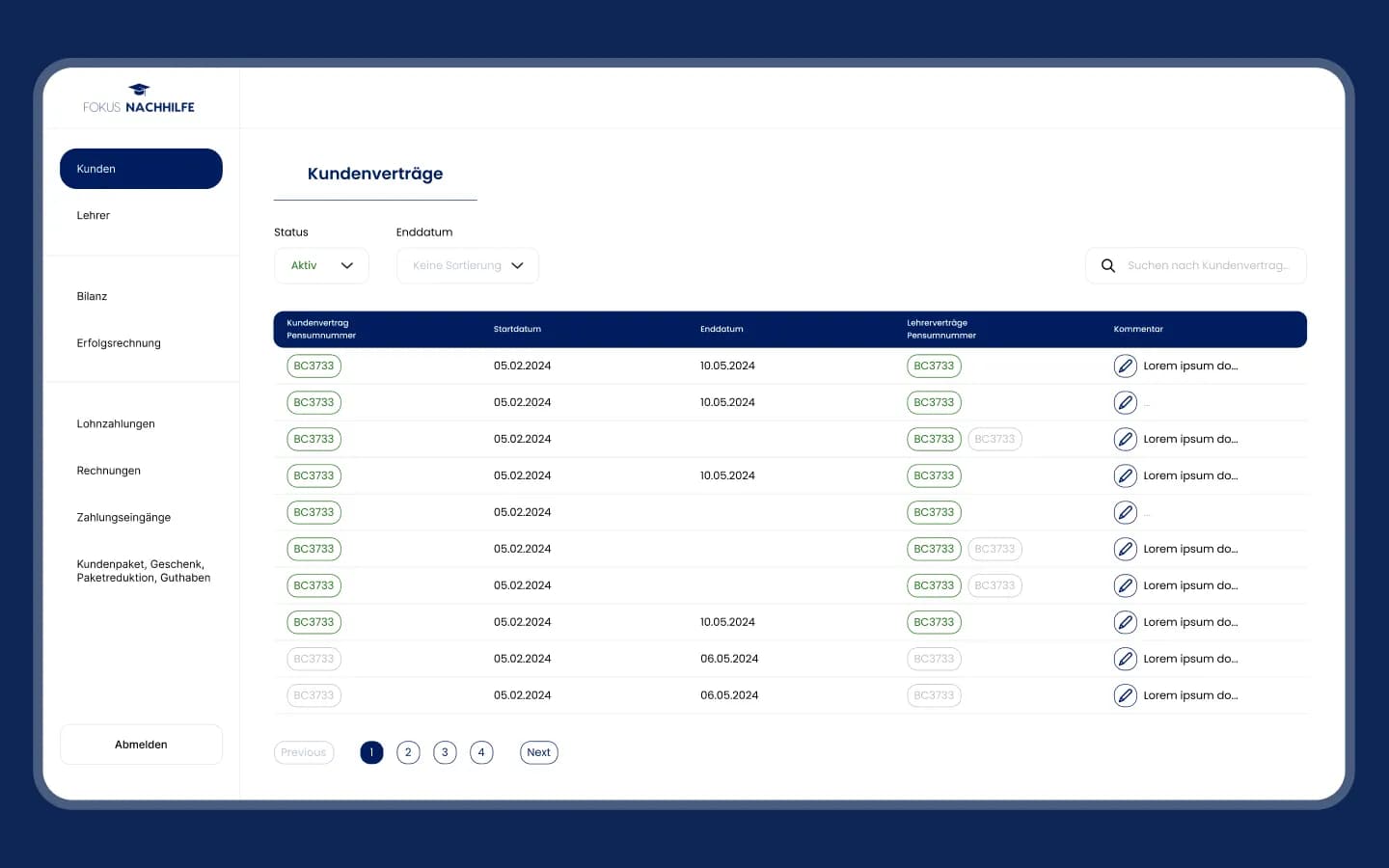
Customer contracts with linked tutor contracts
A registry of customer contracts with status, start and end dates, the tutor contracts behind each one and comments. Beside it: tutors, balance sheet, P&L, wage payments, invoices, incoming payments and package adjustments.
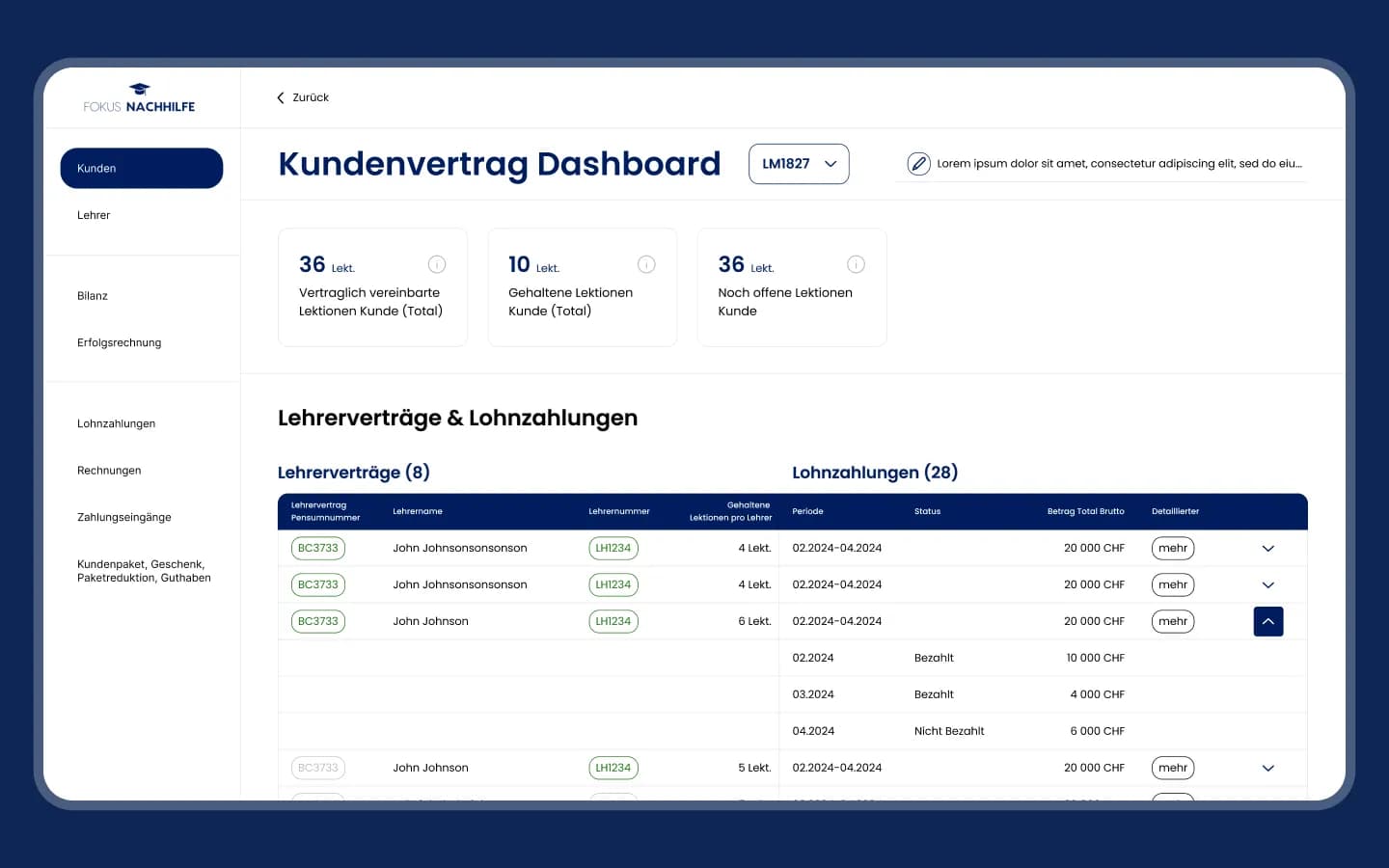
One package, several tutors
The contract dashboard shows contracted, held and open lessons, then every tutor who taught within the package and their wage payments by period, paid or not. This is where the split payout becomes visible.
Tech stack
Built on what the team already used
WordPress + JetEngine
Portal and back office with custom data structures.
SQL
Packages, minutes, payouts and commission in one model.
HubSpot + Airtable
Existing CRM and data sources integrated, not replaced.
Figma
Flows, wireframes and UI for desktop and mobile.
Results
A marketplace that runs on one logic
Today a student registers, tutors pass moderation and see the request feed, a trial lesson is scheduled and, if it fits, the student buys a package. From there the system handles time, billing and payouts.
- 7,000+ tutors and 4,000+ lessons per month without growing the team.
- Around 30% less manual operational work.
- Payouts and platform commission calculated automatically for every lesson.
More projects
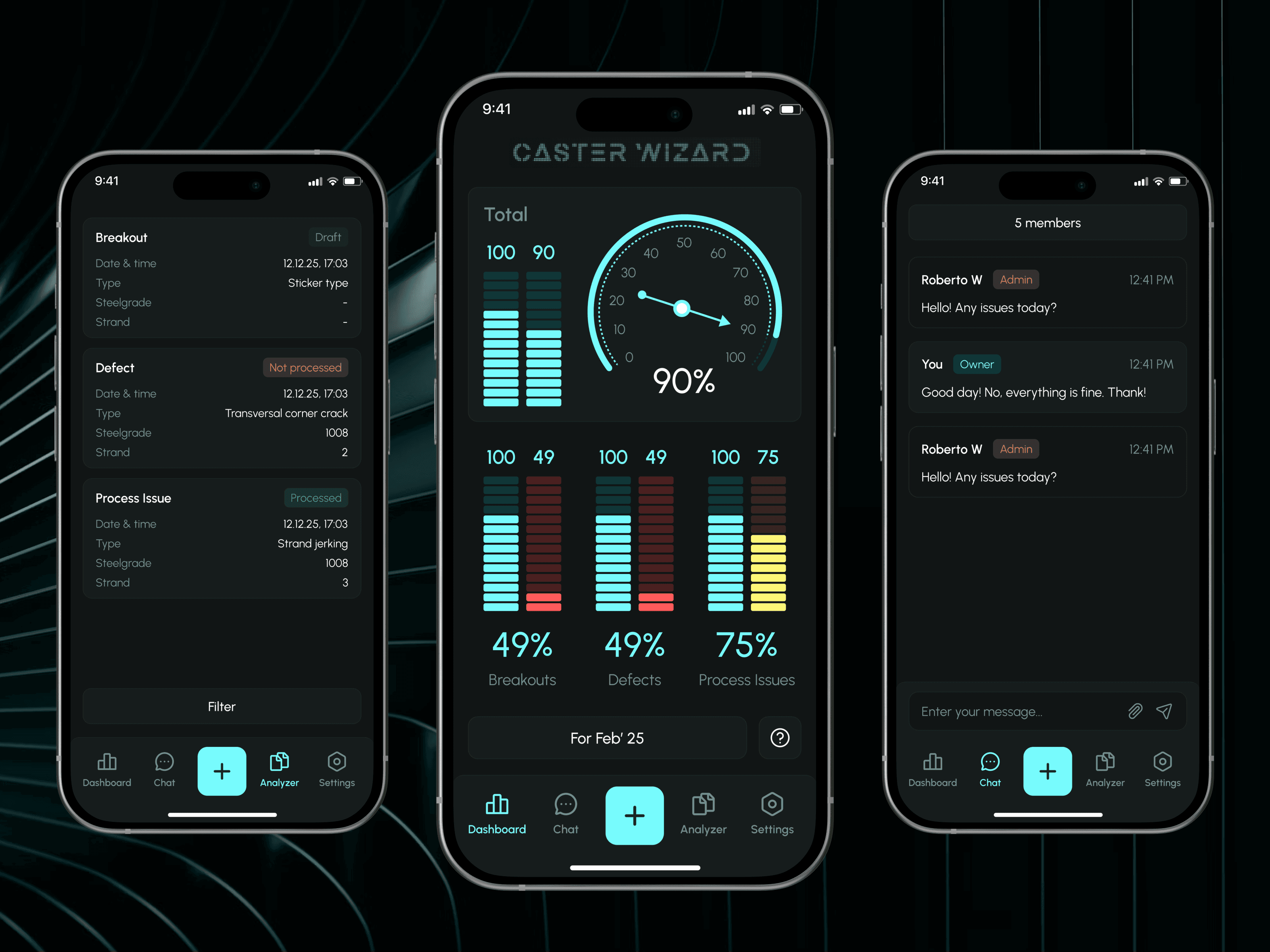
 Industry
Caster Wizard
Monitoring and control system for steel plants: incident reports and expert feedback through an admin panel.
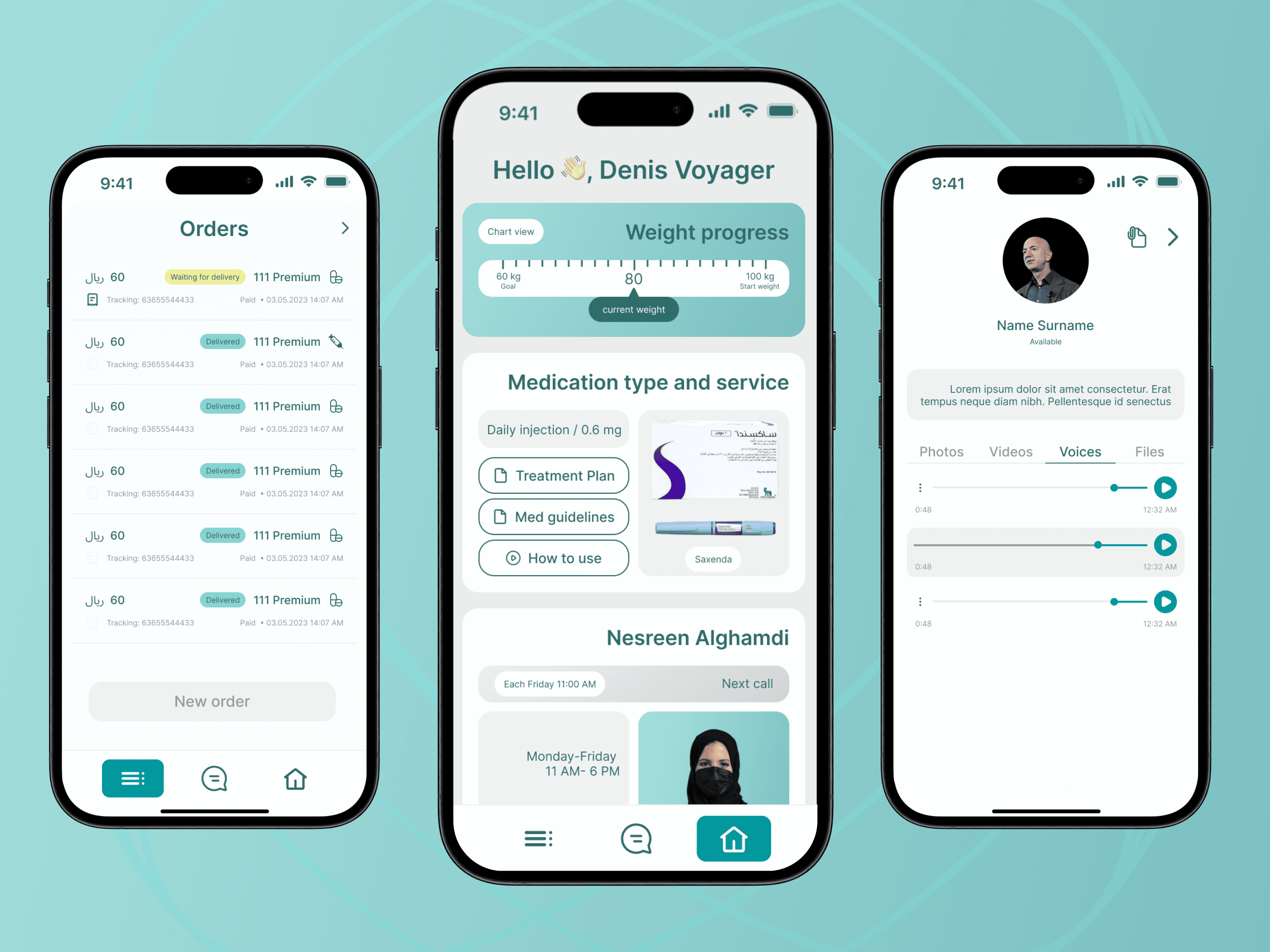
 Healthcare
RaedHealth
Premium HealthTech app for Saudi patients: Arabic RTL experience, English dietitian panel, and Zoho CRM, WhatsApp and payment integrations.
 Sport
SportSportsForce
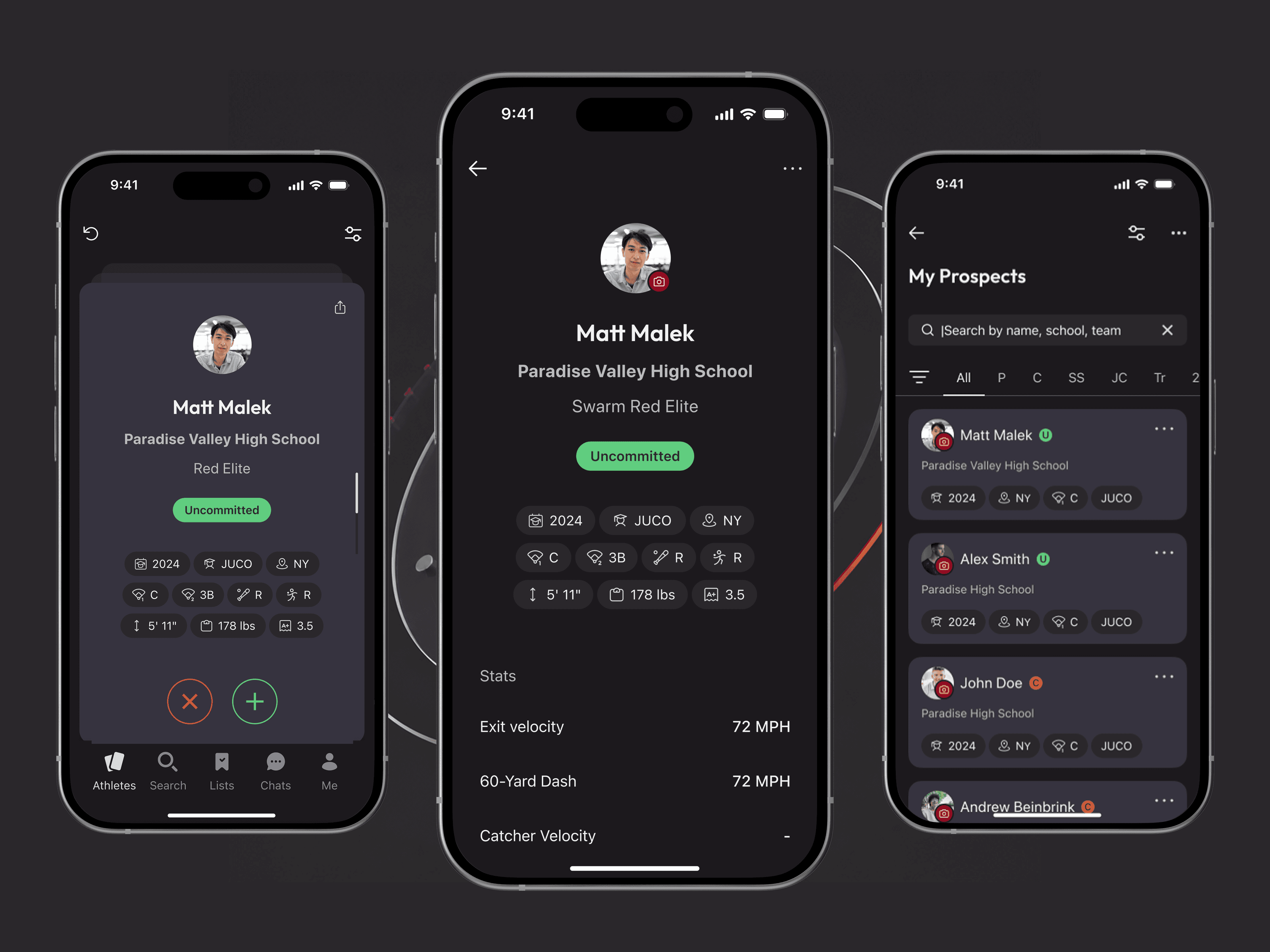
Mobile Tinder for sports recruiting: a FlutterFlow app with custom swipe widget, matching, ranking and Supabase backend.
Let’s discuss your project
Free and non-binding — book a slot straight away or drop us a message.

Dennis Polevik
CEO
Free intro call with Xmethod
- Free, no obligationNo obligation and no cost
- Straight with the teamStraight with the team, no sales reps in between
- A concrete next stepYou leave with a concrete next step
Dennis Polevik
CEO
Let's discuss your project
What happens next?
- Reply within 1 business dayWe review your project and get back to you within 1 business day
- Short call on your goalsWe hop on a short call to align on scope and goals
- Clear proposal, no obligationYou get a clear proposal — no obligation, no pressure