
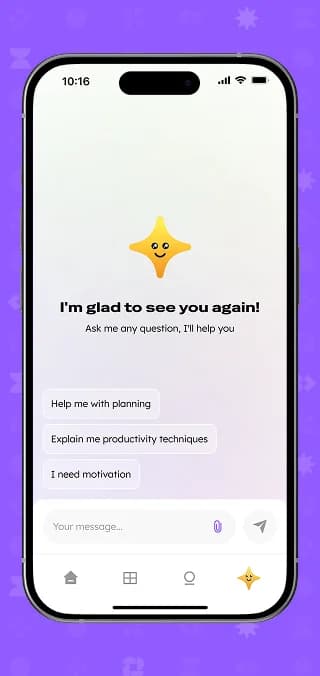
mi-Era is a study app for teenagers in the US: a private daily system for planning, focused work and emotional check-ins. We designed the mobile app with task planning, a focus timer, streaks, badges and an AI assistant, plus a web CMS that runs the landing page, blog and waitlist.
What we did
Tasks
- 1Model tasks, progress stats and personality types
- 2Design the focus session flow with breaks and self-checks
- 3Build planning with assignments, deadlines and rescheduling
- 4Add gamification: streaks, levels and badges
- 5CMS for landing page, blog, static pages and waitlist
The project at a glance
Challenge
Teens get homework, exams and projects, but no system that turns them into daily steps. Plans fall apart, focus slips and motivation fades after a few days.
Solution
A mobile app that breaks assignments into short tasks, runs them as timed focus sessions and rewards consistency with streaks, levels and badges, backed by an AI assistant.
Result
Two products that work together: the student app and a web CMS in which the team edits the landing page, publishes blog posts and manages waitlist signups.
2
products: mobile app and web CMS
4
app tabs: Home, Assignments, Profile, AI assistant
3
timer modes: focus, break and self-check
9
landing page sections editable in the CMS
The product
A daily system that trains focus
“Focus isn't taught. It's trained.” That line from the landing page sums up mi-Era. The app targets teenagers and their parents in the US and promises progress without surveillance: the student plans, works and reflects in a private space.
The challenge
Why good intentions don't turn into study time
No plan
A big assignment arrives as one block, with no breakdown into daily steps.
No focus
Studying without structure turns into distraction and unfinished tasks.
No momentum
Without visible progress, motivation fades after the first few days.
Discovery & UX
Data and flows before pixels
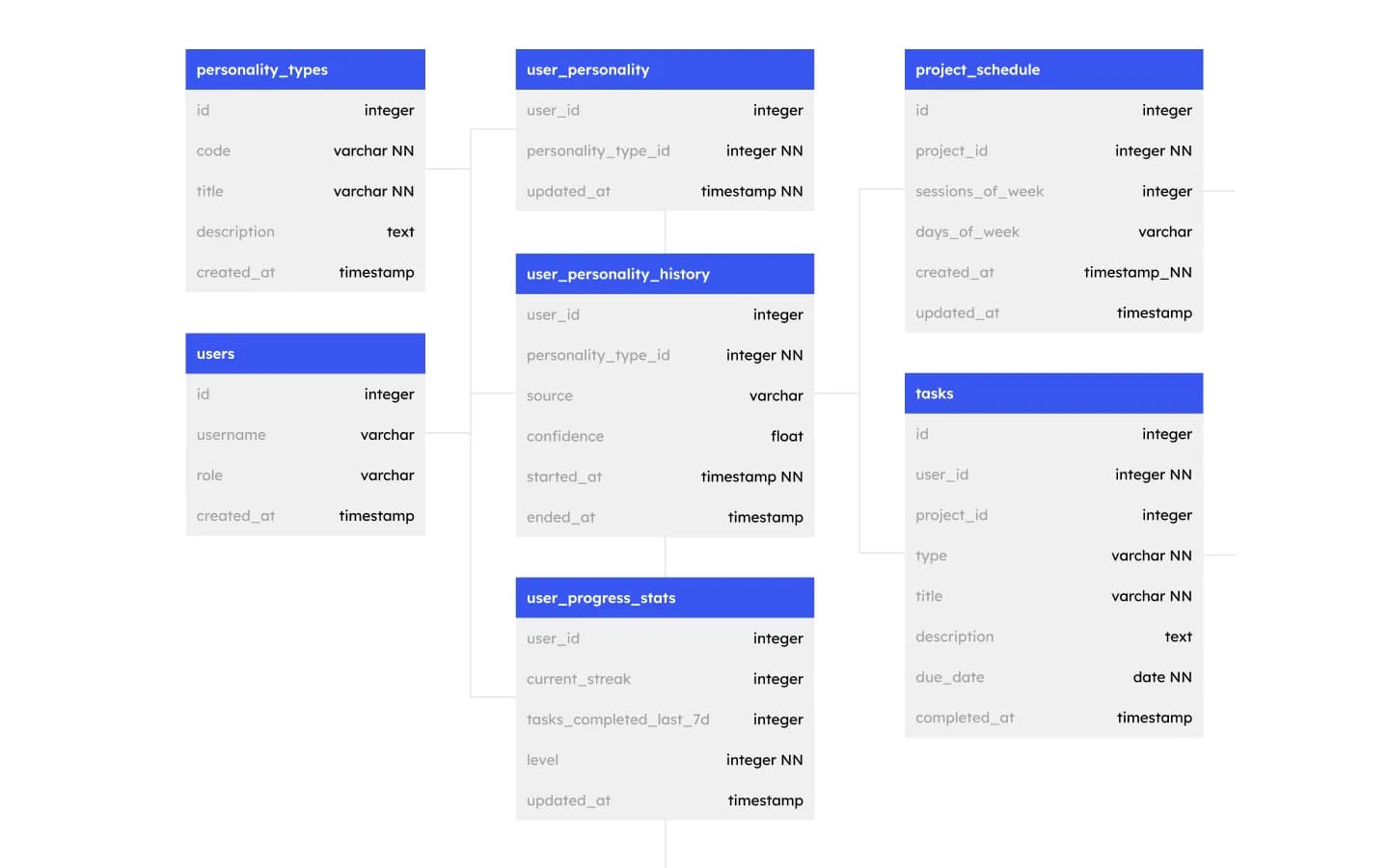
A data model built around progress
Tasks, project schedules with sessions per week, and progress stats with current streak, tasks completed in the last seven days and level. A separate block stores personality types with their history, source and confidence, so the app can adapt to how a student works.
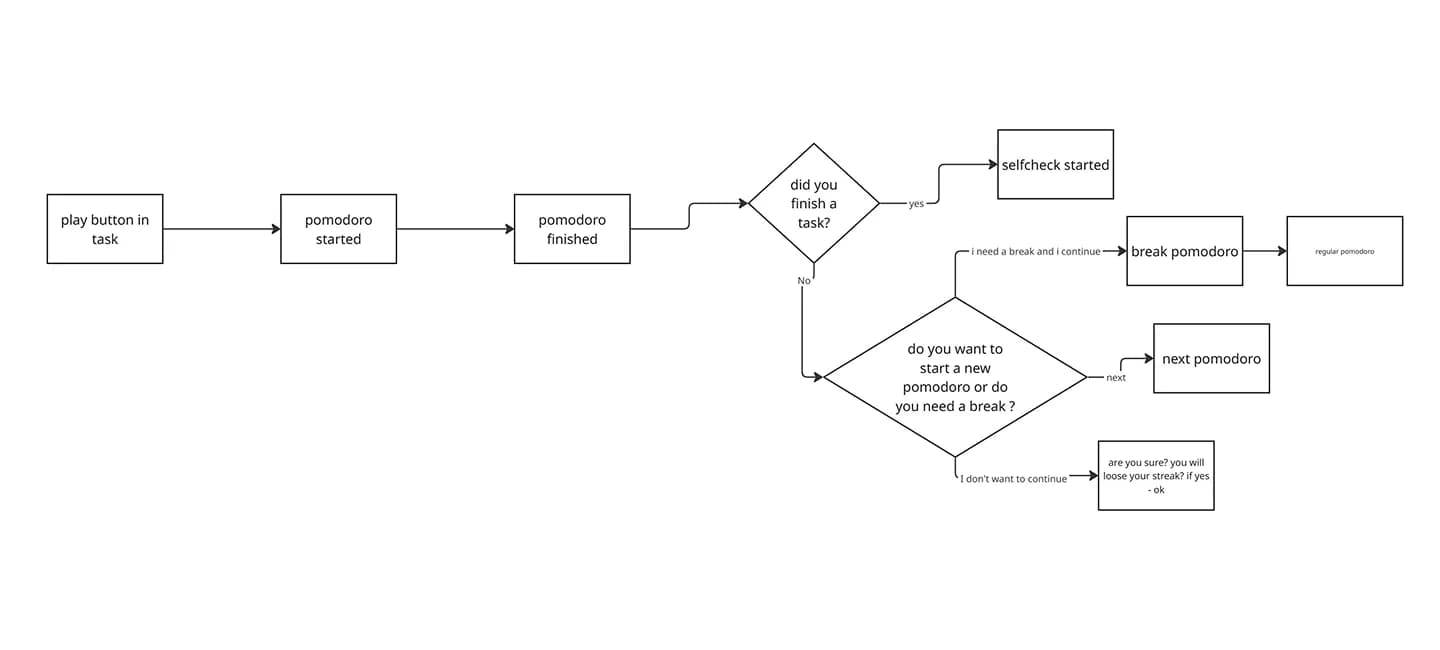
The focus session, step by step
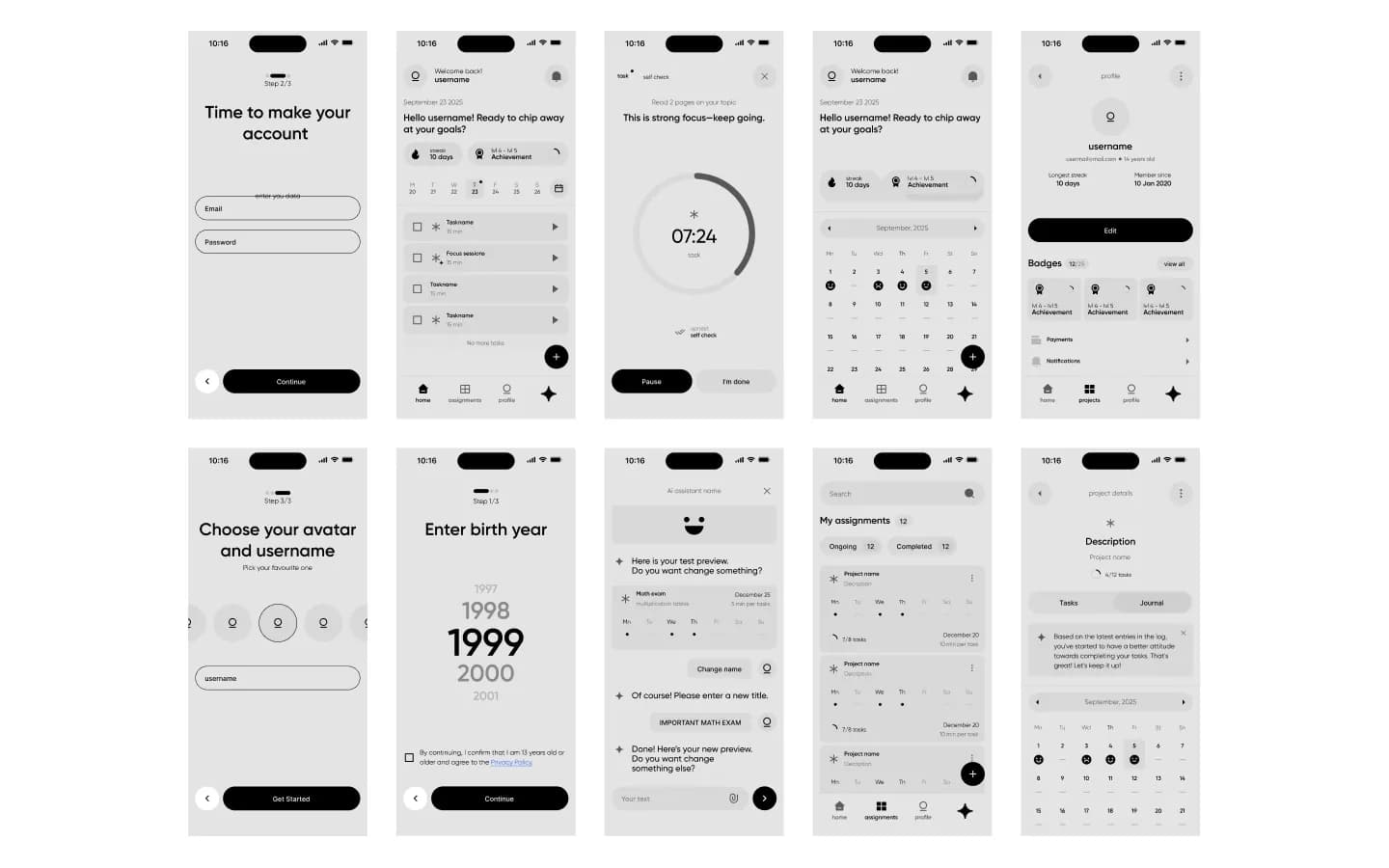
Play starts a session. When the timer ends, the app asks whether the task is done: yes leads to a self-check, no offers another session or a break. Quitting triggers a warning that the streak will be lost. Early sketches tested this before any design.
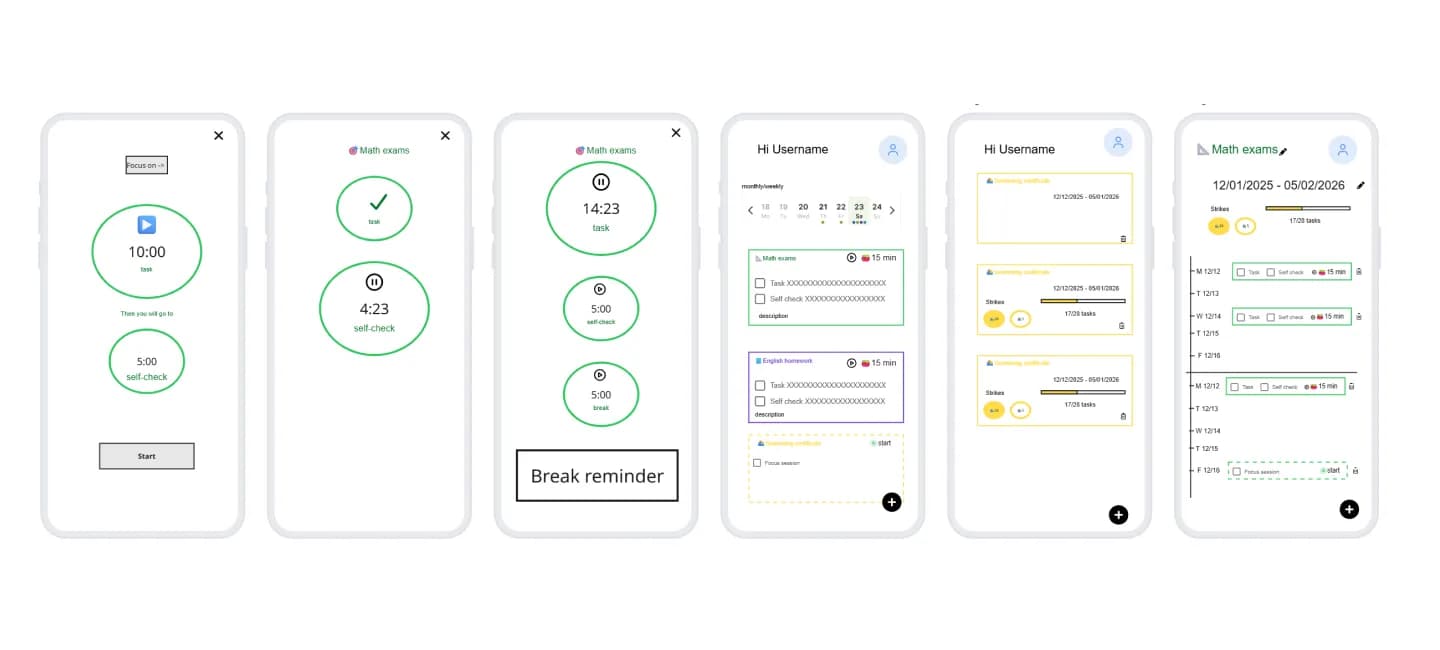
Wireframes for every key screen
Onboarding with avatar, username and birth year (users confirm they are 13 or older), home, focus timer, mood calendar, profile with badges, assignments and the AI assistant editing a plan in chat.
Mobile app
The app for students
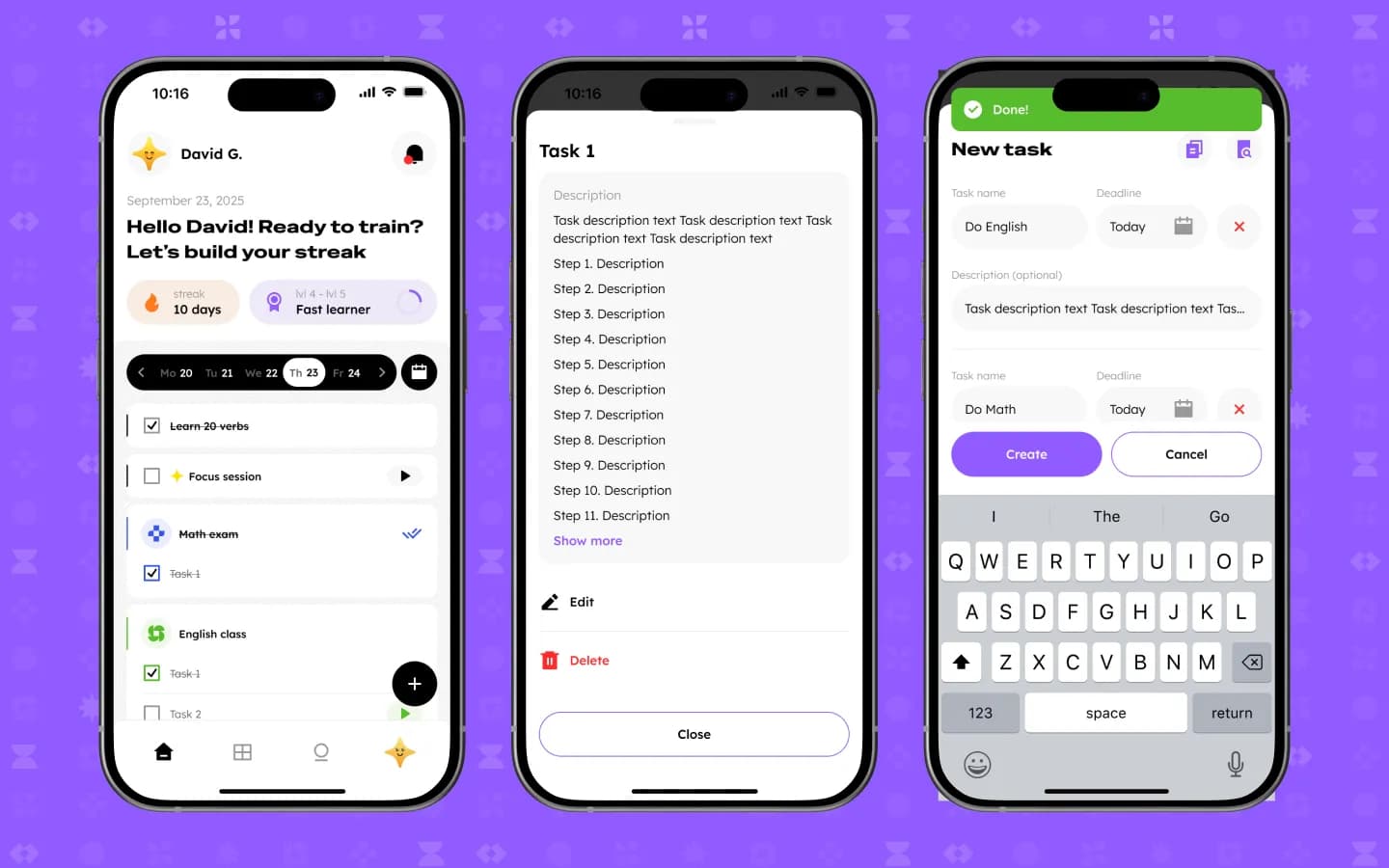
Bright purple, a friendly star mascot and large tap targets. Four tabs keep everything a student needs one thumb away.
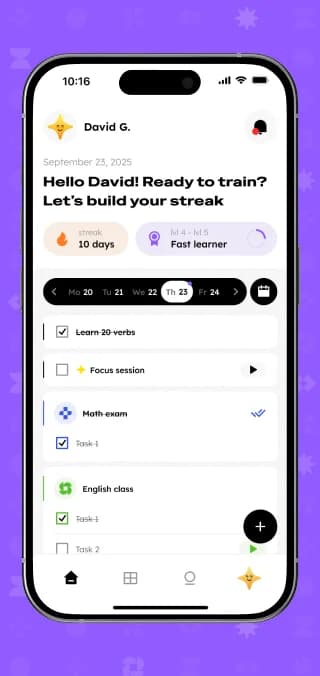
Home: today's plan and the streak
A greeting, the current streak, level progress and a week strip sit above today's checklist. Each task opens with its steps, and several tasks with deadlines can be created in one go.
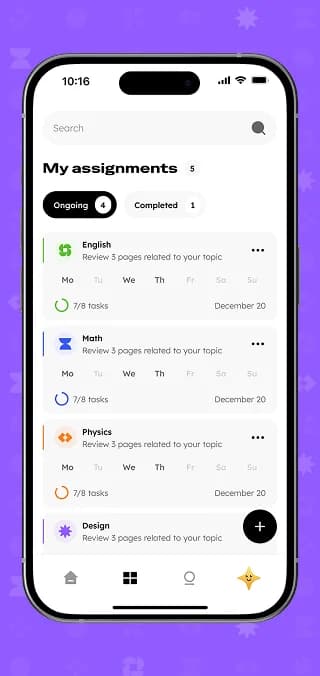
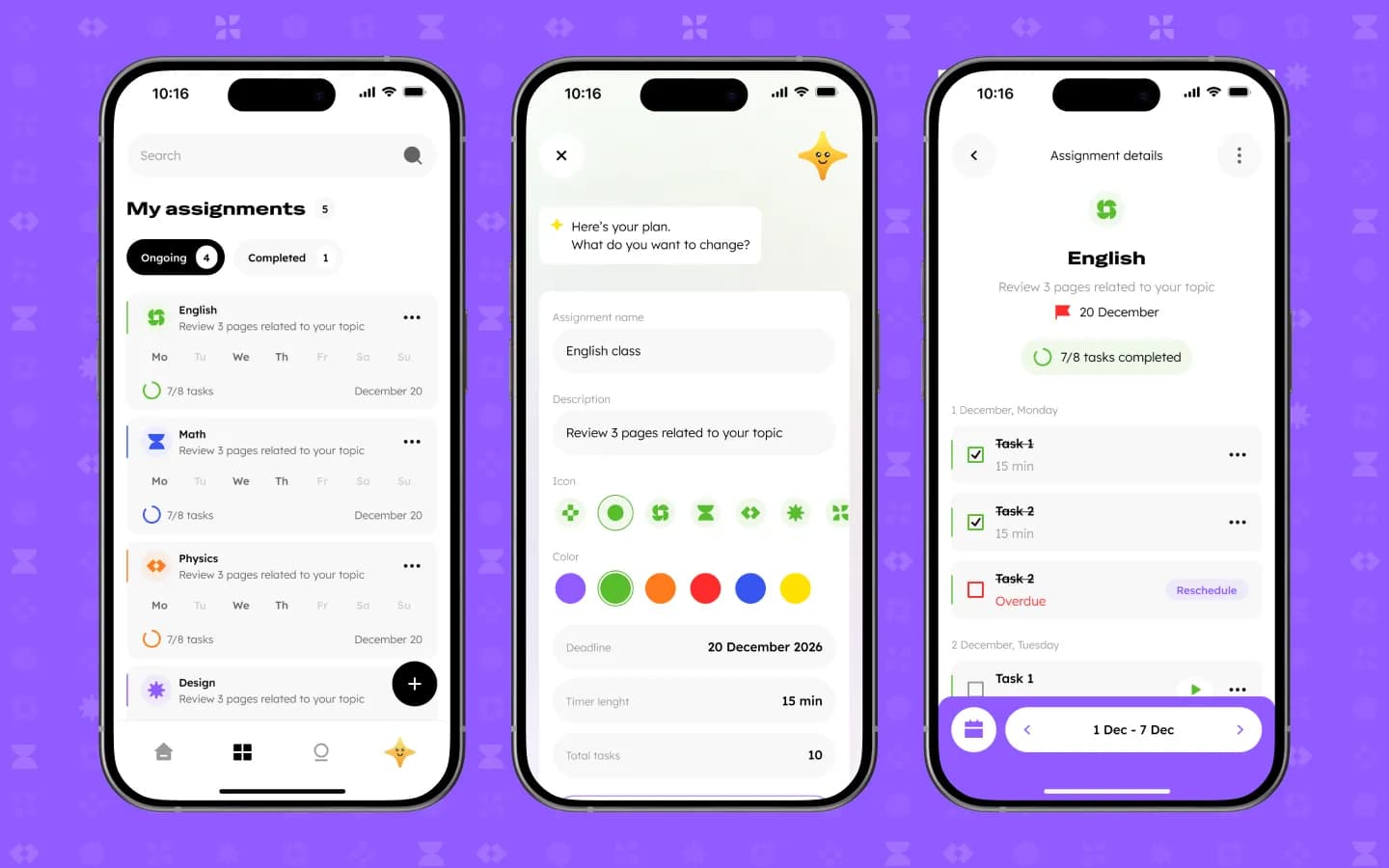
Assignments the AI helps plan
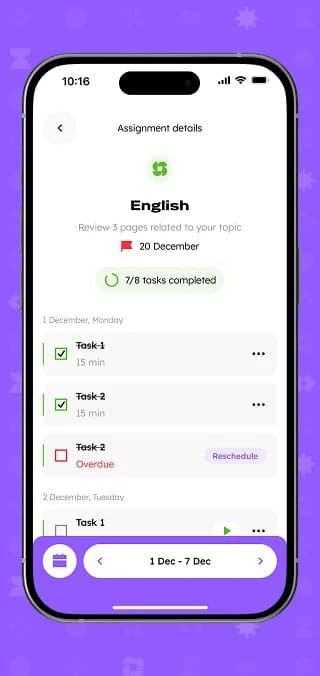
Assignments show ongoing and completed work, study days and progress. The assistant drafts a plan with name, icon, colour, deadline, timer length and number of tasks, ready to adjust. Overdue tasks can be rescheduled in one tap.
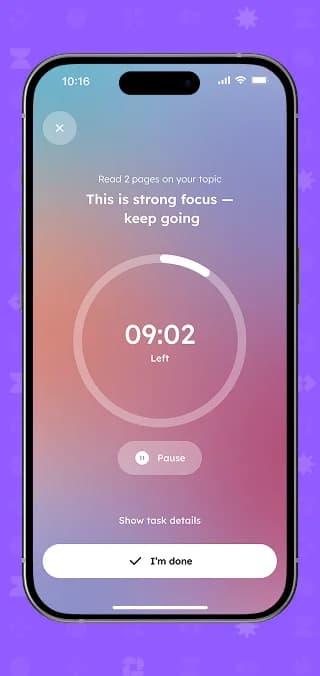
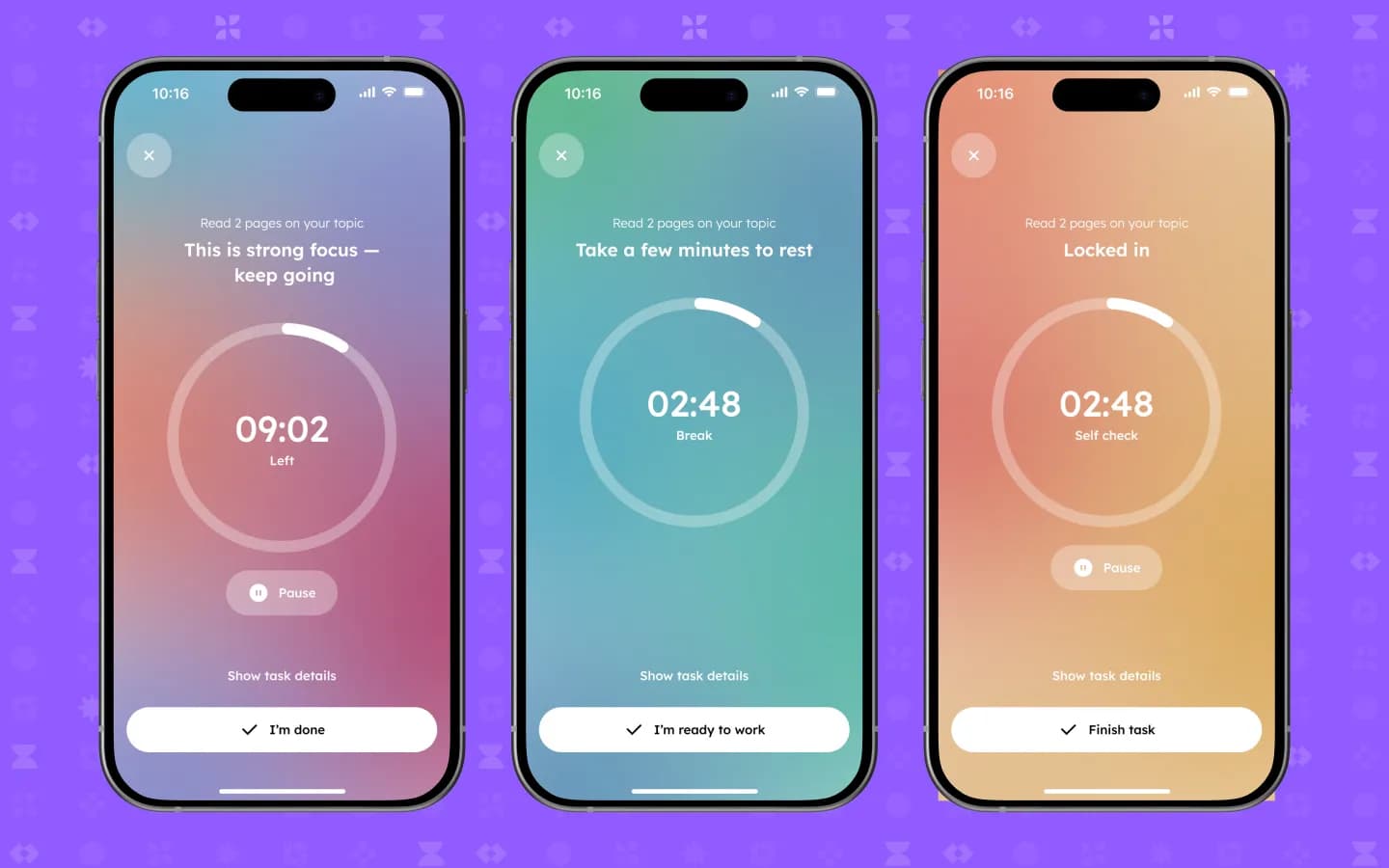
A focus timer with three modes
Focus, break and self-check each get their own colour and message, from “This is strong focus — keep going” to “Take a few minutes to rest”. Task details are one tap away.
An AI assistant that looks at your work
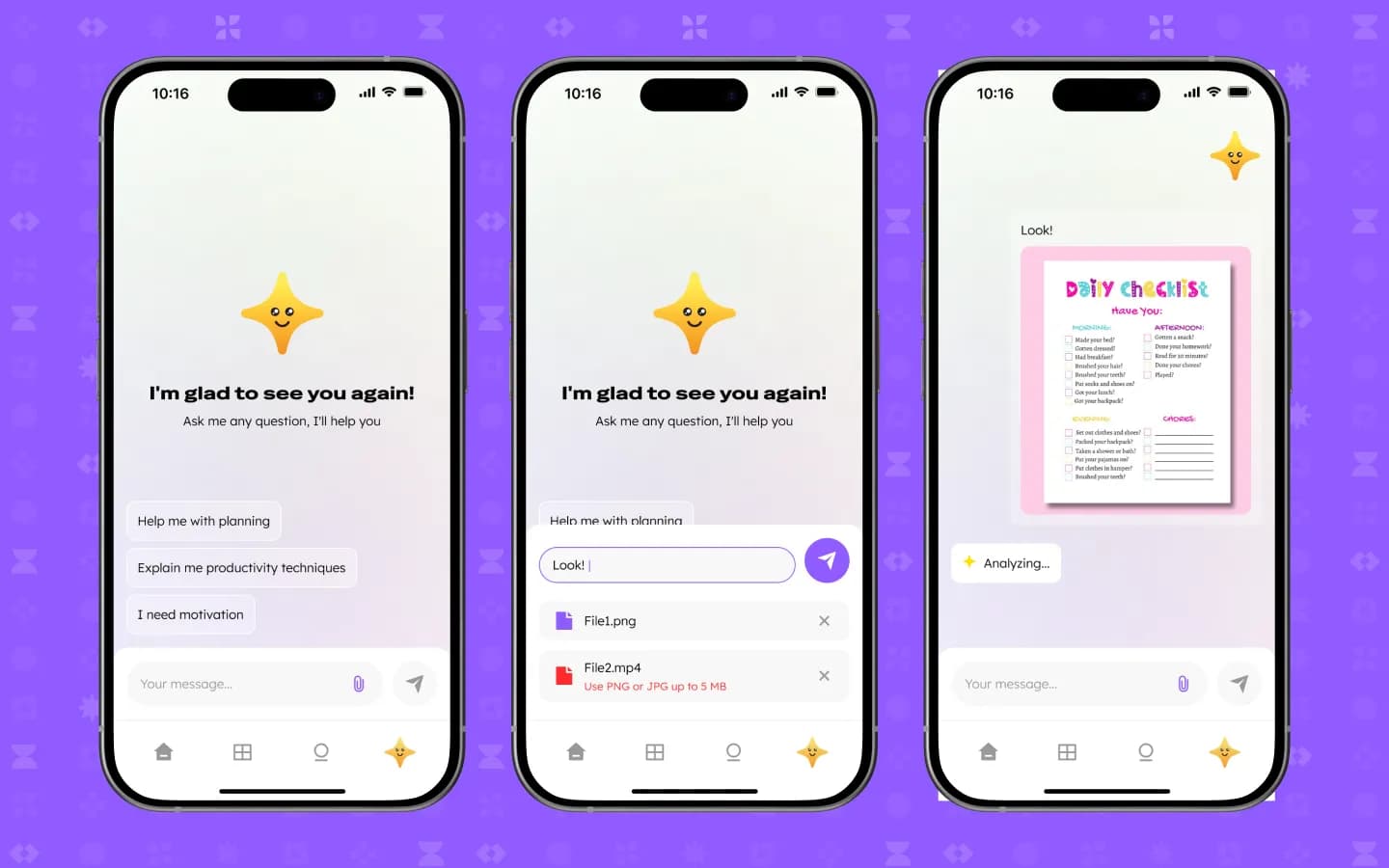
Suggested prompts cover planning, productivity techniques and motivation. Students can attach an image, for example a photo of a checklist, and the assistant analyses it. The upload is limited to PNG or JPG up to 5 MB.
Badges, subscription and an emotion journal
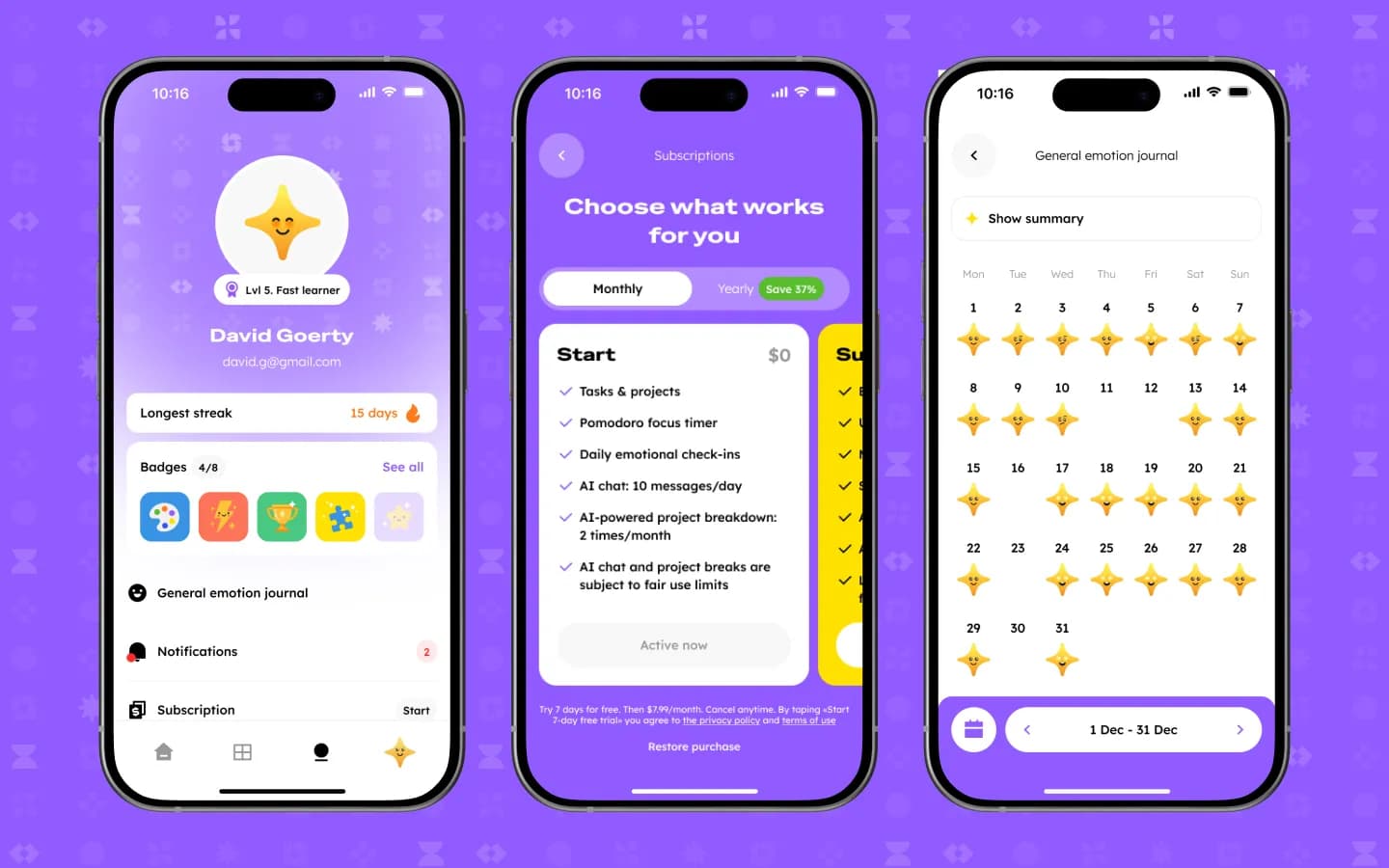
The profile shows level, longest streak and badges. A free Start plan includes tasks, the Pomodoro timer, daily emotional check-ins and a limited AI chat; paid plans come monthly or yearly. The journal logs mood per day and offers a summary.
Web CMS
The admin panel for the team
The marketing side runs in the browser, so the team can update content without a developer.
Dashboard with quick actions
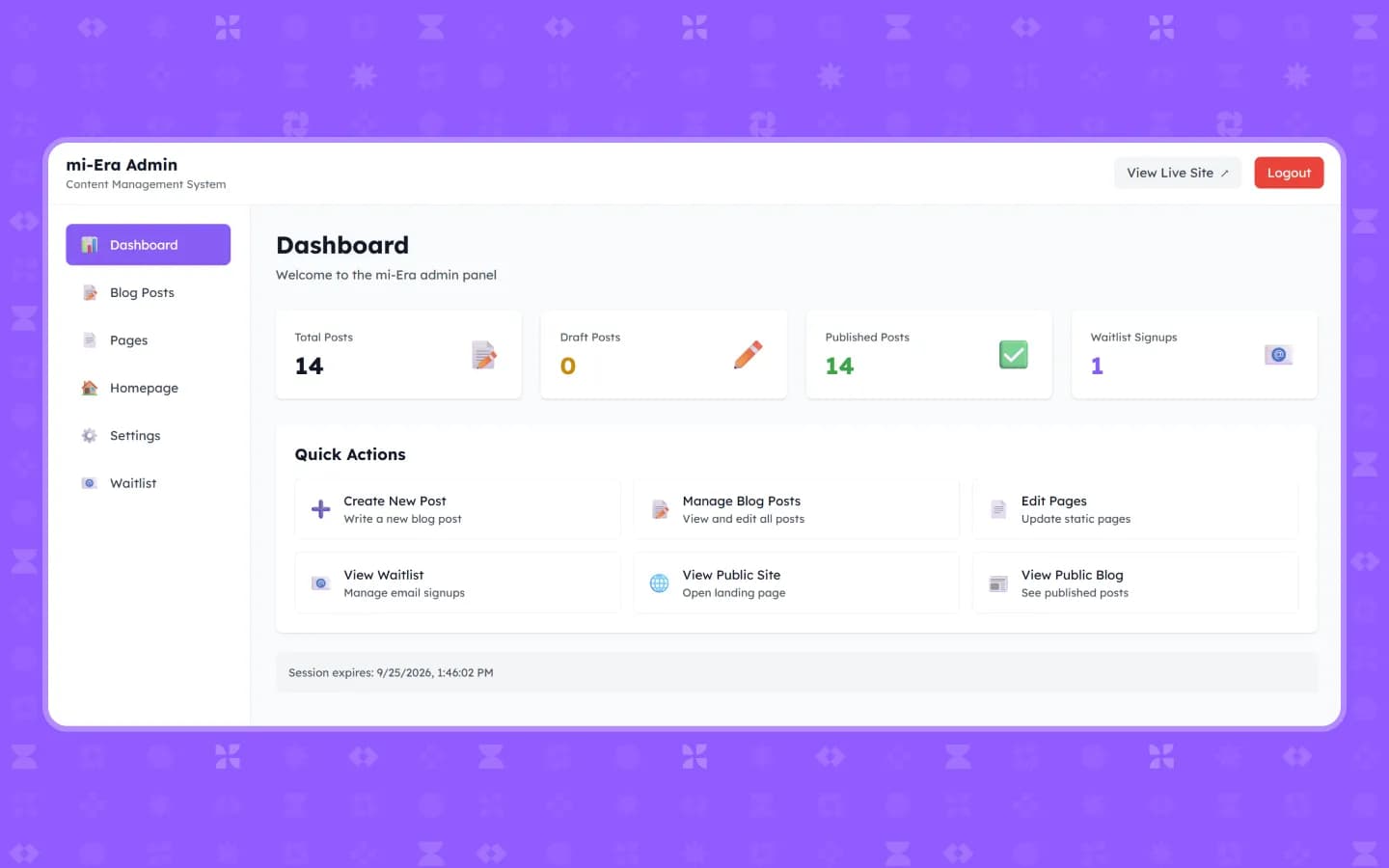
Total, draft and published posts plus waitlist signups at a glance, with shortcuts to write a post, edit pages or open the live site.
A blog for teens and parents
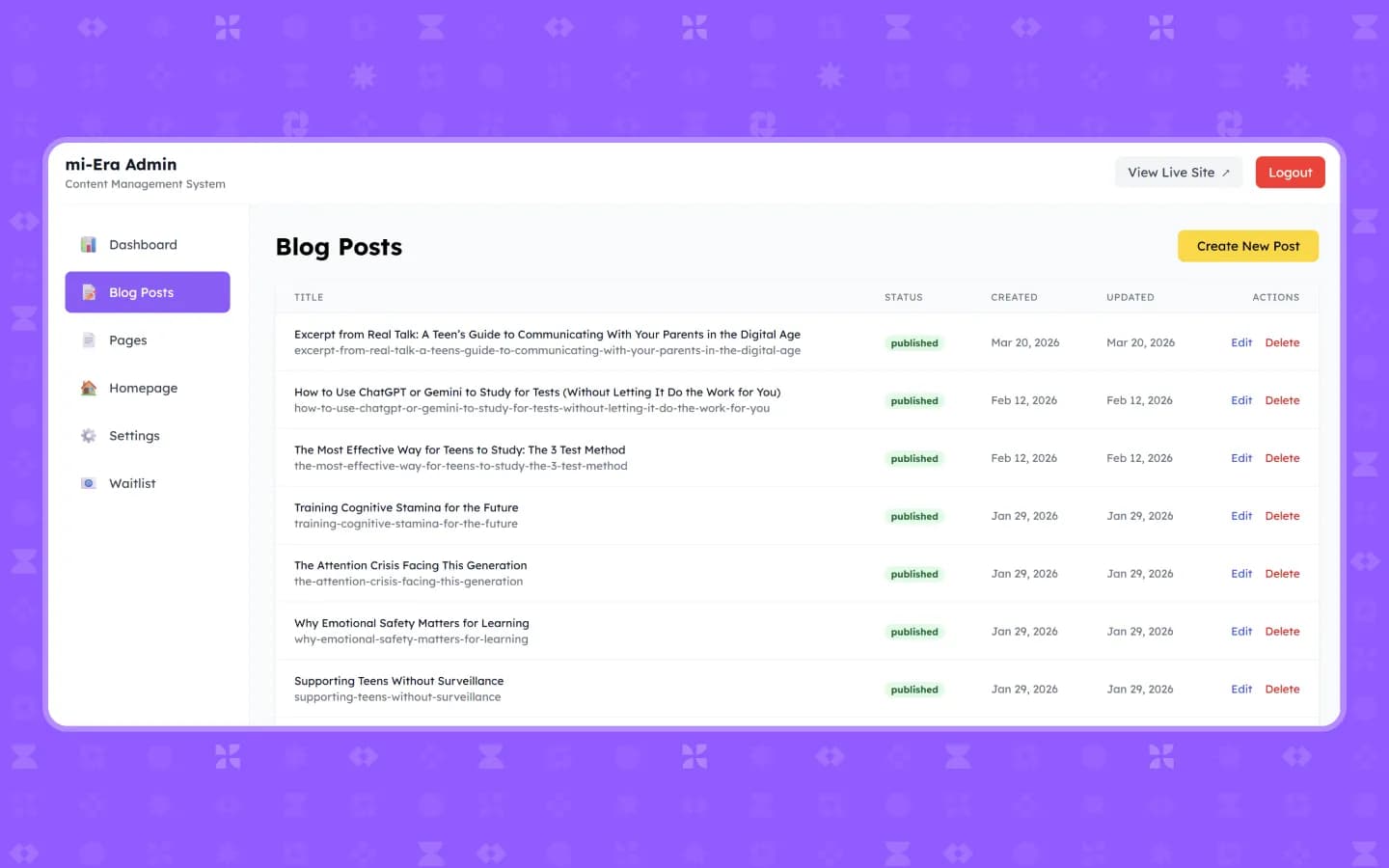
Posts with status, dates and slugs, such as study methods, using ChatGPT or Gemini without letting it do the work, and supporting teens without surveillance.
Static pages
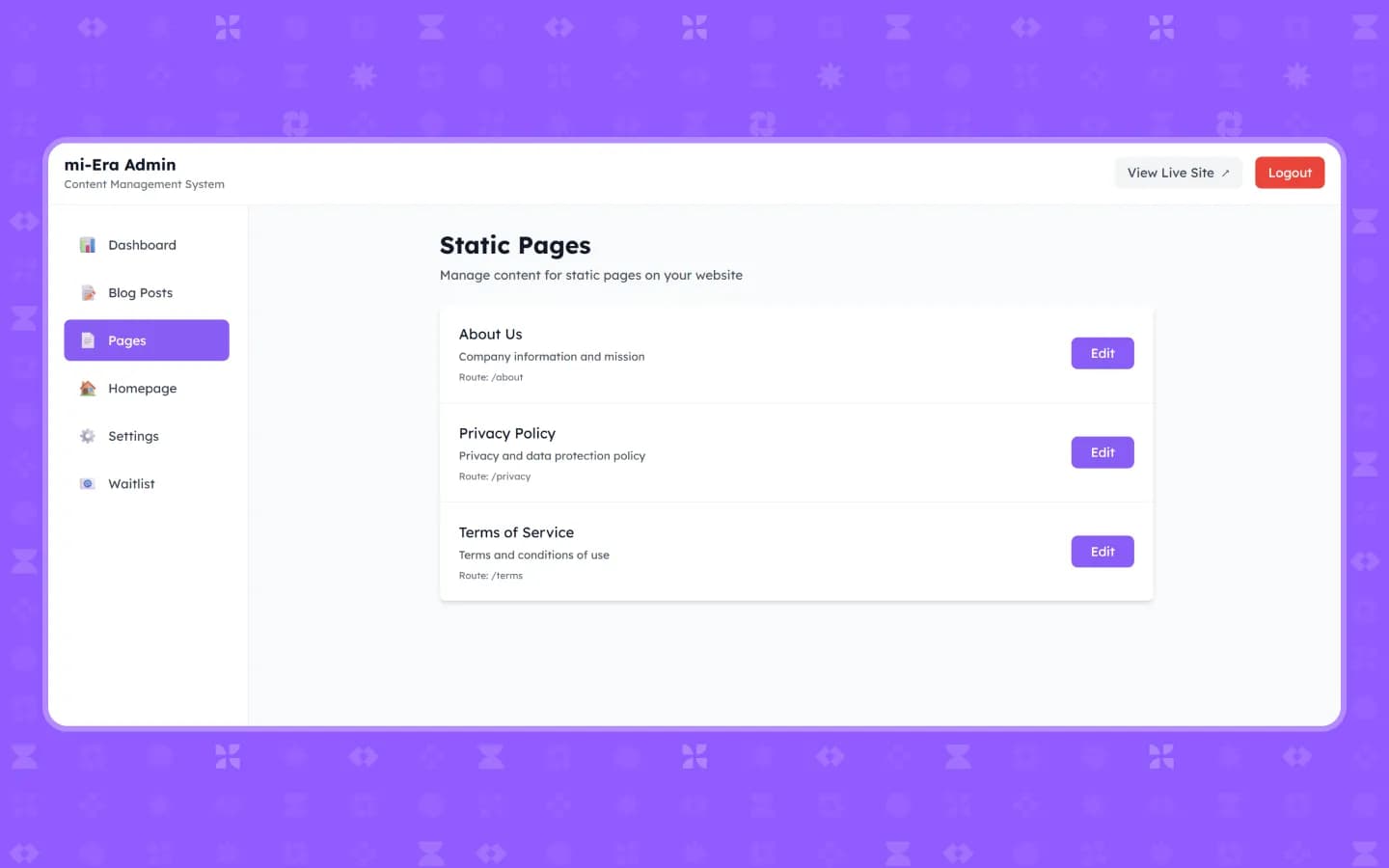
About us, privacy policy and terms of service, each with its own route, are edited in the same panel.
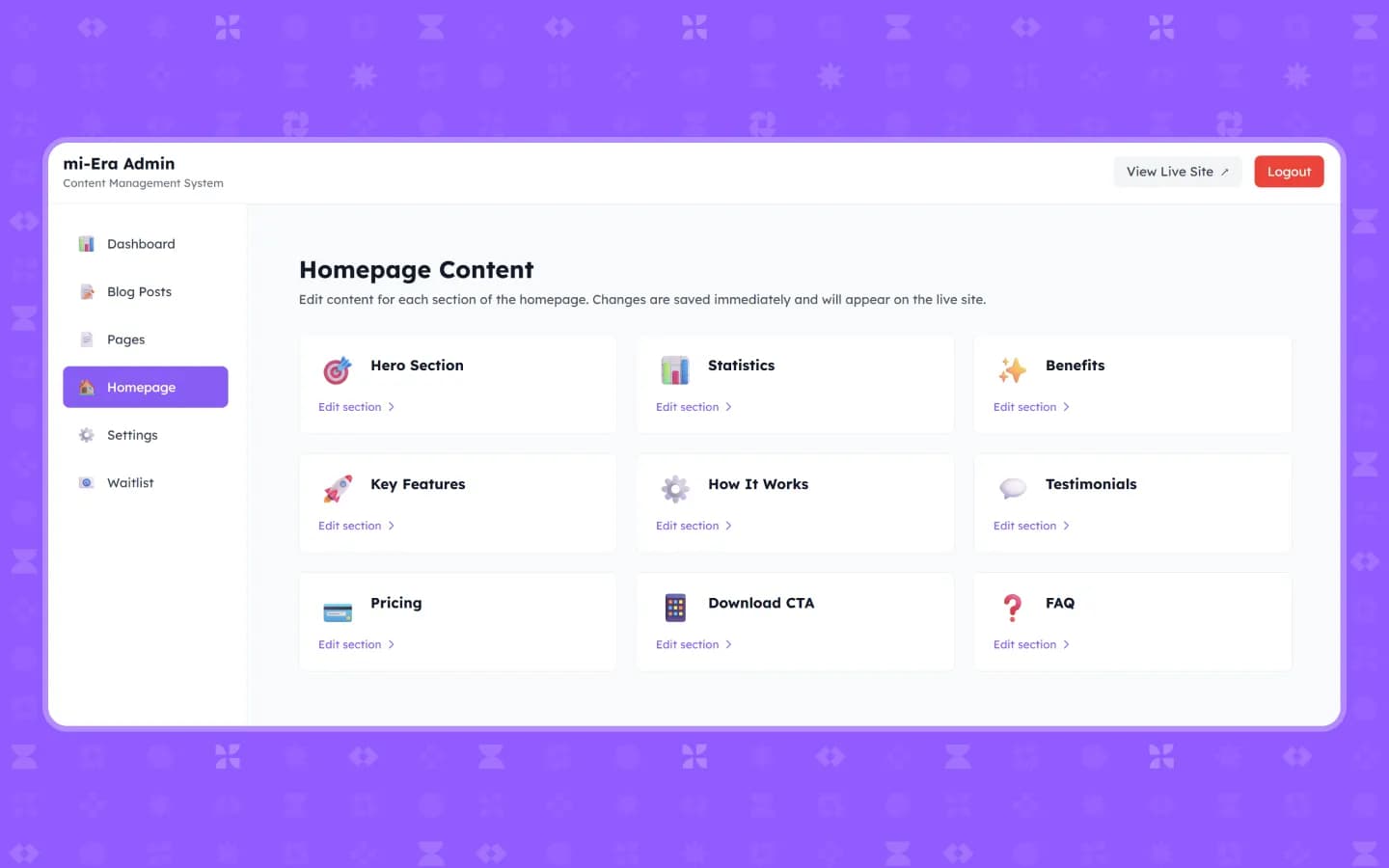
Every landing section editable
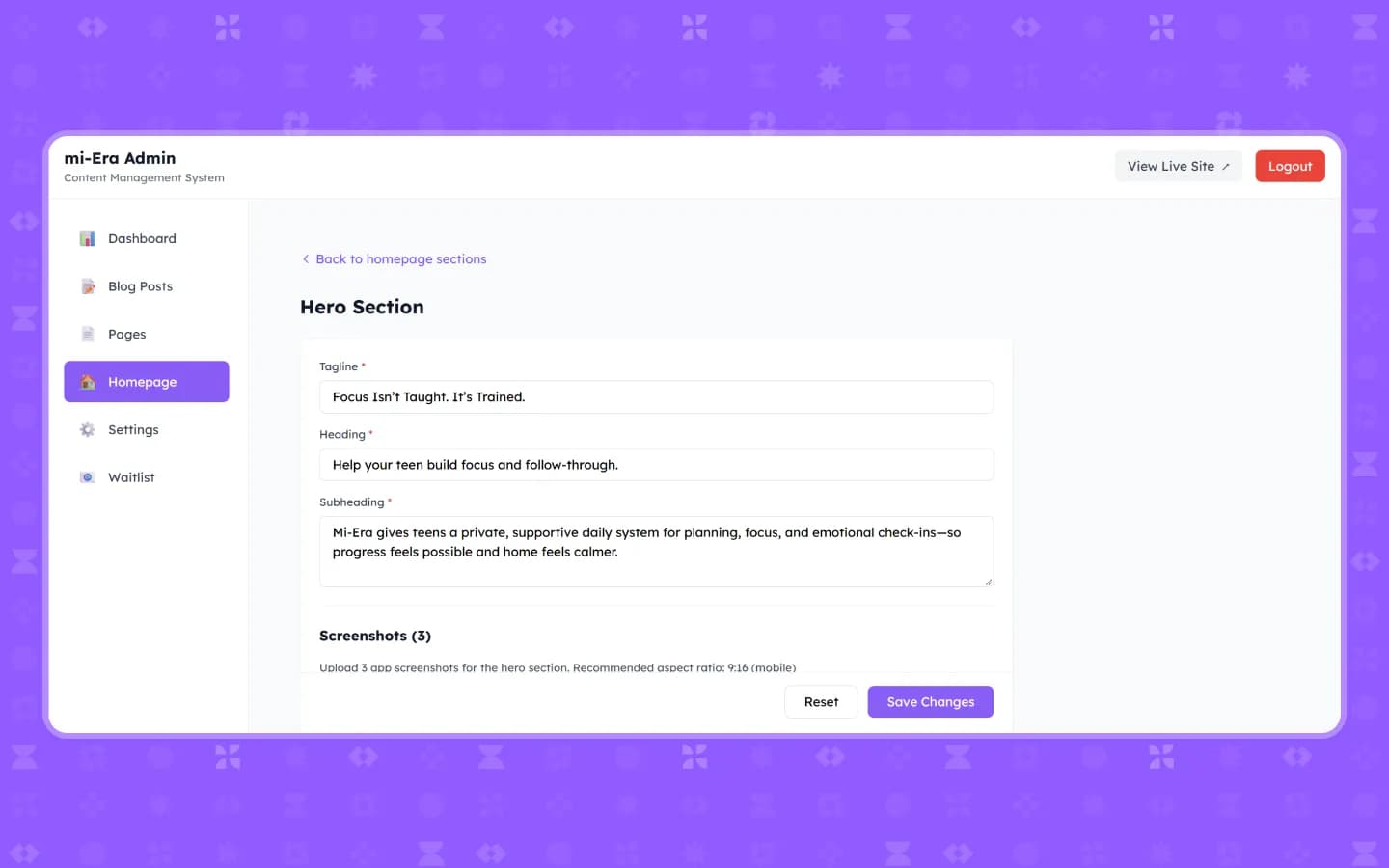
Nine sections, from hero and statistics to pricing and FAQ. Tagline, heading, subheading and screenshots change in a form and appear on the live site immediately.
Architecture
Three parts, one product
Mobile app
Planning, focus timer, gamification and emotion journal for students.
AI assistant
Plan drafts, chat and image analysis inside the app.
Web CMS
Landing page, blog, static pages and waitlist for the team.
Results
From intentions to a daily routine
mi-Era turns homework into a routine a teenager can follow: small tasks, timed sessions and visible progress. The team markets the product from its own CMS.
- Assignments broken into daily tasks with deadlines and rescheduling.
- Focus sessions with breaks and self-checks instead of open-ended studying.
- Streaks, levels and badges that make consistency visible.
- Landing page, blog and waitlist managed without a developer.
More projects
 EdTech
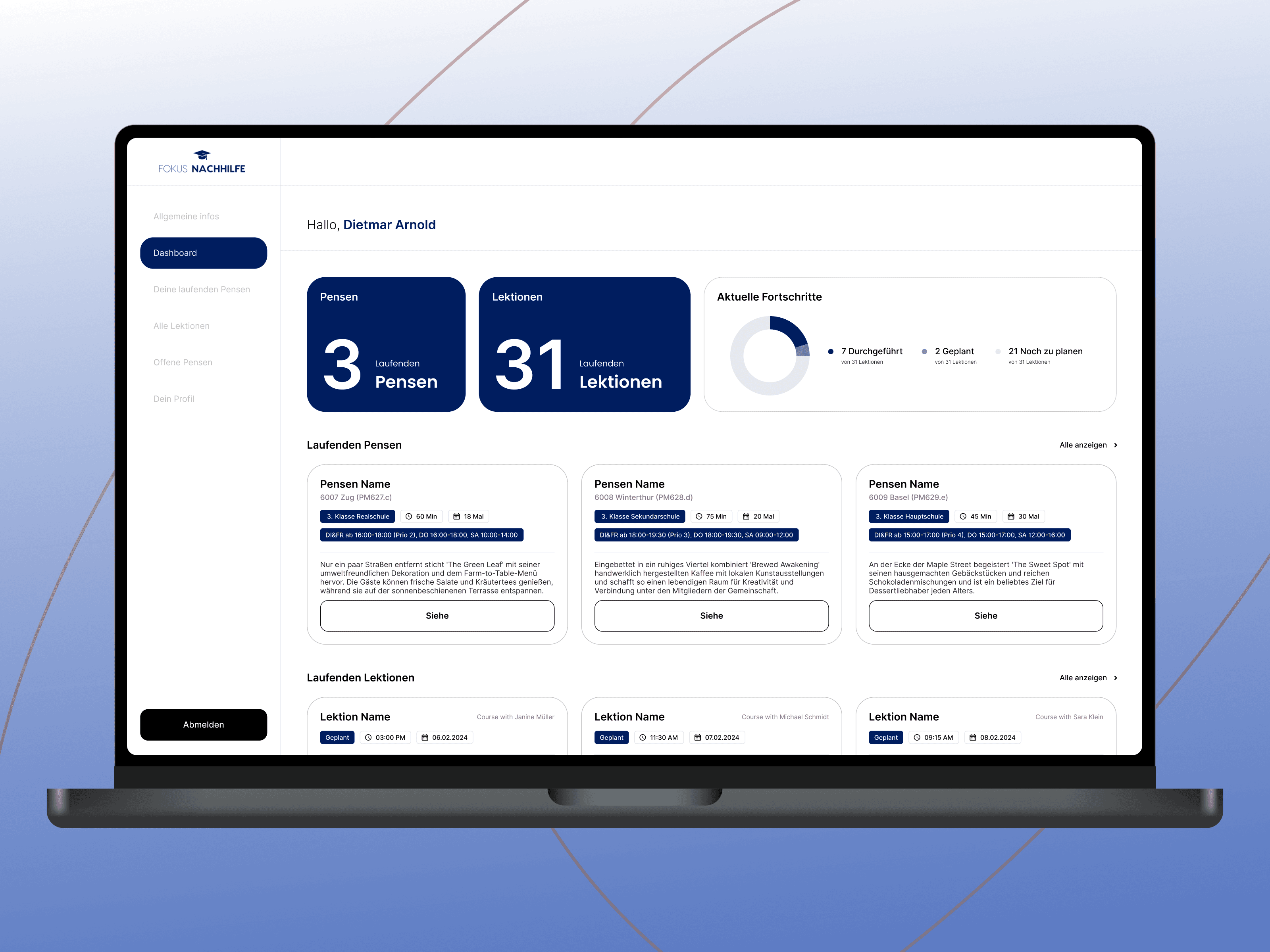
Fokus Nachhilfe
Swiss online platform for organizing and managing tutoring lessons.
 Fitness
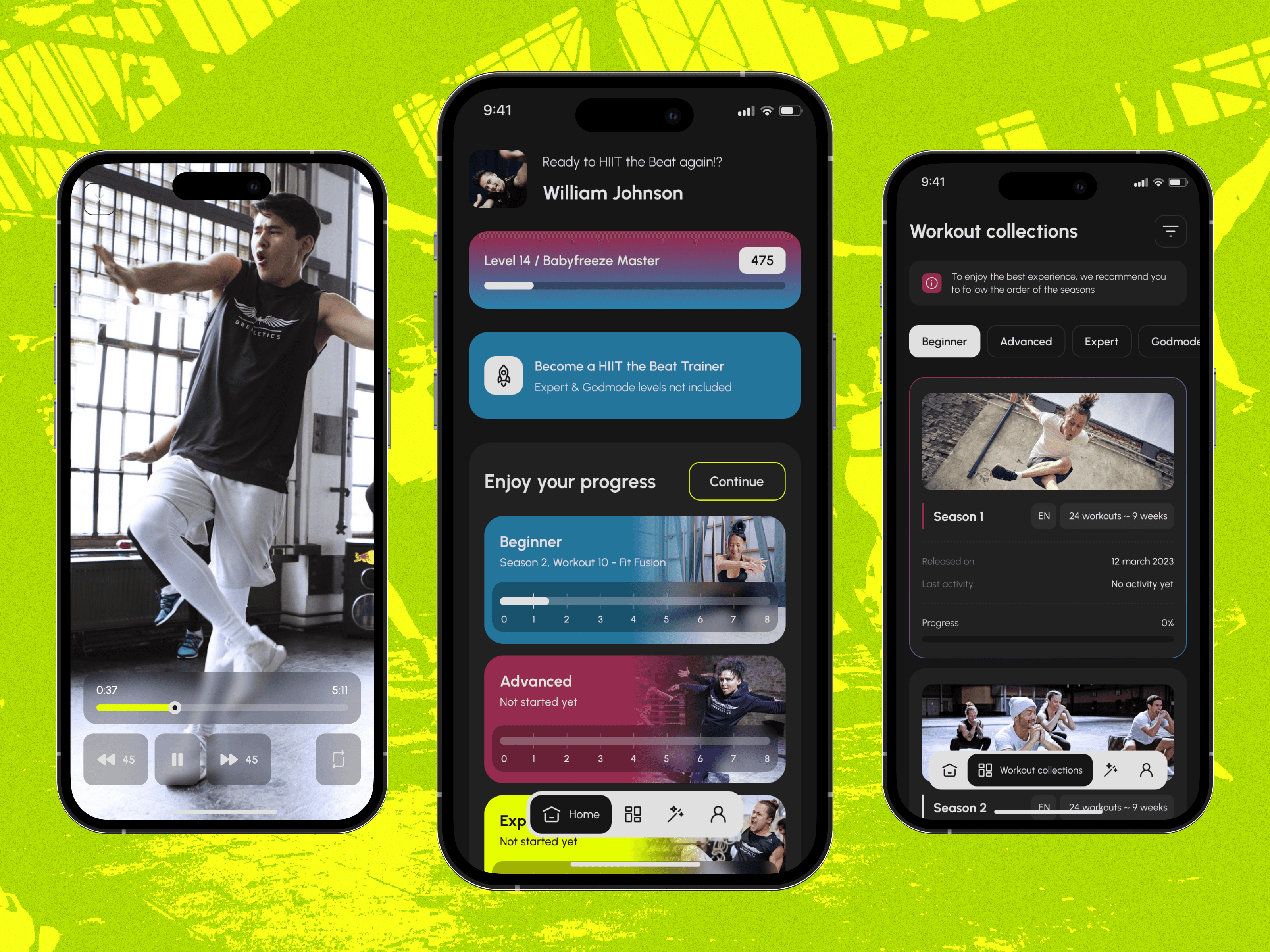
Breakletics HIIT the Beat
Fitness app that combines high-intensity interval training with breakdance moves.
 Wellbeing
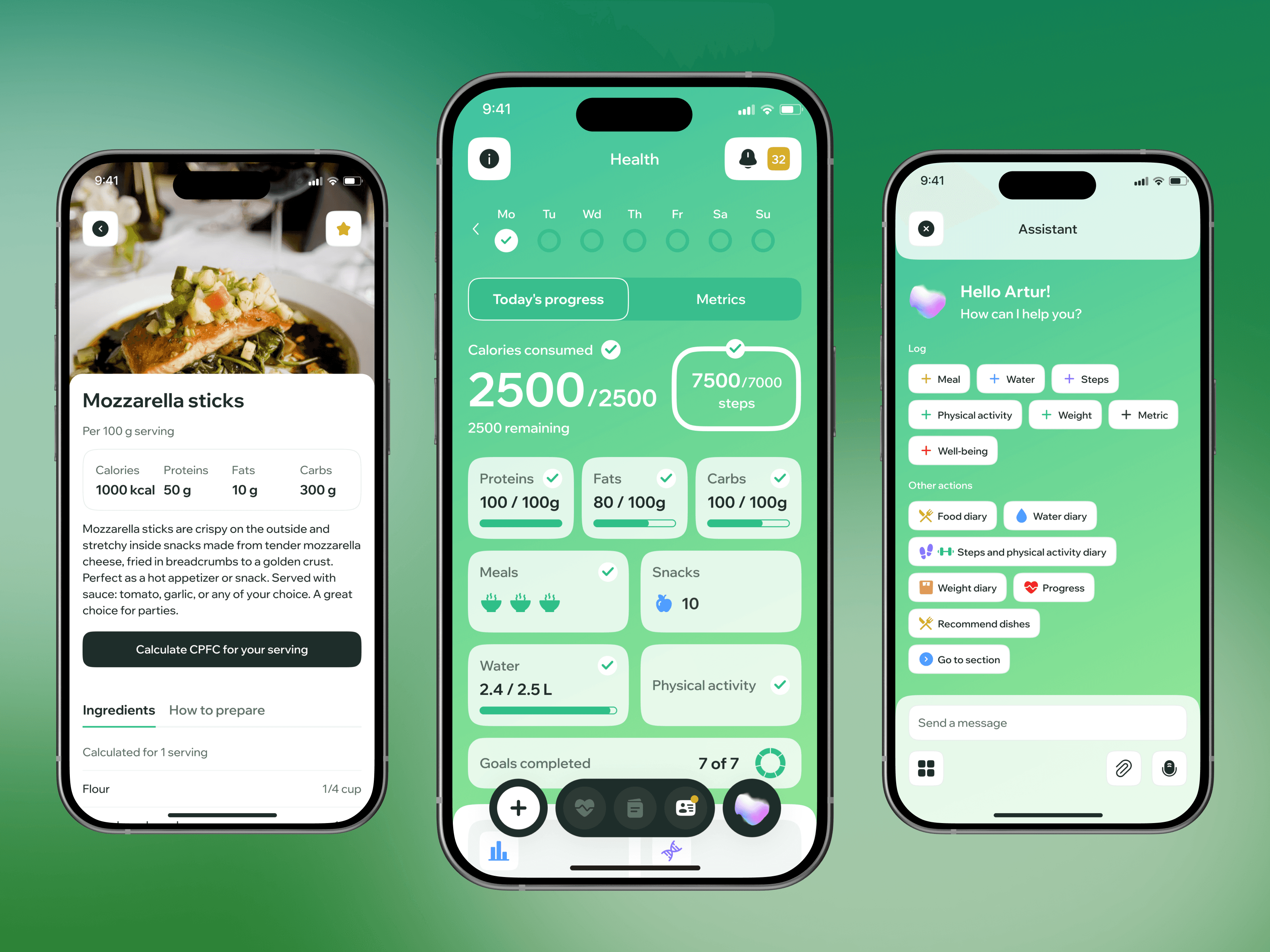
Wellup
Wellness app for training and nutrition routines with a focus on motivation and daily habits.
Let’s discuss your project
Free and non-binding — book a slot straight away or drop us a message.

Dennis Polevik
CEO
Free intro call with Xmethod
- Free, no obligationNo obligation and no cost
- Straight with the teamStraight with the team, no sales reps in between
- A concrete next stepYou leave with a concrete next step
Dennis Polevik
CEO
Let's discuss your project
What happens next?
- Reply within 1 business dayWe review your project and get back to you within 1 business day
- Short call on your goalsWe hop on a short call to align on scope and goals
- Clear proposal, no obligationYou get a clear proposal — no obligation, no pressure